> ## Documentation Index
> Fetch the complete documentation index at: https://docs.min-ai.ar/llms.txt
> Use this file to discover all available pages before exploring further.
# What minai is
> AI agents you talk to on WhatsApp, Telegram, Slack or minai's chat. Each one with its own name, face and skills.
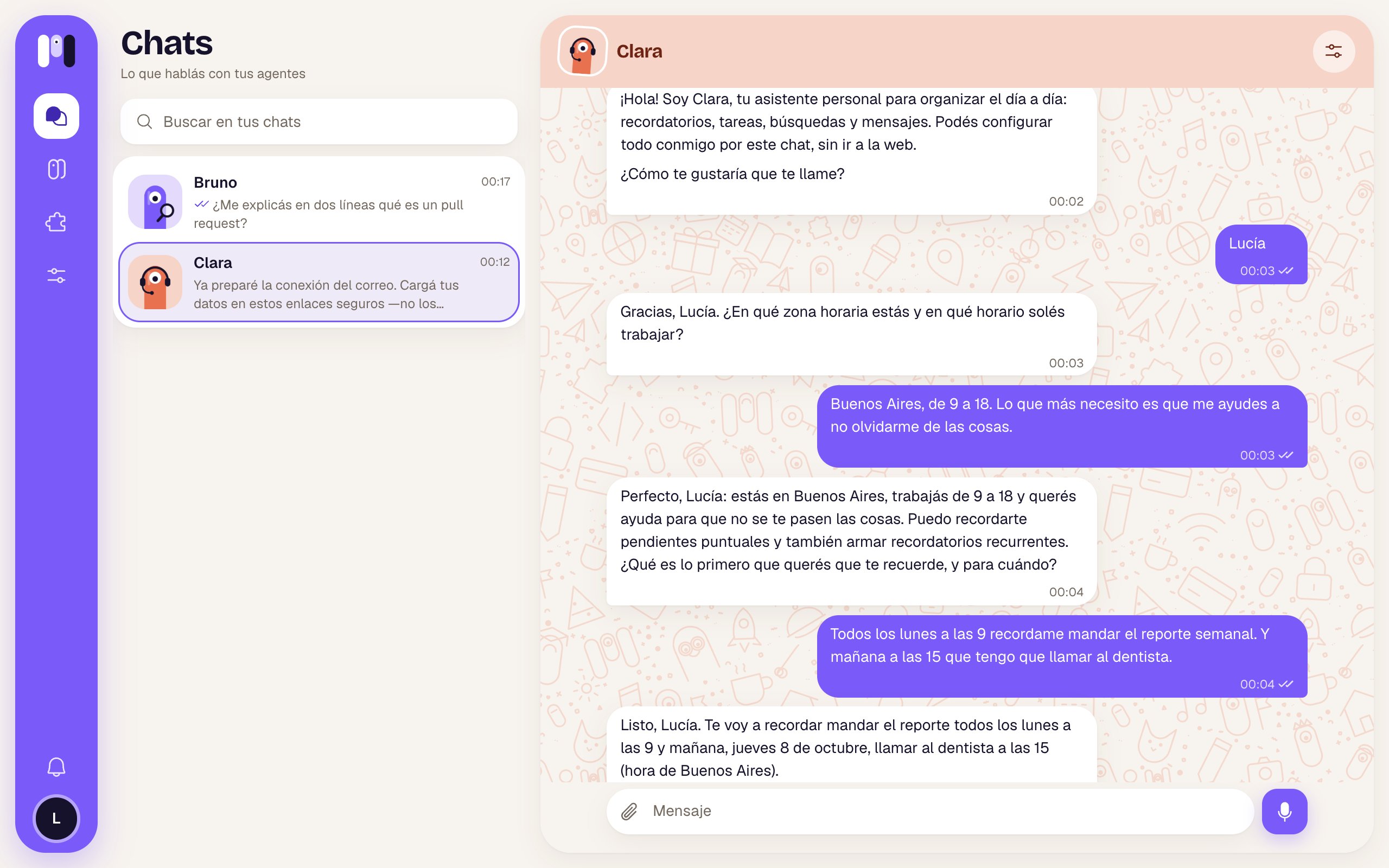
**minai** lets you have your own artificial intelligence agents: helpers with a name and a face that you talk to where you already chat. One reminds you of things, another sums up your email, another checks your repos or tells you how your business is doing. **You don't need to know how to code: you set everything up by chatting.**
 ## How it works, in three steps
Your agents think with your Claude or ChatGPT subscription, with your own API key, or (while your trial lasts) with minai's AI.
You give it a name and a face, choose how powerful it is and tell it what it's for. It finishes setting itself up by chatting with you.
Each agent has its own contact: its chat in minai, its Telegram bot, its WhatsApp group or its Slack channel.
## What your agents can do
Tell it "every Monday at 9" and that's it: scheduled reminders, summaries and checks.
Gmail, your calendar, Drive, your bank, ARCA (Argentina's tax agency), Mercado Pago, GitHub, Stripe and more, with plugins.
They search your chats and sum up what happened. They only write if you approve the message.
An agent can live in a family, team or friends group and help everyone.
They search, open pages, fill in forms and send you screenshots. Nothing is bought or sent without your OK.
You never type a password in the chat: you enter it in a one-time link and it's stored encrypted.
## The web app, to look and adjust
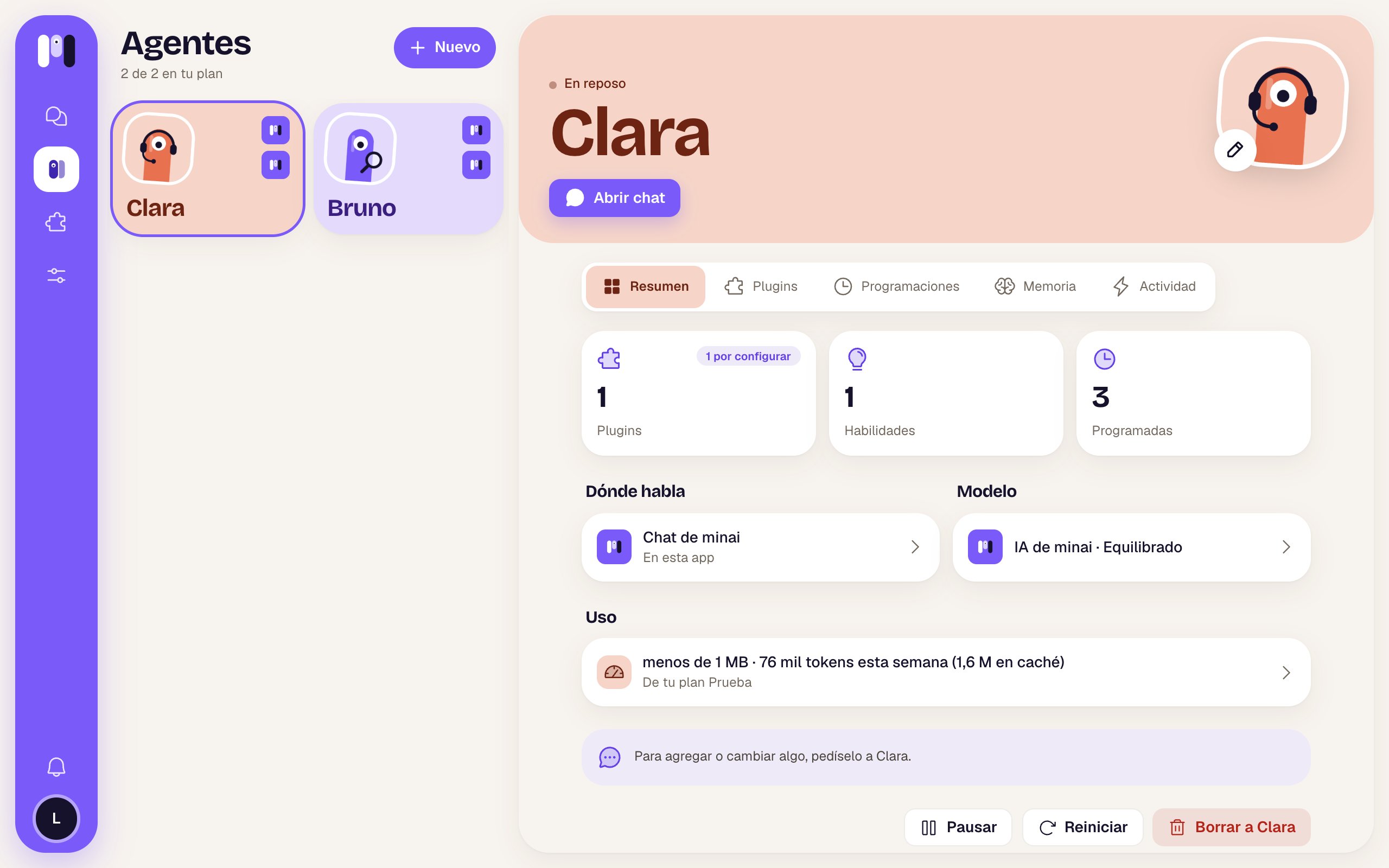
The minai app (at [app.min-ai.ar](https://app.min-ai.ar)) is for creating your agents, seeing what they do and adjusting a few things: their model, their plugins, their schedules, your plan. But the usual way is to **ask your agent**: if you want it to do something new, remember something or change a time, tell it in the chat.
## How it works, in three steps
Your agents think with your Claude or ChatGPT subscription, with your own API key, or (while your trial lasts) with minai's AI.
You give it a name and a face, choose how powerful it is and tell it what it's for. It finishes setting itself up by chatting with you.
Each agent has its own contact: its chat in minai, its Telegram bot, its WhatsApp group or its Slack channel.
## What your agents can do
Tell it "every Monday at 9" and that's it: scheduled reminders, summaries and checks.
Gmail, your calendar, Drive, your bank, ARCA (Argentina's tax agency), Mercado Pago, GitHub, Stripe and more, with plugins.
They search your chats and sum up what happened. They only write if you approve the message.
An agent can live in a family, team or friends group and help everyone.
They search, open pages, fill in forms and send you screenshots. Nothing is bought or sent without your OK.
You never type a password in the chat: you enter it in a one-time link and it's stored encrypted.
## The web app, to look and adjust
The minai app (at [app.min-ai.ar](https://app.min-ai.ar)) is for creating your agents, seeing what they do and adjusting a few things: their model, their plugins, their schedules, your plan. But the usual way is to **ask your agent**: if you want it to do something new, remember something or change a time, tell it in the chat.
 ## Where to go next
From zero to your first agent in five minutes.
Agents, channels, your AI, plugins, memory and schedules.
How to give an agent new skills.
Every screen, every channel and every plugin, in detail.
This documentation is built and hosted on [Mintlify](https://mintlify.com), a developer documentation platform.
## Where to go next
From zero to your first agent in five minutes.
Agents, channels, your AI, plugins, memory and schedules.
How to give an agent new skills.
Every screen, every channel and every plugin, in detail.
This documentation is built and hosted on [Mintlify](https://mintlify.com), a developer documentation platform.