> ## Documentation Index
> Fetch the complete documentation index at: https://docs.min-ai.ar/llms.txt
> Use this file to discover all available pages before exploring further.
# Memory and schedules
> How your agents remember you and do things on their own, at their set time.
Two things make an agent truly yours: it **remembers** what you tell it and it **does things on its own**, without you writing to it.
## A conversation that never ends
Each agent has a single, continuous conversation. You can pick up where you left off yesterday or a month ago. When the conversation gets very long, the agent writes itself a summary and carries on; you don't have to do anything.
## Memory
Besides the conversation, the agent keeps a **memory**: short notes with what matters, which it always uses.
* **About you**: who you are, your preferences, your goals.
* **What it learned**: your setup, how you like it to do things, what it learned along the way, what's in progress.
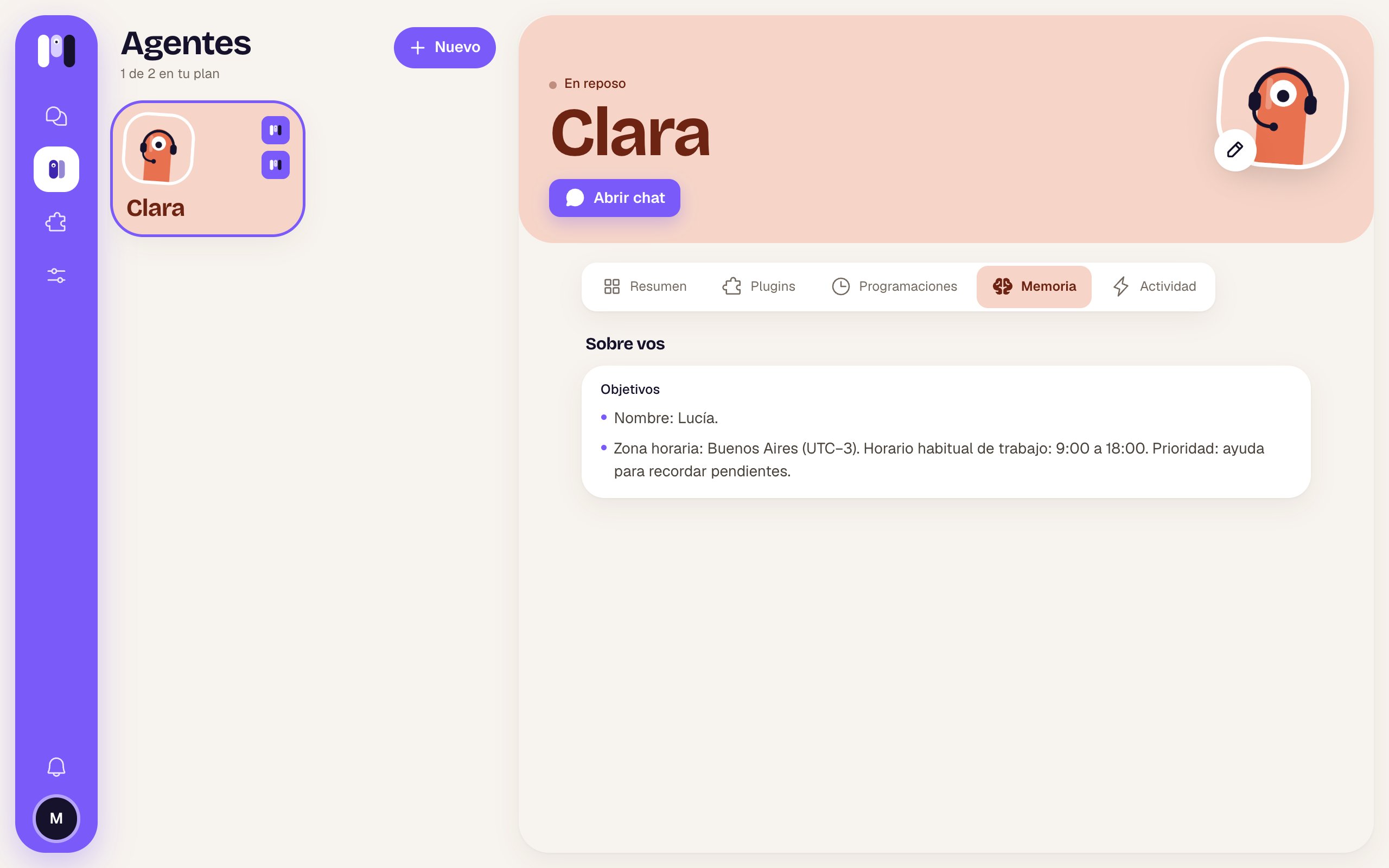 You can see it in the agent's **Memory** tab. It isn't edited from the web: you tell the agent.
* "Remember that I work from home on Fridays."
* "Forget my old address, I live in Palermo now."
* "What do you have written down about me?"
## Schedules
A **schedule** is something the agent does on its own, at a set time: once ("tomorrow at 3 p.m.") or always ("every Monday at 9"). When the time comes, it wakes up, does the job and writes to you in its chat.
You create them **by chatting**:
* "Remind me tomorrow at 9 to call the accountant."
* "Every Monday at 8, send me a summary of my unread emails."
* "Every 2 hours, from 9 to 5, check that the website is up and only tell me if it goes down."
* "Move the gym reminder to 7 p.m." · "Cancel the Monday one." · "What do you have scheduled?"
You can see it in the agent's **Memory** tab. It isn't edited from the web: you tell the agent.
* "Remember that I work from home on Fridays."
* "Forget my old address, I live in Palermo now."
* "What do you have written down about me?"
## Schedules
A **schedule** is something the agent does on its own, at a set time: once ("tomorrow at 3 p.m.") or always ("every Monday at 9"). When the time comes, it wakes up, does the job and writes to you in its chat.
You create them **by chatting**:
* "Remind me tomorrow at 9 to call the accountant."
* "Every Monday at 8, send me a summary of my unread emails."
* "Every 2 hours, from 9 to 5, check that the website is up and only tell me if it goes down."
* "Move the gym reminder to 7 p.m." · "Cancel the Monday one." · "What do you have scheduled?"
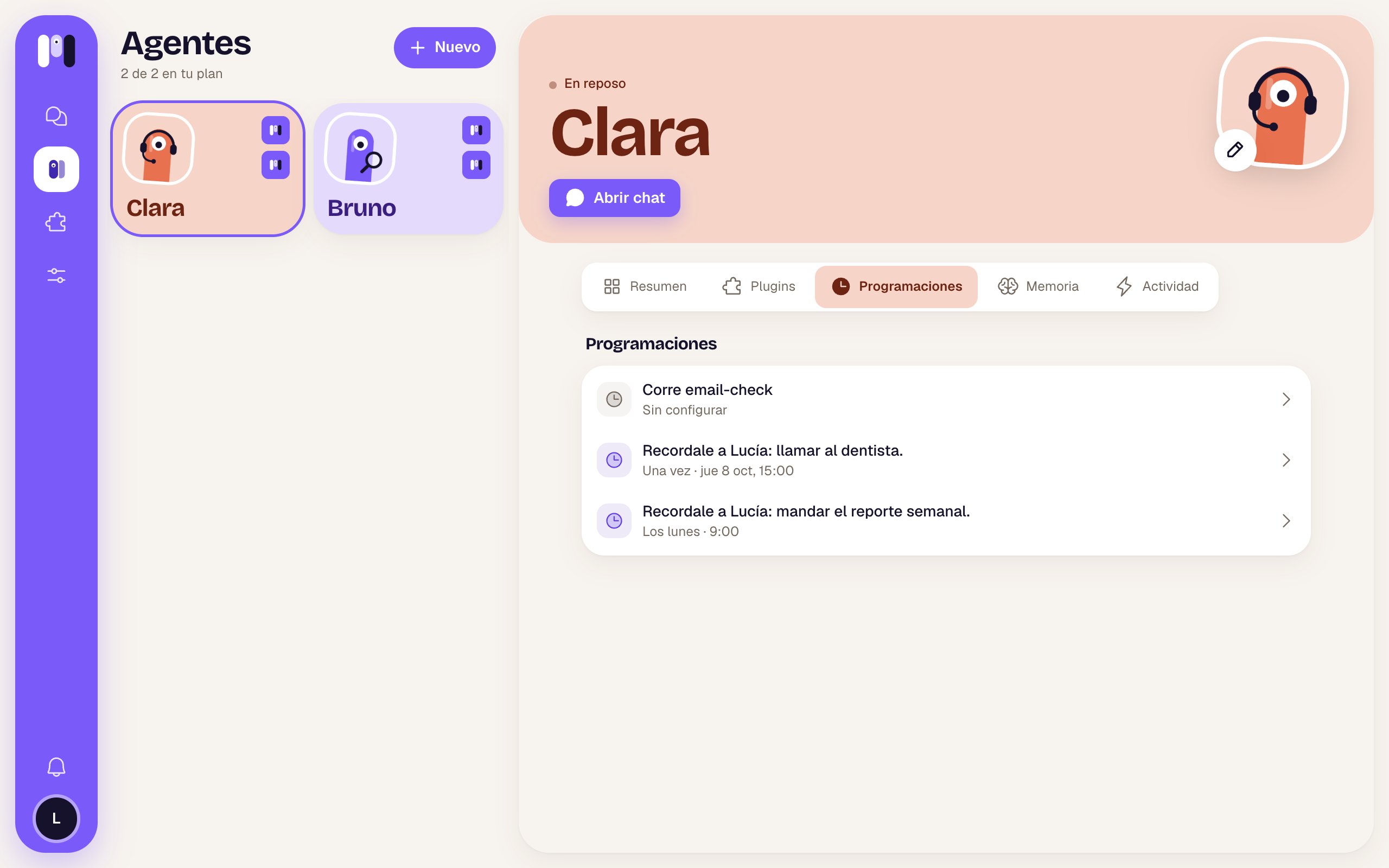 In the agent's **Schedules** tab you see them all, in your time zone and in words (“Mondays · 9:00”). From there you can pause one or delete it. Some plugins bring their own schedule (for example, new-email alerts), which comes turned off until you agree with the agent on how often.
A paused agent doesn't run its schedules. And schedules count toward your plan as “runs a day”: if you go over, the agent tells you and you work it out together.
More detail: [Schedules](/en/reference/agent/schedules) and [Talk and remember](/en/reference/agent/talk-and-remember).
## What it did, in Activity
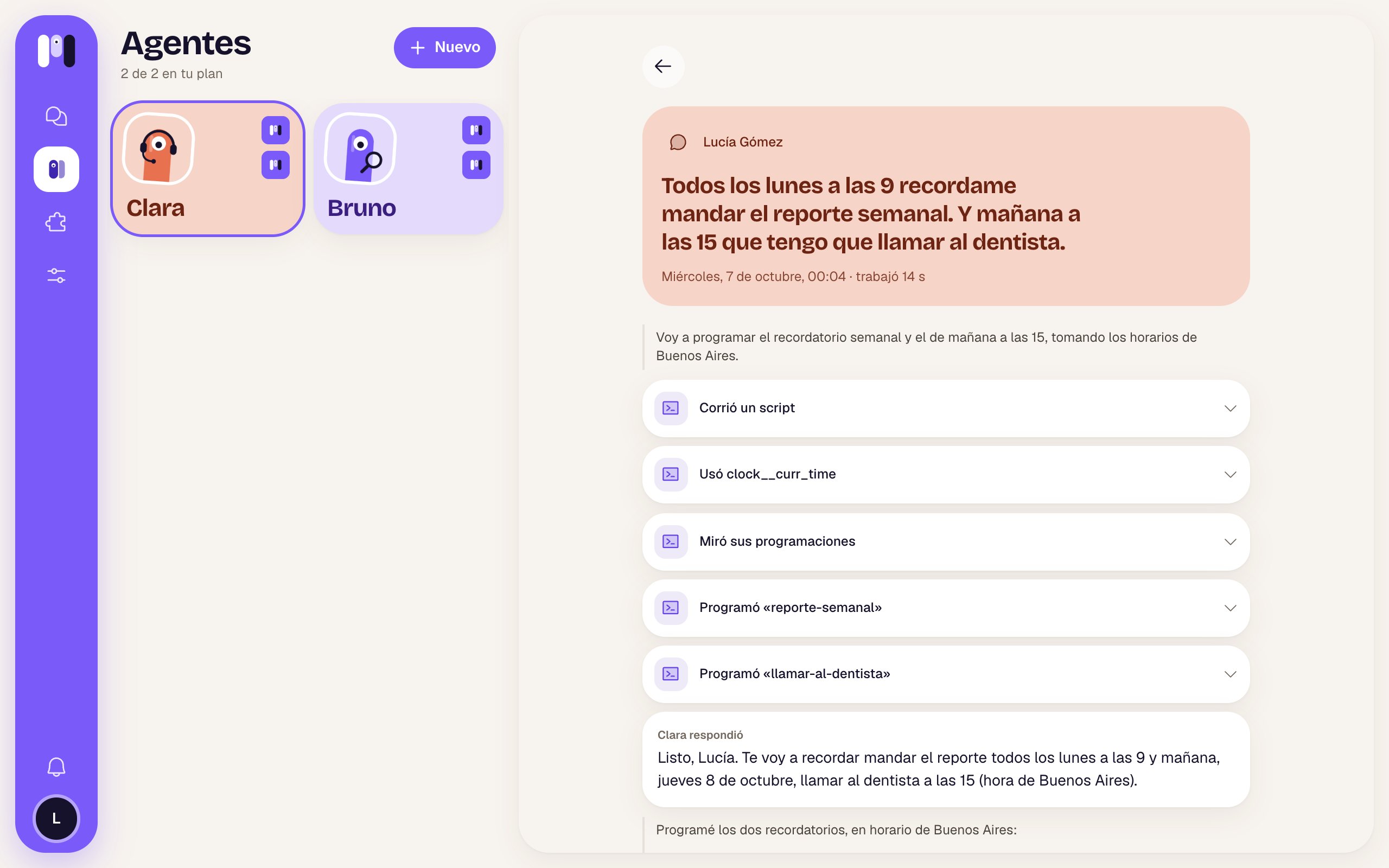
Every time an agent works (because you wrote to it, because of a schedule or because of an alert), it shows up in its **Activity** tab: what woke it up, how long it took, how it ended and its steps, in words. It's kept for a month.
In the agent's **Schedules** tab you see them all, in your time zone and in words (“Mondays · 9:00”). From there you can pause one or delete it. Some plugins bring their own schedule (for example, new-email alerts), which comes turned off until you agree with the agent on how often.
A paused agent doesn't run its schedules. And schedules count toward your plan as “runs a day”: if you go over, the agent tells you and you work it out together.
More detail: [Schedules](/en/reference/agent/schedules) and [Talk and remember](/en/reference/agent/talk-and-remember).
## What it did, in Activity
Every time an agent works (because you wrote to it, because of a schedule or because of an alert), it shows up in its **Activity** tab: what woke it up, how long it took, how it ended and its steps, in words. It's kept for a month.
 This documentation is built and hosted on [Mintlify](https://mintlify.com), a developer documentation platform.