> ## Documentation Index
> Fetch the complete documentation index at: https://docs.min-ai.ar/llms.txt
> Use this file to discover all available pages before exploring further.
# PayPal
> How to connect and use PayPal.
Your PayPal payments, invoices, subscriptions, disputes and notices. You need a **business account**.
## Create your PayPal app
1. Add **PayPal** to your agent and open **Create an app in PayPal**.
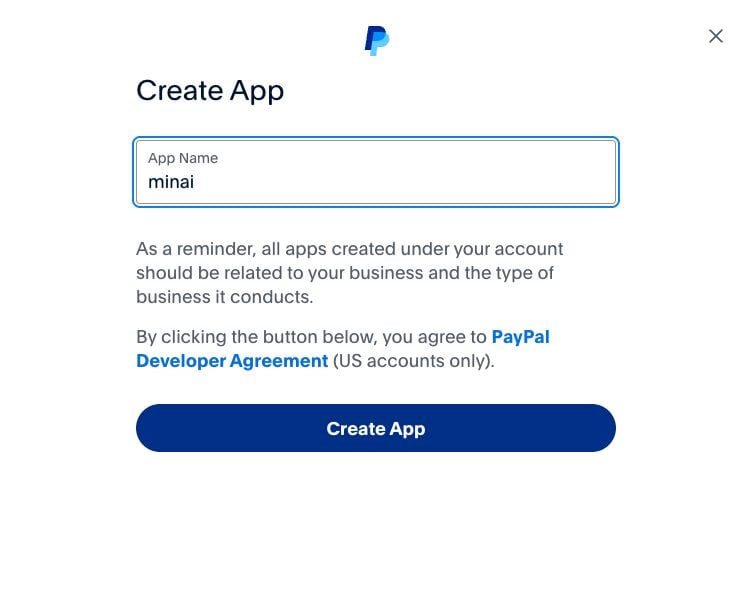
2. Sign in to [PayPal’s developer site](https://developer.paypal.com/dashboard/applications/live) with your business account. Under **Apps & Credentials**, choose **Live → Create App**. Name it **minai**.
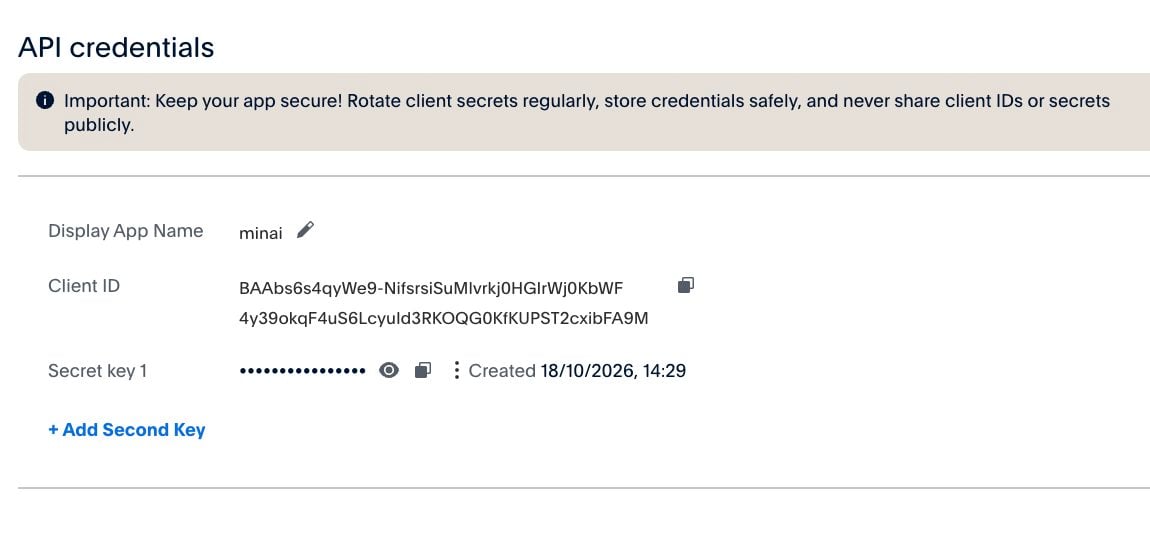
3. Copy the **Client ID** and, with **Show**, the **Secret**. Paste each into its own one-time link from the agent, never in the chat.
4. Under **Features**, enable **Transaction search**, **Invoicing**, **Subscriptions** and **Customer disputes** if offered, and save. Transaction search can take hours to start working; the agent can still check your balance and other features meanwhile.
5. Return to the chat so the agent can check the connection.
## Permissions
On PayPal’s card in **Tools**, both start off:
| Permission | What it enables |
| - | - |
| **Allow changes** | Create, send, remind, cancel or mark invoices paid; pause, resume or cancel subscriptions; shipment tracking and notices. |
| **Allow moving money** | Refund payments and accept disputes, returning money to the buyer. |
Every change has a preview and **Confirm** or **Change**. A refund moves real money.
## Notices and weekly report
Ask “Tell me when a payment comes in, an invoice is paid, a dispute opens or a subscription payment fails.” With **Allow changes** and your OK, the agent creates the webhook and keeps its ID: you don’t have to paste it into another link.
If you prefer setting it up yourself, the agent gives you the URL and events; in your PayPal app, use **Live webhooks → Add webhook**, save it and give the agent the **Webhook ID** in the chat (it isn’t secret). Minai uses it to check that notices come from PayPal. The agent checks for missing setup before saying notices are active. You can also ask for a weekly report.
## Examples and limits
* “Summarize payments, fees and refunds for this month.”
* “Prepare an invoice for this customer and show me before sending it.”
* “Review this dispute and explain my options.”
Access depends on the features enabled in that app and your business account. To cut it off, remove the plugin and revoke its credentials in PayPal.
 This documentation is built and hosted on [Mintlify](https://mintlify.com), a developer documentation platform.