> ## Documentation Index
> Fetch the complete documentation index at: https://docs.min-ai.ar/llms.txt
> Use this file to discover all available pages before exploring further.
# Stop, restart and pause
> Cut short what it's doing, get it unstuck, pause it, make it forget something or delete it.
There are several ways to hold your agent back, from the lightest to the final one. None of them, except **Delete**, makes it lose anything.
| You want… | Use | Is anything lost? |
| - | - | - |
| It to drop what it's doing right now | **Stop** or `/stop` | No |
| To get it unstuck if it doesn't answer | **Restart** | No |
| It not to answer or run its schedules for a while | **Pause** | No |
| It to forget something | Ask it | Only that, from its memory |
| It to stop existing | **Delete** | Everything |
## Stop what it's doing
If you asked it for something and changed your mind, or it's taking too long:
* **In the minai chat:** while it works, the send button turns into **Stop**. Tap it. You can also type `/stop` and send it.
* **On Telegram, WhatsApp or Slack:** send `/stop`, on its own, with nothing else.
It cuts the current task short. Your agent doesn't get it as a message, and the conversation stays as it was.
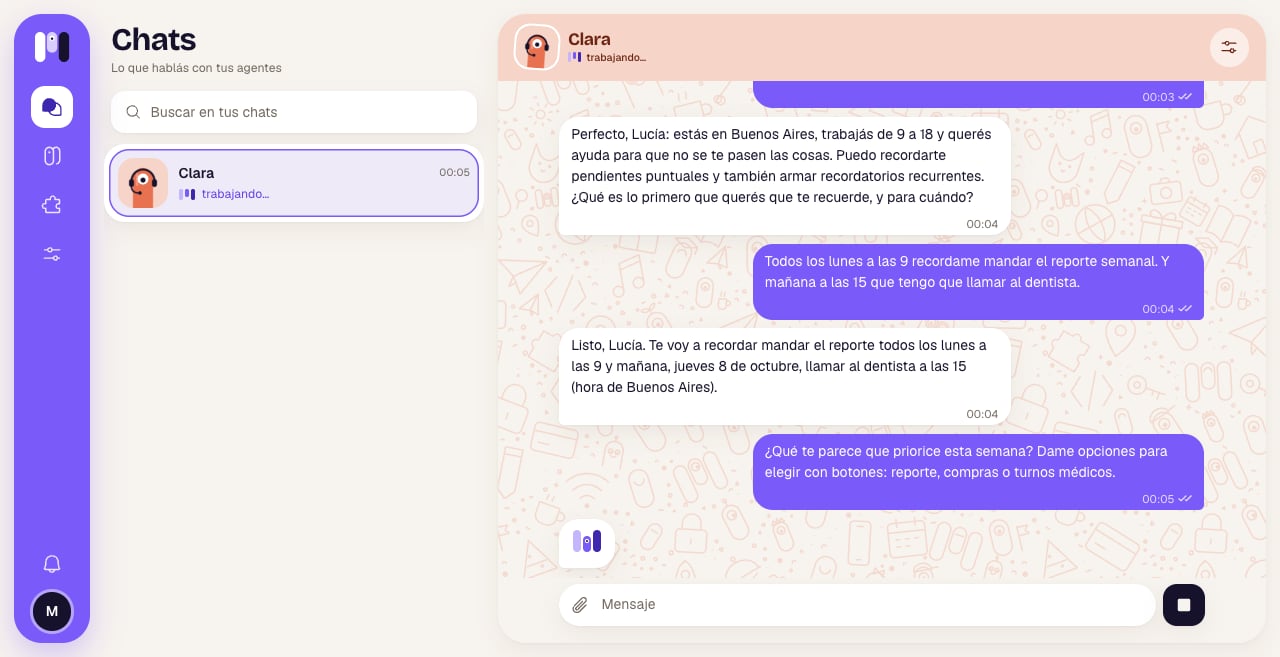 If you only want to correct something, you don't need to stop it: just write to it. What you send while it works joins the task.
## Restart
For when it's stuck and doesn't answer. In the agent, **Overview** → **Restart**. It asks “Restart Clara?”: “For when it's stuck: it cuts short what it's doing and starts again. The conversation goes on; nothing is deleted.”. Confirm with **Restart** and you'll see “Clara started again” and “You can write to it now.”.
If you only want to correct something, you don't need to stop it: just write to it. What you send while it works joins the task.
## Restart
For when it's stuck and doesn't answer. In the agent, **Overview** → **Restart**. It asks “Restart Clara?”: “For when it's stuck: it cuts short what it's doing and starts again. The conversation goes on; nothing is deleted.”. Confirm with **Restart** and you'll see “Clara started again” and “You can write to it now.”.
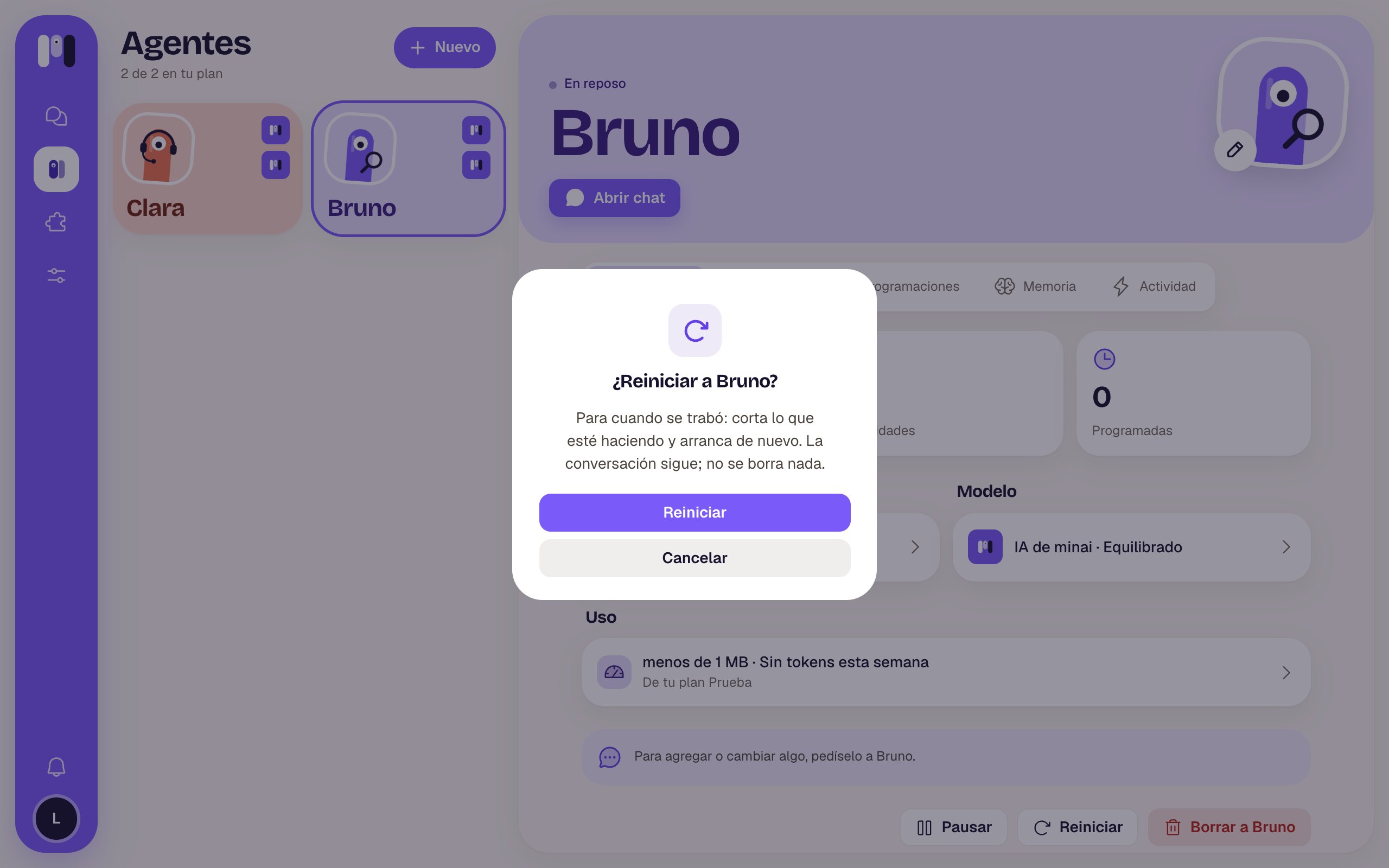 Restarting doesn't delete the conversation: it carries on where it was.
## Pause and resume
In the agent, **Overview** → **Pause**. It asks “Pause Clara?”: “It won't answer or run its schedules until you resume it. Nothing is deleted, and it still counts toward your plan.”.
Restarting doesn't delete the conversation: it carries on where it was.
## Pause and resume
In the agent, **Overview** → **Pause**. It asks “Pause Clara?”: “It won't answer or run its schedules until you resume it. Nothing is deleted, and it still counts toward your plan.”.
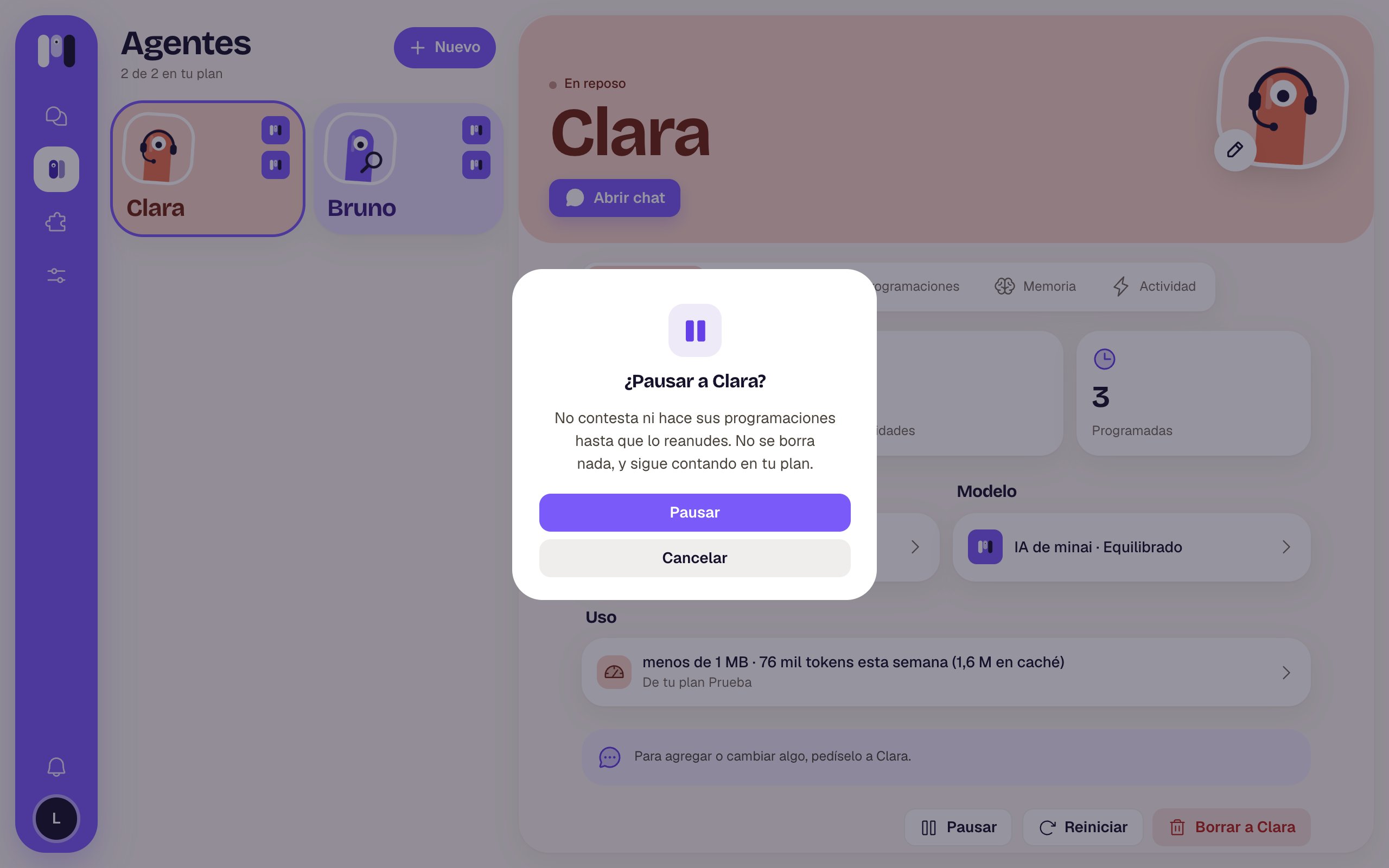 While it's paused:
* If you write to it, you get an answer in its name: “Clara is paused. To have it answer again, resume it from minai.”.
* It doesn't run its schedules.
* You can't add plugins to it.
* It still takes up its spot in your plan: pausing doesn't free up room for another agent.
To bring it back, tap **Resume** in the same place. It doesn't ask for confirmation.
## What about starting from scratch?
There's no button to delete the conversation: with each agent you have a single conversation that keeps going. Depending on what you're after:
* **For it to forget something:** tell it (“Forget my old address”) and it removes it from its memory. See [Talk and remember](/en/reference/agent/talk-and-remember).
* **To truly start from scratch:** create another agent. See [Create an agent](/en/setup/create-an-agent).
Changing its AI (for example, from Claude to ChatGPT) in **Model** does start a new conversation: it's left with just a summary of the latest, and it keeps its memory, plugins, keys and schedules. Changing only the **Level** doesn't break off the conversation.
## Delete
In the agent, **Overview** → **Delete Clara**. It asks “Delete Clara?” (in this example, Clara talks on Telegram): “Its plugins, schedules and memory are deleted, and it stops answering on Telegram. This can't be undone.”.
While it's paused:
* If you write to it, you get an answer in its name: “Clara is paused. To have it answer again, resume it from minai.”.
* It doesn't run its schedules.
* You can't add plugins to it.
* It still takes up its spot in your plan: pausing doesn't free up room for another agent.
To bring it back, tap **Resume** in the same place. It doesn't ask for confirmation.
## What about starting from scratch?
There's no button to delete the conversation: with each agent you have a single conversation that keeps going. Depending on what you're after:
* **For it to forget something:** tell it (“Forget my old address”) and it removes it from its memory. See [Talk and remember](/en/reference/agent/talk-and-remember).
* **To truly start from scratch:** create another agent. See [Create an agent](/en/setup/create-an-agent).
Changing its AI (for example, from Claude to ChatGPT) in **Model** does start a new conversation: it's left with just a summary of the latest, and it keeps its memory, plugins, keys and schedules. Changing only the **Level** doesn't break off the conversation.
## Delete
In the agent, **Overview** → **Delete Clara**. It asks “Delete Clara?” (in this example, Clara talks on Telegram): “Its plugins, schedules and memory are deleted, and it stops answering on Telegram. This can't be undone.”.
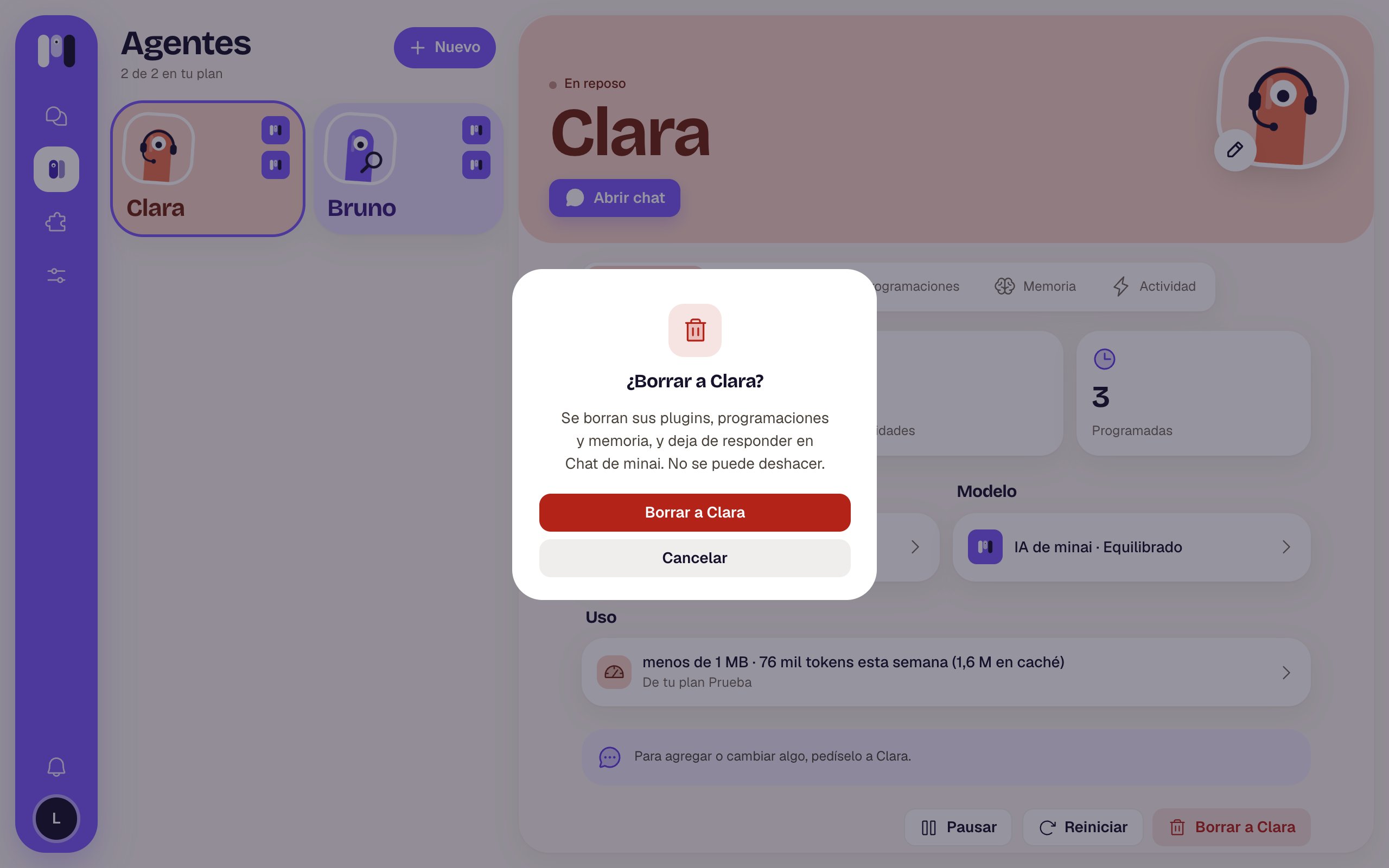 Deleting an agent can't be undone. Everything of its goes: plugins, keys, schedules, memory and files.
What happens to its channel:
* **Telegram:** minai can't delete the bot. The bot says the agent was deleted and stops answering; if you want, you delete it yourself from Telegram.
* **WhatsApp:** the line leaves the group.
* **Slack:** the channel is archived.
Deleting is the only thing that frees up its spot in your plan.
How the conversation keeps going and what it remembers.
Name, face, model and channel.
This documentation is built and hosted on [Mintlify](https://mintlify.com), a developer documentation platform.
Deleting an agent can't be undone. Everything of its goes: plugins, keys, schedules, memory and files.
What happens to its channel:
* **Telegram:** minai can't delete the bot. The bot says the agent was deleted and stops answering; if you want, you delete it yourself from Telegram.
* **WhatsApp:** the line leaves the group.
* **Slack:** the channel is archived.
Deleting is the only thing that frees up its spot in your plan.
How the conversation keeps going and what it remembers.
Name, face, model and channel.
This documentation is built and hosted on [Mintlify](https://mintlify.com), a developer documentation platform.