> ## Documentation Index
> Fetch the complete documentation index at: https://docs.min-ai.ar/llms.txt
> Use this file to discover all available pages before exploring further.
# Navigation
> The bar on the left on a computer, the one at the bottom on a phone, the bell, your account and your instances.
How you get around minai: where each section is and what each fixed button does.
**How to get there:** it's always there; it's the first thing you see when you come in.
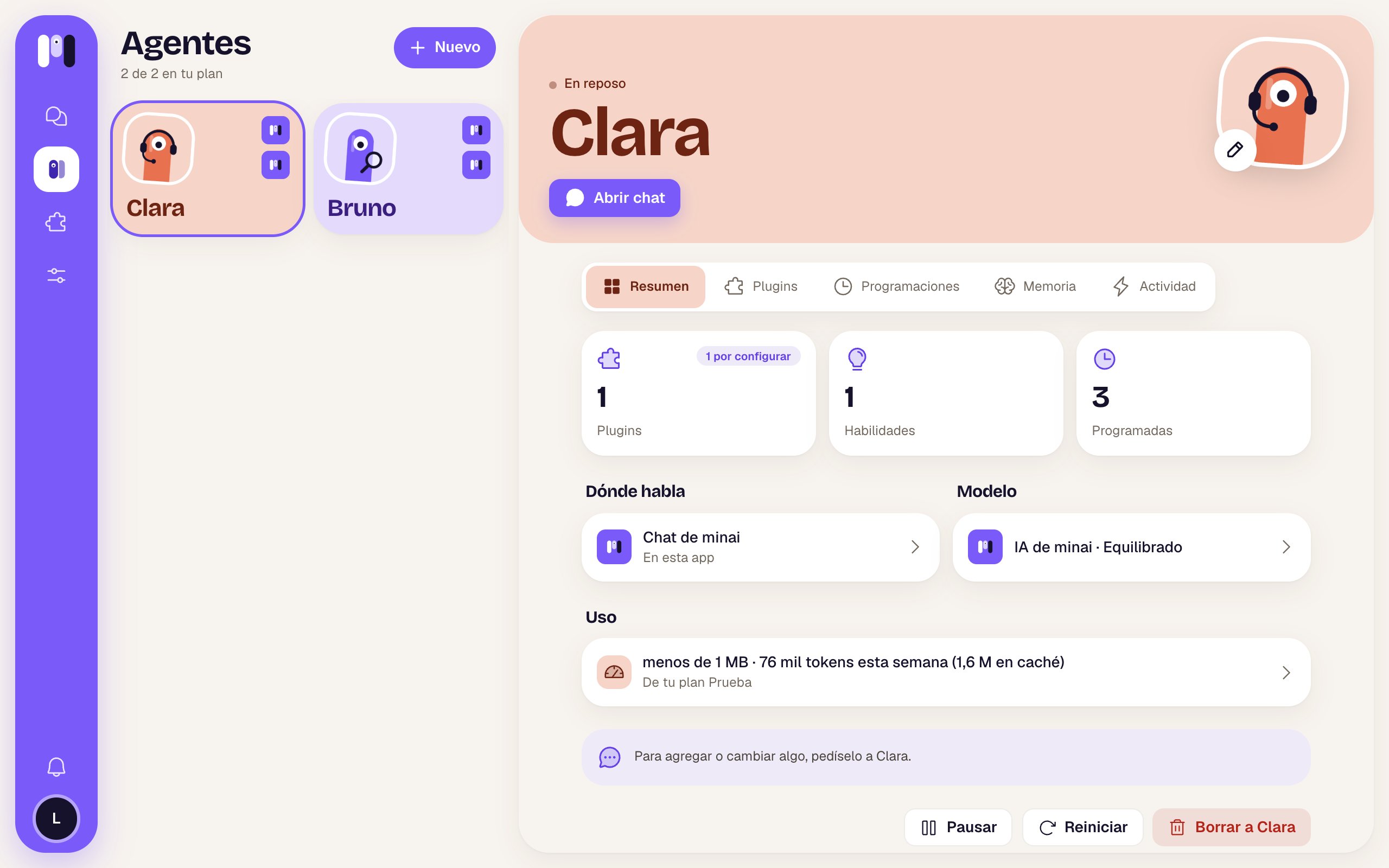
## On a computer: the violet bar
On the left there's a vertical violet bar. From top to bottom:
| Item | What it is | What it does when you tap it |
| - | - | - |
| minai symbol | The logo | Takes you home: to **Chats** if an agent already talks somewhere, otherwise to **Agents**. |
| Instance icon | Your instance's letters, in its color. It only shows up if you have **2 or more instances**. A white dot means another instance has unread notices. | Opens “Your instances” to switch from one to another. |
| **Chats** (speech bubbles) | Your conversations. It only shows up once an agent has a channel (minai chat, Telegram, WhatsApp or Slack). The number is your total unread messages (up to 99+). | Opens the [Chats](/en/reference/screens/chats) list. |
| **Agents** (minis) | Your agents. | Opens the [Agents](/en/reference/screens/agents) list. |
| **Plugins** (puzzle piece) | The library. | Opens the [plugin library](/en/reference/screens/plugin-library). |
| **Settings** (sliders) | Your account and the app. | Opens [Settings](/en/reference/screens/settings-account). |
| **Notices** (bell), near the bottom | What minai has to tell you. The number is your unread notices. | Opens [Notices](/en/reference/screens/notices). |
| Your face (or your initial), at the very bottom | Your account. | Opens **Settings → Your account**. |
The section you're in is marked with a white pill. When you open something from a list (a chat, an agent, a setting), it opens next to it, in two columns.
 ## On a phone: the bottom bar
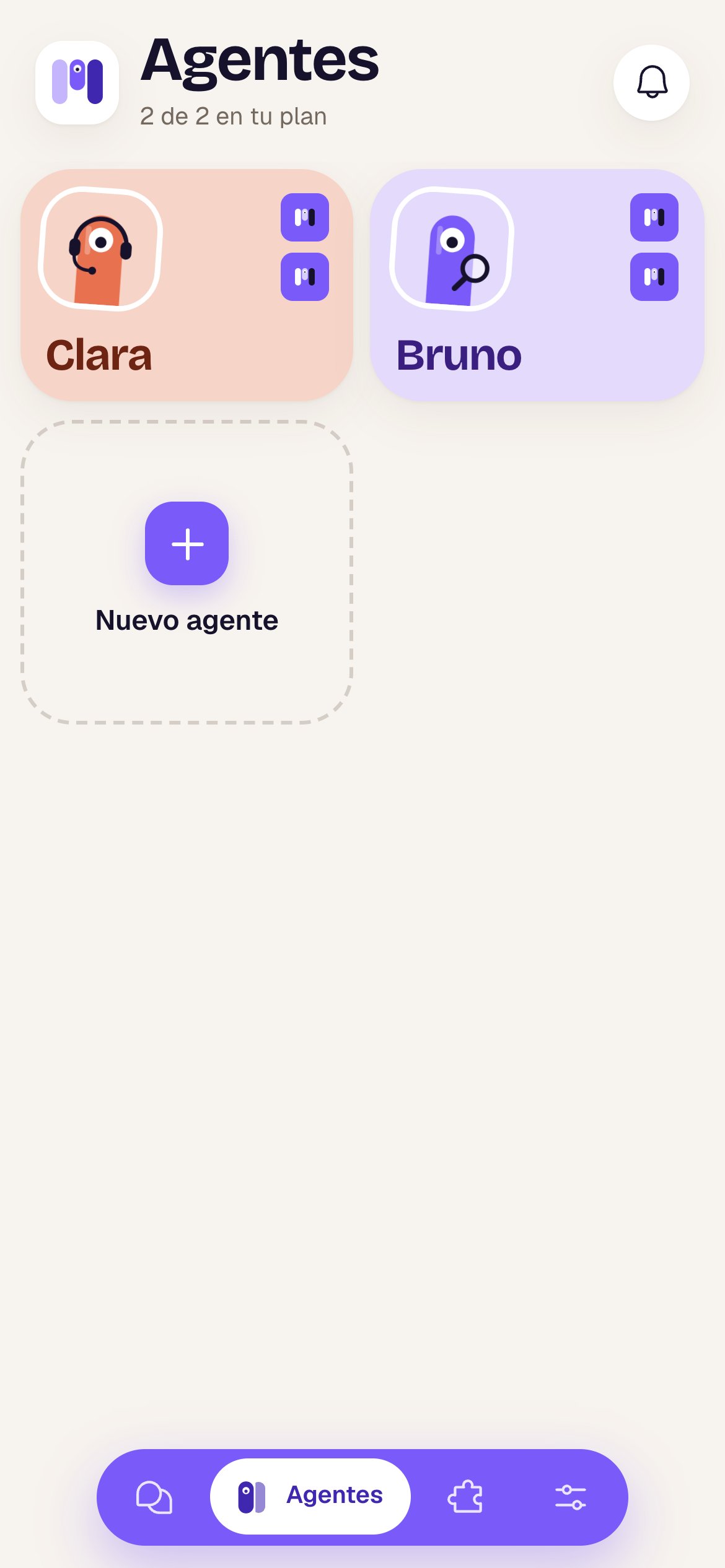
At the bottom there's a floating violet bar with the same sections: **Chats** (if there are any yet), **Agents**, **Plugins** and **Settings**. The active one is a white pill that shows its name; the others show only their icon.
* The bar **hides** when you go into a full screen (a chat, an agent, a setting, a plugin). To go back, use the arrow at the top left.
* The **bell** for Notices is at the top right of each main list (Agents, Chats, Plugins, Settings), with the number of unread notices (up to 9+).
* With **2 or more instances**, the logo at the top left carries your current instance's icon in its corner: tap it to switch.
## On a phone: the bottom bar
At the bottom there's a floating violet bar with the same sections: **Chats** (if there are any yet), **Agents**, **Plugins** and **Settings**. The active one is a white pill that shows its name; the others show only their icon.
* The bar **hides** when you go into a full screen (a chat, an agent, a setting, a plugin). To go back, use the arrow at the top left.
* The **bell** for Notices is at the top right of each main list (Agents, Chats, Plugins, Settings), with the number of unread notices (up to 9+).
* With **2 or more instances**, the logo at the top left carries your current instance's icon in its corner: tap it to switch.
 If you installed minai on your phone, the app icon shows how many unread chat messages you have. See [Install the app](/en/setup/install-the-app).
## Your instances
If you have more than one instance (for example, Personal and Work), the instance icon opens “Your instances” — “Each with its own agents, channels and plan.”:
* Tap another instance and the whole app switches to it: its agents, its chats, its plan.
* **New instance** sets up another one, empty and with its own plan.
See [Instances](/en/setup/instances).
## Before you get into the app
On the first screens (choosing a language, choosing a plan, connecting your AI) there's no bar. At the top right there's a person icon, **Account**, that shows your email and has **Switch instance** (if you have more than one) and **Sign out**.
The list and each conversation.
What minai tells you and what to do.
This documentation is built and hosted on [Mintlify](https://mintlify.com), a developer documentation platform.
If you installed minai on your phone, the app icon shows how many unread chat messages you have. See [Install the app](/en/setup/install-the-app).
## Your instances
If you have more than one instance (for example, Personal and Work), the instance icon opens “Your instances” — “Each with its own agents, channels and plan.”:
* Tap another instance and the whole app switches to it: its agents, its chats, its plan.
* **New instance** sets up another one, empty and with its own plan.
See [Instances](/en/setup/instances).
## Before you get into the app
On the first screens (choosing a language, choosing a plan, connecting your AI) there's no bar. At the top right there's a person icon, **Account**, that shows your email and has **Switch instance** (if you have more than one) and **Sign out**.
The list and each conversation.
What minai tells you and what to do.
This documentation is built and hosted on [Mintlify](https://mintlify.com), a developer documentation platform.