> ## Documentation Index
> Fetch the complete documentation index at: https://docs.min-ai.ar/llms.txt
> Use this file to discover all available pages before exploring further.
# Change an agent
> Change its name and face, its model or its channel; pause it, restart it or delete it.
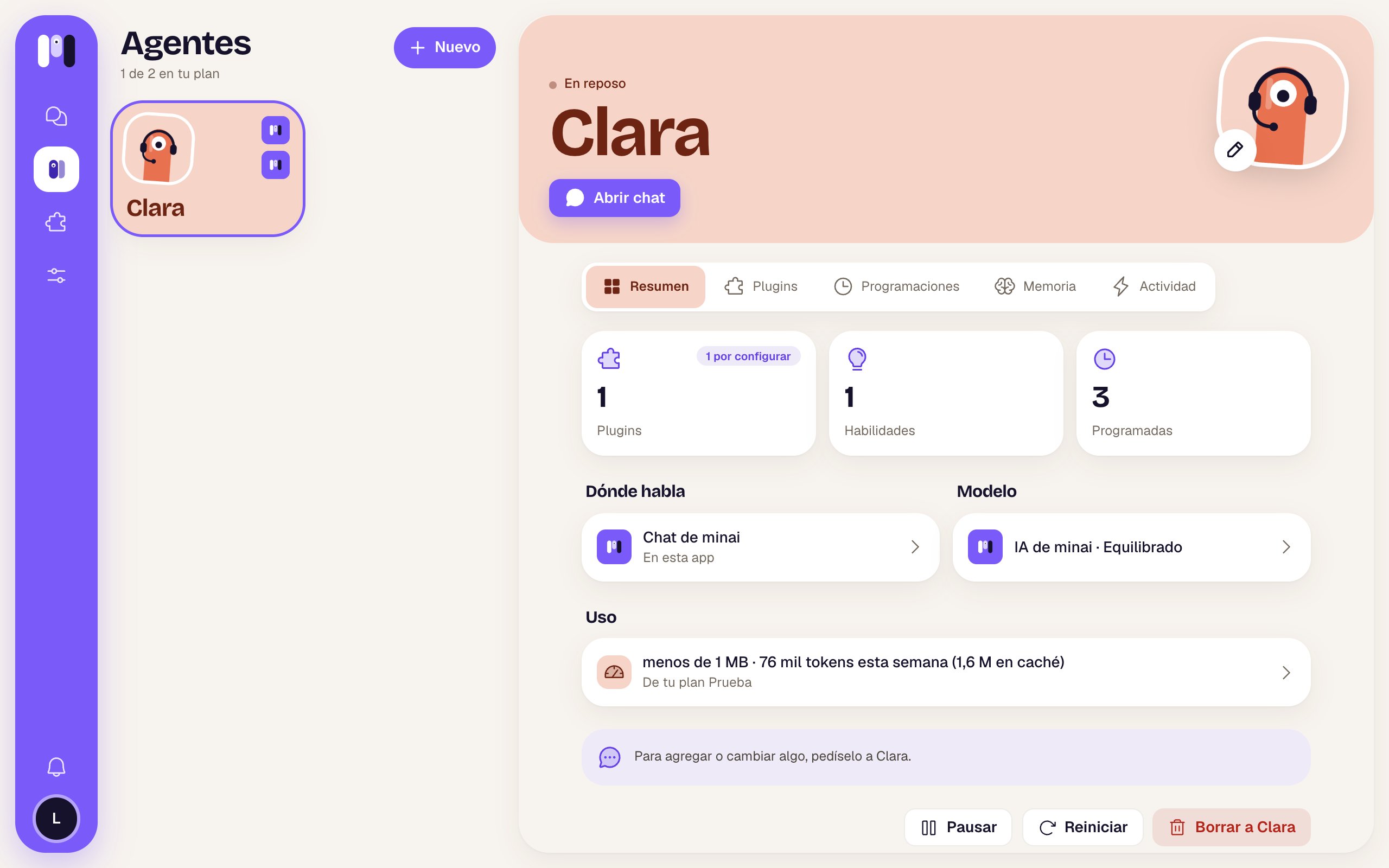
Almost everything about an agent is changed **by asking it**: its role, how it talks to you, its times, its tools. What you see here are the settings you change yourself on the web, on the agent's page (**Agents** → tap the agent).
 ## Name and face
Tap the pencil on its picture. Change the name, the face or the color and tap **Save**.
If the agent talks outside minai, its contact is updated:
* **Telegram**: the bot takes the agent's name and its picture changes (the @username doesn't change).
* **WhatsApp**: the group's name and picture change.
* **Slack**: the channel takes the agent's name.
For a group agent, the group or channel does **not** change its name (the picture does, and on Telegram so does the bot's name): if you want, change it from Telegram, WhatsApp or Slack.
## Model
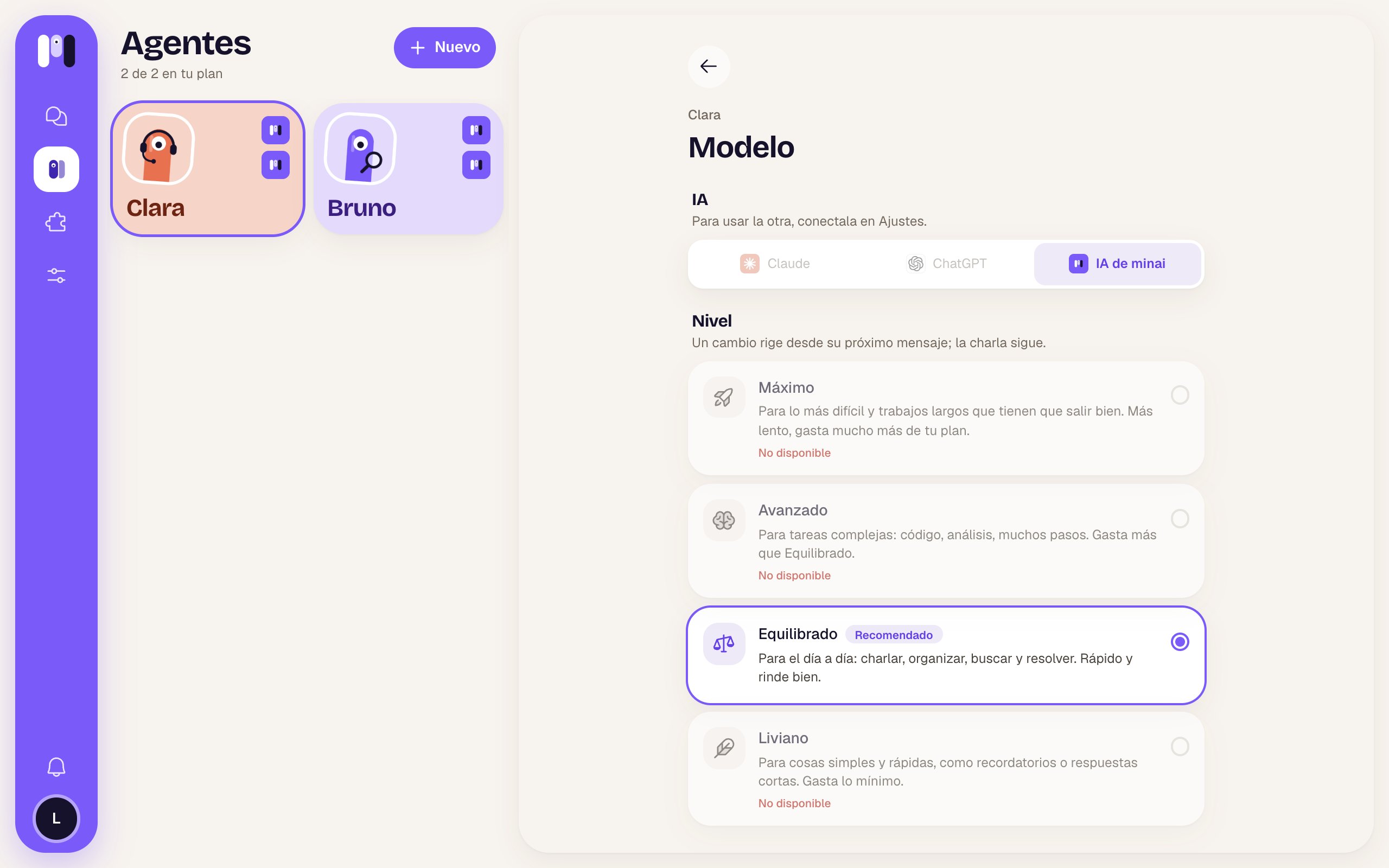
In the **Overview**, tap **Model**.
* **Level**: tap another one and you're done. It applies from its next message; the conversation goes on.
* **AI**: if you have more than one connected, you can move it to another one. minai asks you first, because **it starts a new conversation**: it only keeps a summary of the latest things. It keeps its memory, plugins, keys and schedules, and writes to you to let you know. If it was in the middle of something, remind it.
## Name and face
Tap the pencil on its picture. Change the name, the face or the color and tap **Save**.
If the agent talks outside minai, its contact is updated:
* **Telegram**: the bot takes the agent's name and its picture changes (the @username doesn't change).
* **WhatsApp**: the group's name and picture change.
* **Slack**: the channel takes the agent's name.
For a group agent, the group or channel does **not** change its name (the picture does, and on Telegram so does the bot's name): if you want, change it from Telegram, WhatsApp or Slack.
## Model
In the **Overview**, tap **Model**.
* **Level**: tap another one and you're done. It applies from its next message; the conversation goes on.
* **AI**: if you have more than one connected, you can move it to another one. minai asks you first, because **it starts a new conversation**: it only keeps a summary of the latest things. It keeps its memory, plugins, keys and schedules, and writes to you to let you know. If it was in the middle of something, remind it.
 ## Change channel
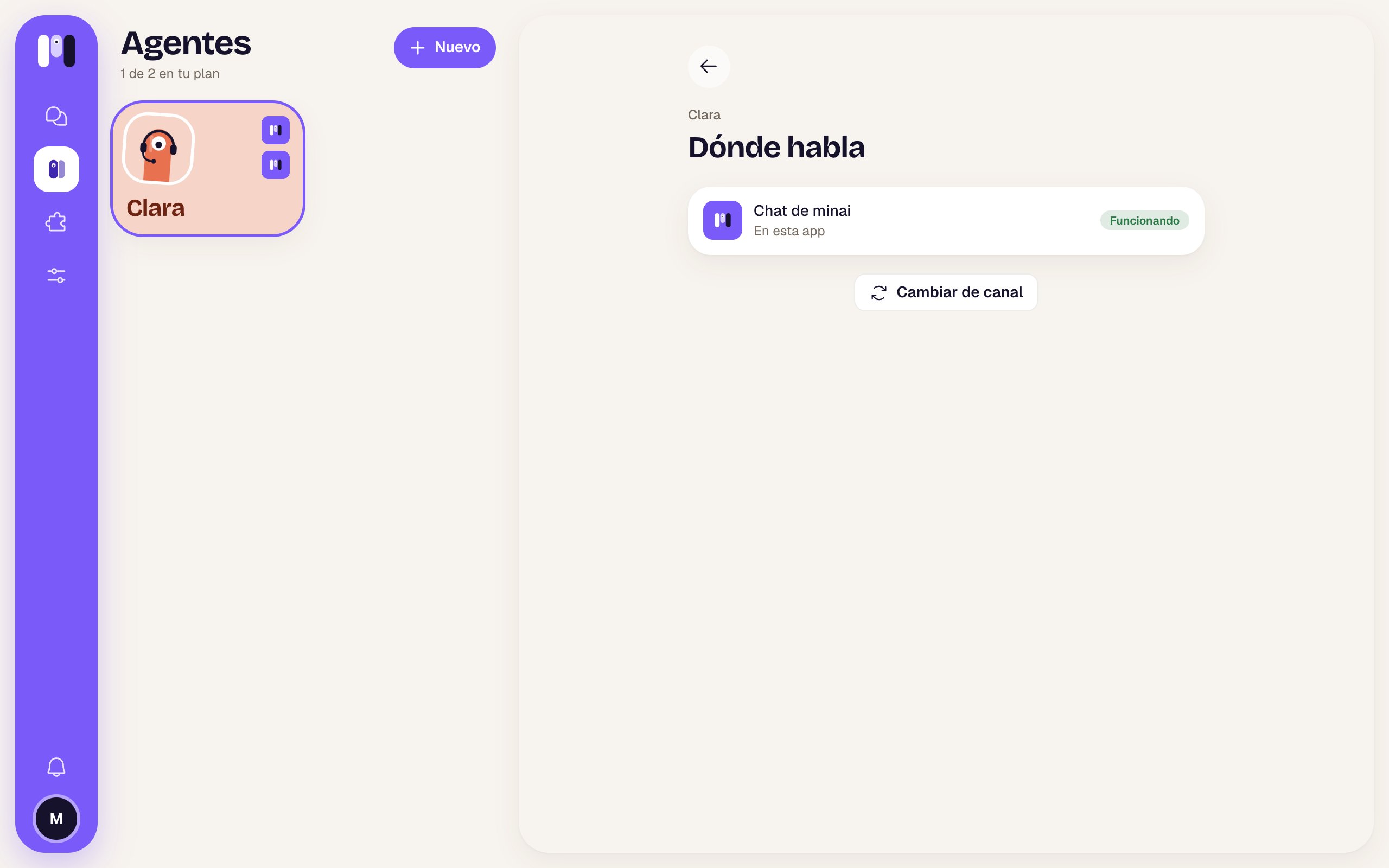
Personal agents only. In the **Overview**, tap **Where it talks** and then **Change channel**.
It shows you the other channels. Follow the steps for the one you choose, just like when you created it.
The old channel keeps working until the new one is ready. Then the agent leaves one last message in the old one (“Clara now talks on Telegram…”) and keeps talking to you in the new one.
The old group, bot or channel is left for you to delete.
It takes **everything** with it: the conversation, the memory, the plugins and the schedules.
## Change channel
Personal agents only. In the **Overview**, tap **Where it talks** and then **Change channel**.
It shows you the other channels. Follow the steps for the one you choose, just like when you created it.
The old channel keeps working until the new one is ready. Then the agent leaves one last message in the old one (“Clara now talks on Telegram…”) and keeps talking to you in the new one.
The old group, bot or channel is left for you to delete.
It takes **everything** with it: the conversation, the memory, the plugins and the schedules.
 A group agent stays in its group. For another group, create another agent.
## Pause, restart and delete
At the bottom of the **Overview** you have three buttons:
| | What it does |
| - | - |
| **Pause** | It won't answer or run its schedules until you resume it. Nothing is deleted, and **it still counts toward your plan**. To bring it back, **Resume**. |
| **Restart** | For when it's stuck: it cuts short what it's doing and starts again. The conversation goes on; nothing is deleted. |
| **Delete** | Its plugins, schedules and memory are deleted, and it stops answering on its channel. It frees up a spot in your plan. |
**Deleting can't be undone.** Its WhatsApp group is left without the agent and its Slack channel is archived. A Telegram bot can't be deleted from minai: it goes quiet and, if you want, you delete it yourself in Telegram.
To stop only the task it's doing, without restarting it, use the stop button in the chat or send `/stop`. See [Stop, restart and pause](/en/reference/agent/stop-restart-and-pause).
This documentation is built and hosted on [Mintlify](https://mintlify.com), a developer documentation platform.
A group agent stays in its group. For another group, create another agent.
## Pause, restart and delete
At the bottom of the **Overview** you have three buttons:
| | What it does |
| - | - |
| **Pause** | It won't answer or run its schedules until you resume it. Nothing is deleted, and **it still counts toward your plan**. To bring it back, **Resume**. |
| **Restart** | For when it's stuck: it cuts short what it's doing and starts again. The conversation goes on; nothing is deleted. |
| **Delete** | Its plugins, schedules and memory are deleted, and it stops answering on its channel. It frees up a spot in your plan. |
**Deleting can't be undone.** Its WhatsApp group is left without the agent and its Slack channel is archived. A Telegram bot can't be deleted from minai: it goes quiet and, if you want, you delete it yourself in Telegram.
To stop only the task it's doing, without restarting it, use the stop button in the chat or send `/stop`. See [Stop, restart and pause](/en/reference/agent/stop-restart-and-pause).
This documentation is built and hosted on [Mintlify](https://mintlify.com), a developer documentation platform.