> ## Documentation Index
> Fetch the complete documentation index at: https://docs.min-ai.ar/llms.txt
> Use this file to discover all available pages before exploring further.
# Instances
> Keep personal and work apart: several instances, each with its own agents, channels and plan.
An **instance** is a separate minai: its own agents, channels, connected AI and plan. With the same login you can have several (for example **Personal** and **Work**) and switch between them with one tap. What's in one doesn't mix with what's in the other.
## Creating one
In **Settings → Your account**, under **Instances**, tap **New instance**.
For example “Work”, “Family” or your project's name. Tap **Next**.
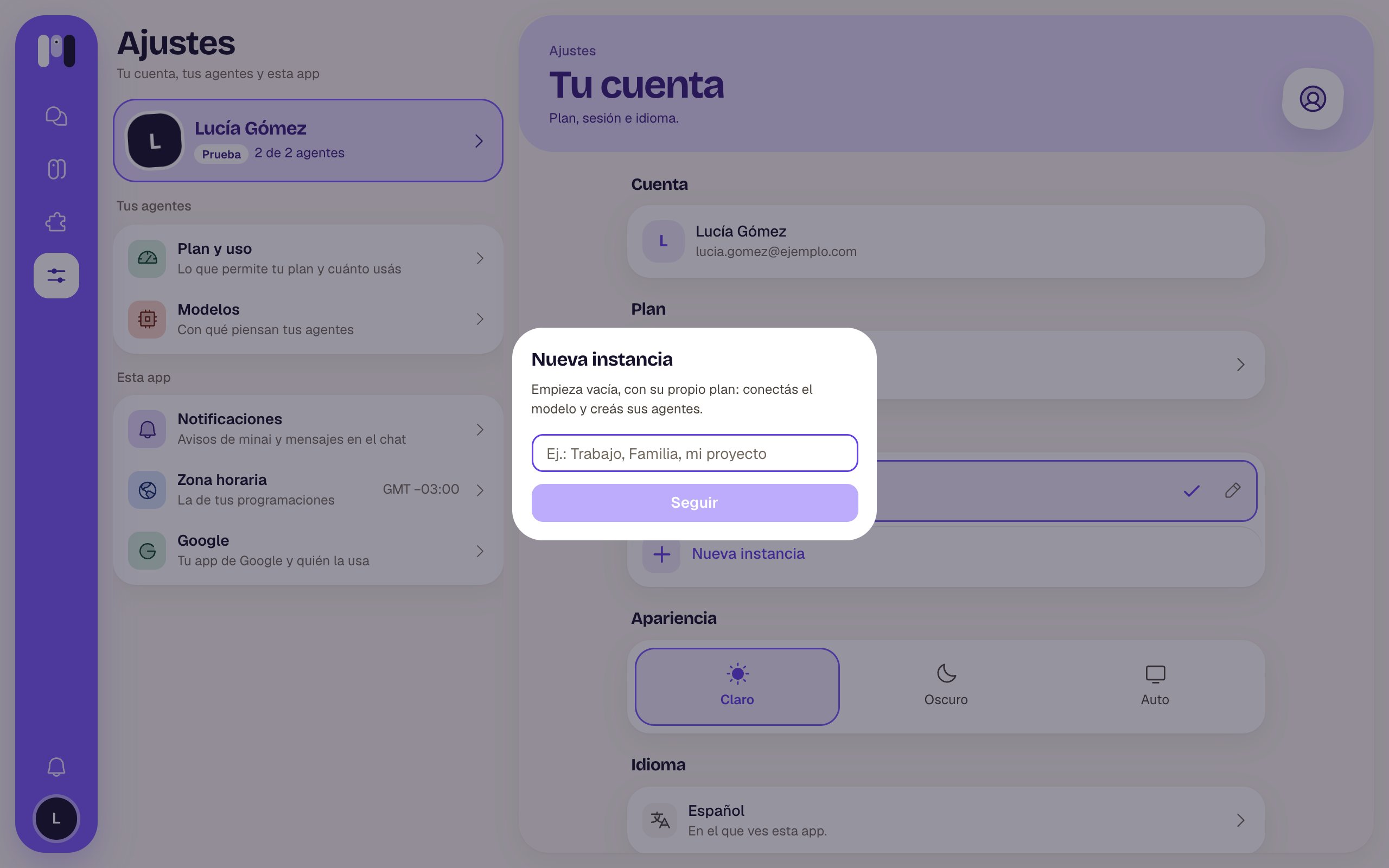 Each instance has its own plan. The free trial is once per person, so a new instance starts on a paid plan. Once the payment is confirmed, minai switches you to the new instance.
It starts empty: you connect the AI and create its agents.
## Switching between them
* **On a computer**: tap the instance's little square, under the minai logo.
* **On your phone**: tap the logo, at the top left.
* **Always**: in **Settings → Your account → Instances**, tap the one you want.
It only shows up when you have two or more. If another instance has unread notices, you'll see a little dot. Notifications say which instance they're from.
## Editing it
In **Settings → Your account → Instances**, tap the current instance's pencil to change its **Name**, the icon's **Letters** (up to two) and the color.
An instance belongs to one person and isn't shared. For several people to talk to an agent, create a [group agent](/en/reference/channels/groups).
This documentation is built and hosted on [Mintlify](https://mintlify.com), a developer documentation platform.
Each instance has its own plan. The free trial is once per person, so a new instance starts on a paid plan. Once the payment is confirmed, minai switches you to the new instance.
It starts empty: you connect the AI and create its agents.
## Switching between them
* **On a computer**: tap the instance's little square, under the minai logo.
* **On your phone**: tap the logo, at the top left.
* **Always**: in **Settings → Your account → Instances**, tap the one you want.
It only shows up when you have two or more. If another instance has unread notices, you'll see a little dot. Notifications say which instance they're from.
## Editing it
In **Settings → Your account → Instances**, tap the current instance's pencil to change its **Name**, the icon's **Letters** (up to two) and the color.
An instance belongs to one person and isn't shared. For several people to talk to an agent, create a [group agent](/en/reference/channels/groups).
This documentation is built and hosted on [Mintlify](https://mintlify.com), a developer documentation platform.