> ## Documentation Index
> Fetch the complete documentation index at: https://docs.min-ai.ar/llms.txt
> Use this file to discover all available pages before exploring further.
# Add a plugin
> Two ways to give an agent a new skill: from the library or by asking it.
A plugin gives an agent a new tool: your email, your calendar, your bank, GitHub… You can add it yourself from the library, or tell the agent what you need and let it look for the plugin.
## From the library
In **Plugins**, search for it by name or browse the categories. Tap it to see what it includes and what it will ask you for.
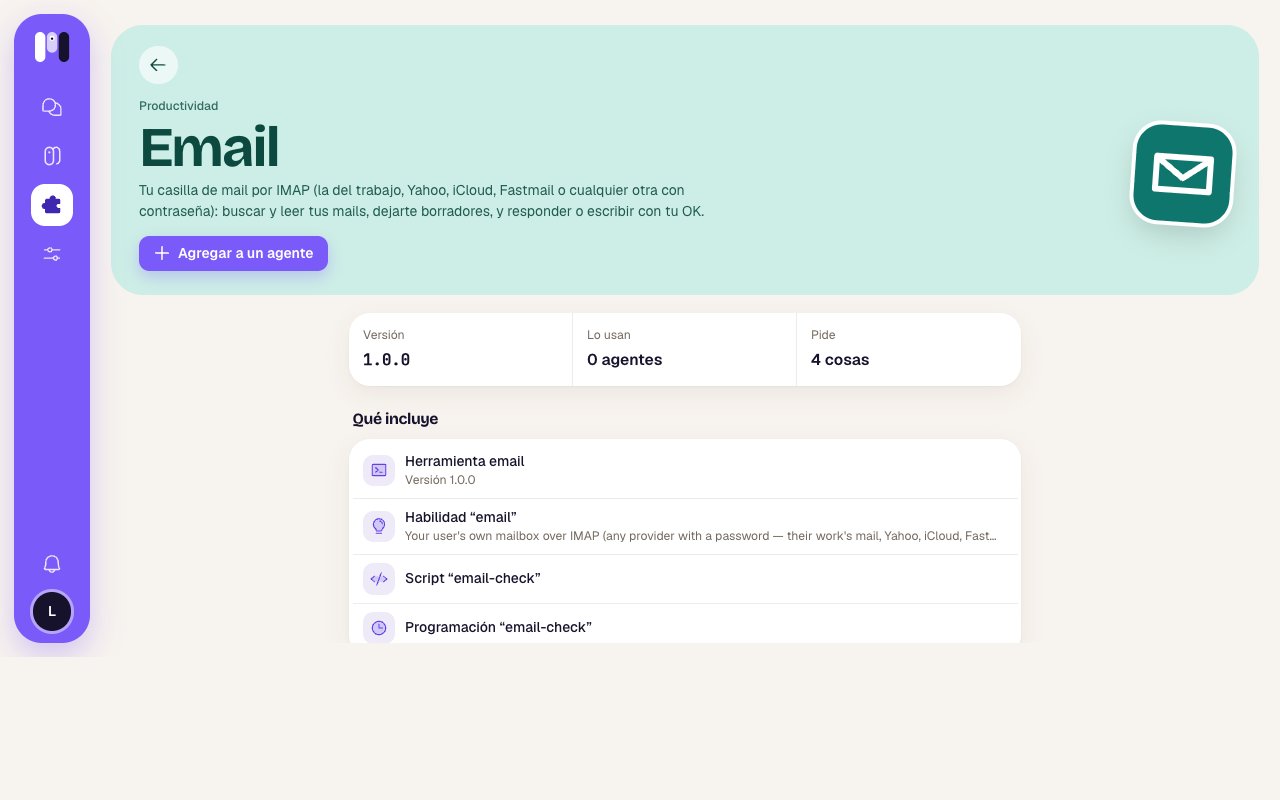 Tap **Add to an agent** and choose which one. Some show up grayed out: **Already has it**, **Paused** (resume it first, so it sets the plugin up with you) or **It's a group's** (that plugin is for personal agents only).
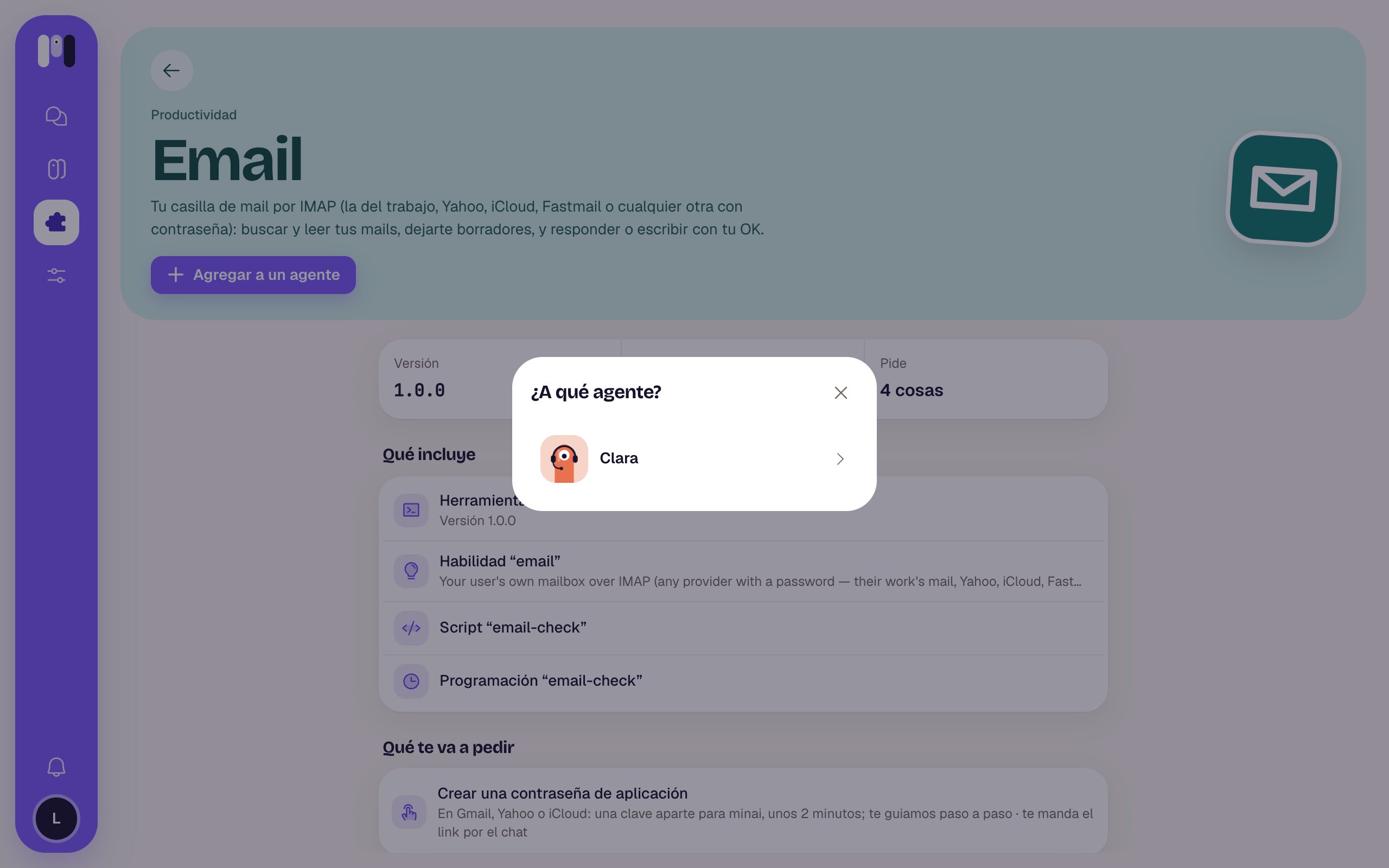 In a few seconds, the agent has it.
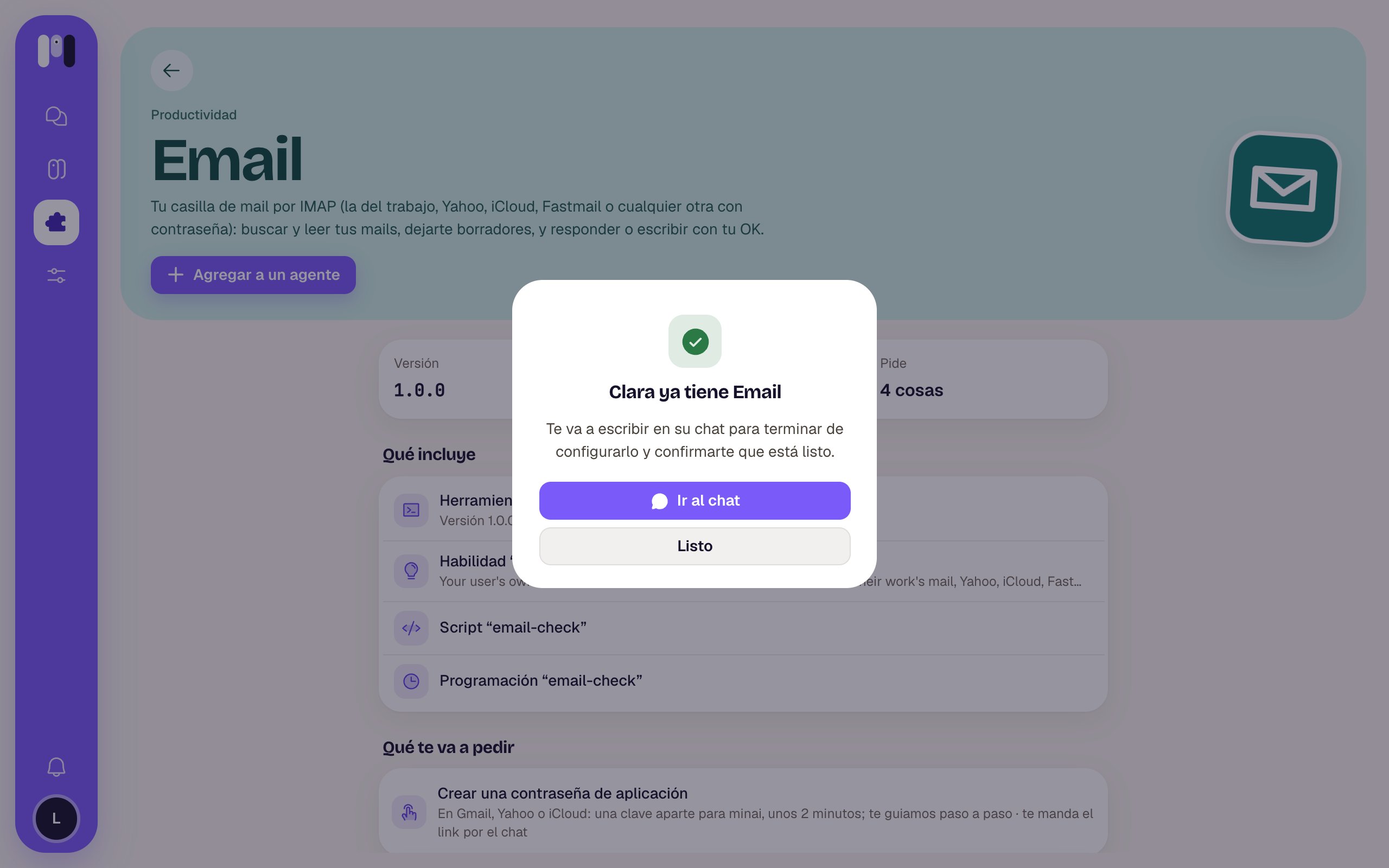 The agent writes to you in its chat to ask for what's missing: it asks you for simple values right there, and for keys it sends you **one-time links**. Tap **Go to the chat** to carry on.
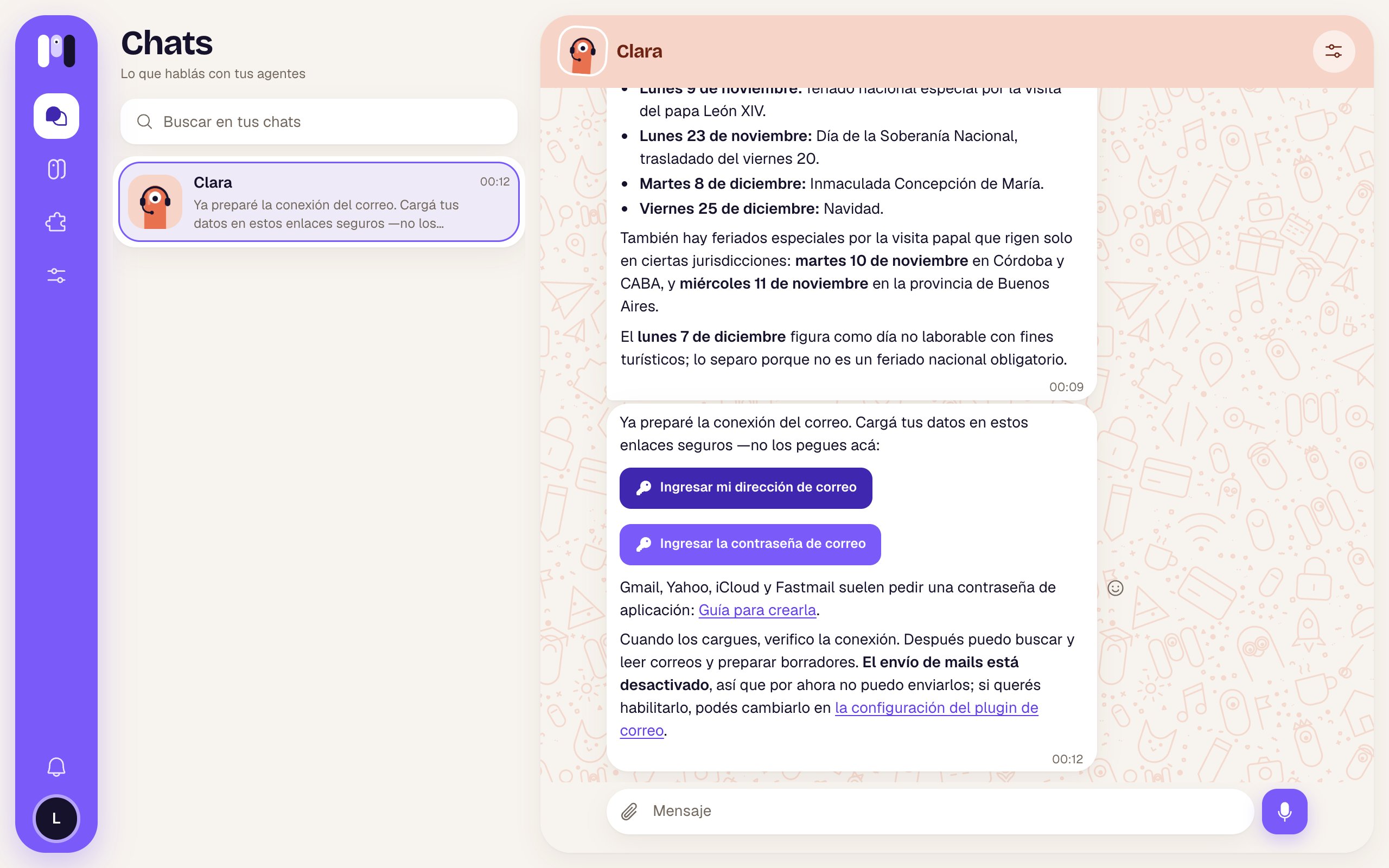 When it has everything, it checks that it works and tells you what it can do now.
The **Google** plugins (Gmail, Calendar, Drive, Docs, Analytics, Search Console) and **Atlassian** have an **installer on the web** that opens when you add them: you complete it there and then the agent confirms in the chat. See [Your Google app](/en/tools/your-google-app).
You can also add plugins from the agent's page: **Plugins** tab → **Add plugins**.
## By asking the agent
Tell it what you need and it searches the library:
* "Connect to my GitHub and tell me which PRs I have open."
* "I want you to read my Gmail and let me know if anything comes in from the bank."
* "Can you see my Mercado Pago transactions?"
It tells you in one line which plugin it would use and what it lets it do, and **waits for your OK** before installing it. Then it's the same as before: it asks you for what's missing and confirms.
## Before adding it: what it will ask you for
On each plugin's page, **What it will ask you for** tells you what you need to have at hand:
* **Nothing**: it works as soon as you add it.
* Steps: for example, creating an app password or your Google app. If there's a guide, tap **See the instructions** to read it first.
* Values: the ones entered in the chat (an account number, a region).
* Keys: the ones entered in one-time links and stored encrypted.
See [Keys and values](/en/tools/keys-and-values).
## Keep reading
What a plugin can do and what needs your OK.
All the plugins, one by one.
This documentation is built and hosted on [Mintlify](https://mintlify.com), a developer documentation platform.
When it has everything, it checks that it works and tells you what it can do now.
The **Google** plugins (Gmail, Calendar, Drive, Docs, Analytics, Search Console) and **Atlassian** have an **installer on the web** that opens when you add them: you complete it there and then the agent confirms in the chat. See [Your Google app](/en/tools/your-google-app).
You can also add plugins from the agent's page: **Plugins** tab → **Add plugins**.
## By asking the agent
Tell it what you need and it searches the library:
* "Connect to my GitHub and tell me which PRs I have open."
* "I want you to read my Gmail and let me know if anything comes in from the bank."
* "Can you see my Mercado Pago transactions?"
It tells you in one line which plugin it would use and what it lets it do, and **waits for your OK** before installing it. Then it's the same as before: it asks you for what's missing and confirms.
## Before adding it: what it will ask you for
On each plugin's page, **What it will ask you for** tells you what you need to have at hand:
* **Nothing**: it works as soon as you add it.
* Steps: for example, creating an app password or your Google app. If there's a guide, tap **See the instructions** to read it first.
* Values: the ones entered in the chat (an account number, a region).
* Keys: the ones entered in one-time links and stored encrypted.
See [Keys and values](/en/tools/keys-and-values).
## Keep reading
What a plugin can do and what needs your OK.
All the plugins, one by one.
This documentation is built and hosted on [Mintlify](https://mintlify.com), a developer documentation platform.