> ## Documentation Index
> Fetch the complete documentation index at: https://docs.min-ai.ar/llms.txt
> Use this file to discover all available pages before exploring further.
# Artifacts
> The pages your agents make: asking for them, opening them, sharing them with a public link, downloading them, keeping them longer and deleting them.
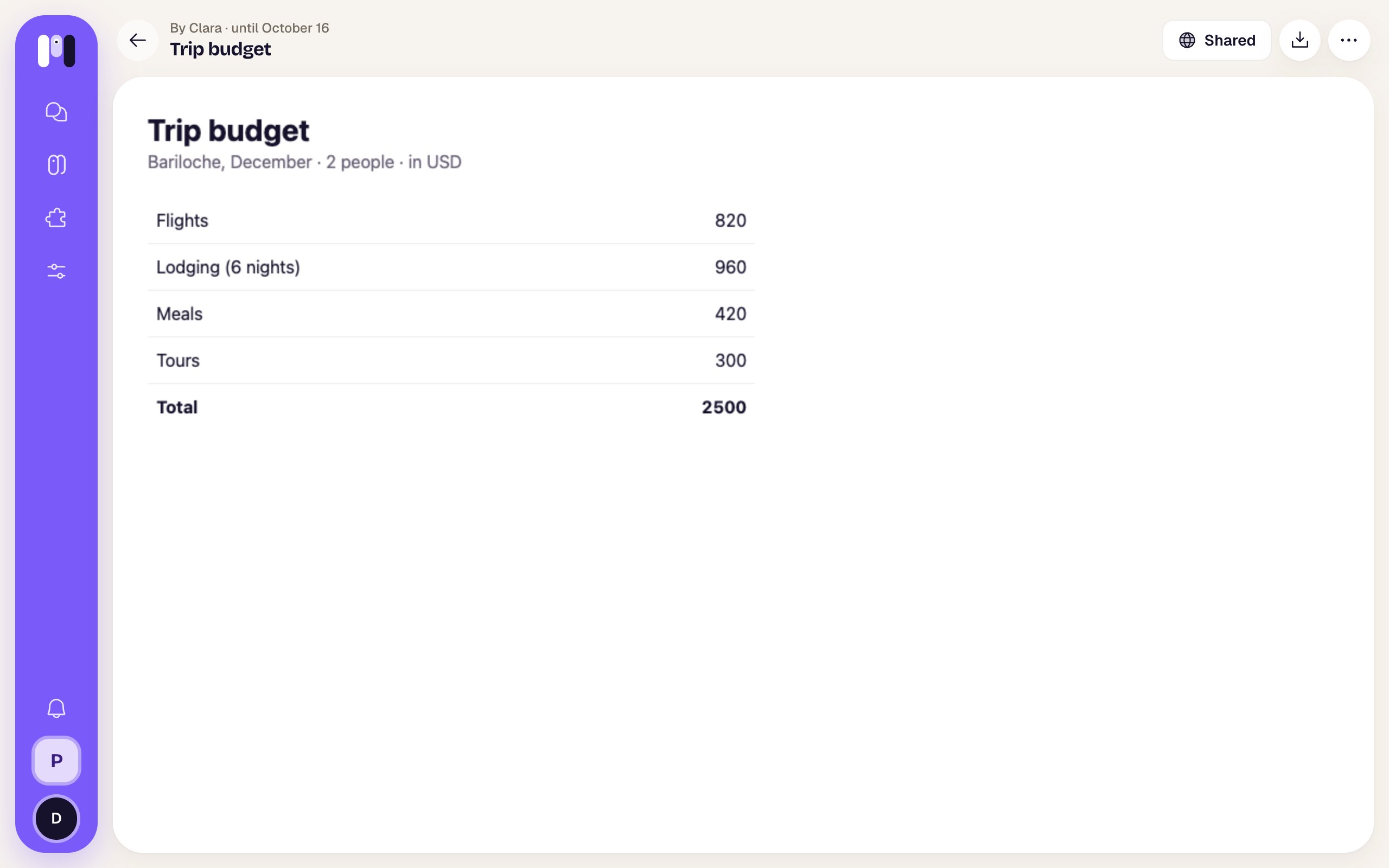
An artifact is a page an agent makes for you: a budget, a comparison, a report with charts. It shows full screen, outside the chat, and lasts **48 hours** unless you keep it longer.
**How to get there:** tap the link the agent sends you. All of this space's artifacts are in **Settings** → **Artifacts**.
 ## Ask for a page
Ask for it like anything else, on any channel:
* “Make me a page with the trip budget, split by day.”
* “Compare these three quotes for me, with a chart.”
* “Send me the month's summary as a page I can show my accountant.”
* “Update the trip page with the new hotel.”
The agent makes it and sends you a link. When you ask for a change, it publishes a **new version** at the same link (the public one too, if you shared it). Any agent in the space can update or delete the space's artifacts: agents work as a team.
### What it can have
* Text, tables, charts, pictures and interactive things: filters, tabs, a calculator.
* Everything it shows goes **inside the page** when the agent makes it. Afterwards it doesn't fetch data from the internet or send forms, and it doesn't save what you change in it. If the data changes, ask for a new version.
* The page runs apart from minai: it can't see your session or your data in the app.
* Up to **2 MB** per page. If it's bigger, the agent shrinks the pictures or links them.
* Up to **100 live artifacts** per space. When it hits the limit, the agent deletes an old one or updates one that already exists.
If it sends you an attached `.html` file (not a link), it's just another file: it opens in the chat's viewer. See [Chats](/en/reference/screens/chats#photos-voice-notes-and-files).
## Private until you share them
When an agent makes an artifact, it's **private**: the link it sends is the app's (it starts with minai's address followed by `/a/`). Only you and the people in this space open it, with their minai account. If the link belongs to another of your spaces, it opens too.
If you open the link before signing in to minai, it asks you to sign in first; once you do (on that same device and within half an hour), the app takes you straight to the artifact.
To show it to someone without an account, you share it: that creates a separate **public link**. An agent can have its artifacts public from the start: see [Who can open an agent's artifacts](#who-can-open-an-agent%E2%80%99s-artifacts).
## An artifact's page
| Item | What it is |
| - | - |
| Arrow | Goes back to where you opened it: the chat (to the same message, even if you got there from a search), the agent's page or **Settings → Artifacts**. If you opened the link directly, it goes back to **Settings → Artifacts**. |
| Above the title | “Artifact”, or which agent it's by and until when it lasts: “By Clara · until October 16”. |
| Title | The name the agent gave it. |
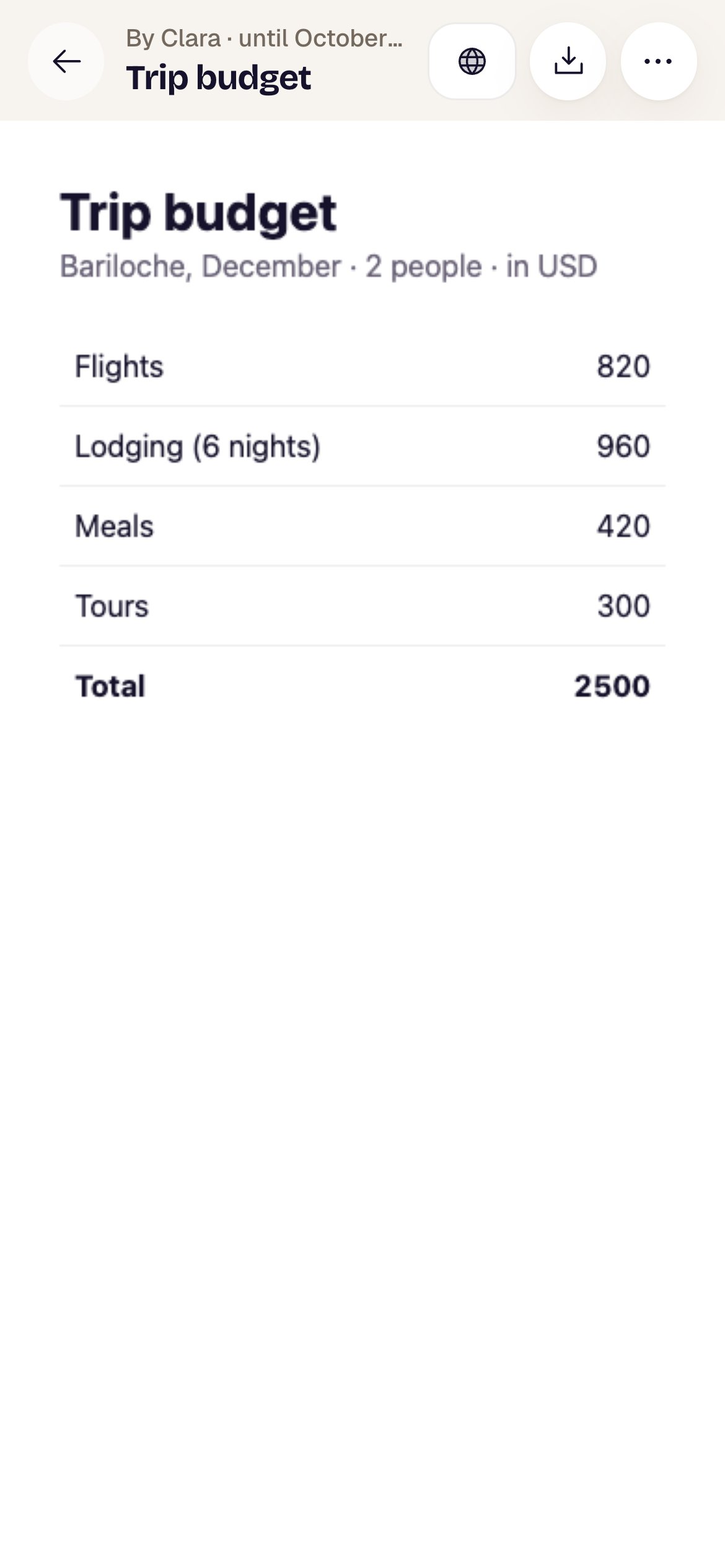
| **Share** | Opens the sheet to [share it](#share-it). If it's already shared it says **Shared**, with a globe. On a phone it's just the icon. |
| **Download** (down arrow) | Downloads it as a file: see [Download it](#download-it). |
| **More options** (⋯) | Its details, **Keep 7 more days** and **Delete**: see [More options](#more-options). |
Below, the agent's page, as big as the screen allows and on a white background even if you use the dark theme. Links inside the page open in another tab.
In minai chat, links to a private artifact open in the same tab. Ctrl or Cmd + click opens them in another one. Public links always open separately.
## Ask for a page
Ask for it like anything else, on any channel:
* “Make me a page with the trip budget, split by day.”
* “Compare these three quotes for me, with a chart.”
* “Send me the month's summary as a page I can show my accountant.”
* “Update the trip page with the new hotel.”
The agent makes it and sends you a link. When you ask for a change, it publishes a **new version** at the same link (the public one too, if you shared it). Any agent in the space can update or delete the space's artifacts: agents work as a team.
### What it can have
* Text, tables, charts, pictures and interactive things: filters, tabs, a calculator.
* Everything it shows goes **inside the page** when the agent makes it. Afterwards it doesn't fetch data from the internet or send forms, and it doesn't save what you change in it. If the data changes, ask for a new version.
* The page runs apart from minai: it can't see your session or your data in the app.
* Up to **2 MB** per page. If it's bigger, the agent shrinks the pictures or links them.
* Up to **100 live artifacts** per space. When it hits the limit, the agent deletes an old one or updates one that already exists.
If it sends you an attached `.html` file (not a link), it's just another file: it opens in the chat's viewer. See [Chats](/en/reference/screens/chats#photos-voice-notes-and-files).
## Private until you share them
When an agent makes an artifact, it's **private**: the link it sends is the app's (it starts with minai's address followed by `/a/`). Only you and the people in this space open it, with their minai account. If the link belongs to another of your spaces, it opens too.
If you open the link before signing in to minai, it asks you to sign in first; once you do (on that same device and within half an hour), the app takes you straight to the artifact.
To show it to someone without an account, you share it: that creates a separate **public link**. An agent can have its artifacts public from the start: see [Who can open an agent's artifacts](#who-can-open-an-agent%E2%80%99s-artifacts).
## An artifact's page
| Item | What it is |
| - | - |
| Arrow | Goes back to where you opened it: the chat (to the same message, even if you got there from a search), the agent's page or **Settings → Artifacts**. If you opened the link directly, it goes back to **Settings → Artifacts**. |
| Above the title | “Artifact”, or which agent it's by and until when it lasts: “By Clara · until October 16”. |
| Title | The name the agent gave it. |
| **Share** | Opens the sheet to [share it](#share-it). If it's already shared it says **Shared**, with a globe. On a phone it's just the icon. |
| **Download** (down arrow) | Downloads it as a file: see [Download it](#download-it). |
| **More options** (⋯) | Its details, **Keep 7 more days** and **Delete**: see [More options](#more-options). |
Below, the agent's page, as big as the screen allows and on a white background even if you use the dark theme. Links inside the page open in another tab.
In minai chat, links to a private artifact open in the same tab. Ctrl or Cmd + click opens them in another one. Public links always open separately.
 ## Share it
Tap **Share**. The sheet says “Share “Trip budget”” and “Anyone with the link will be able to see it, until October 16. You can stop sharing it whenever you want.”. Tap **Create public link**.
## Share it
Tap **Share**. The sheet says “Share “Trip budget”” and “Anyone with the link will be able to see it, until October 16. You can stop sharing it whenever you want.”. Tap **Create public link**.
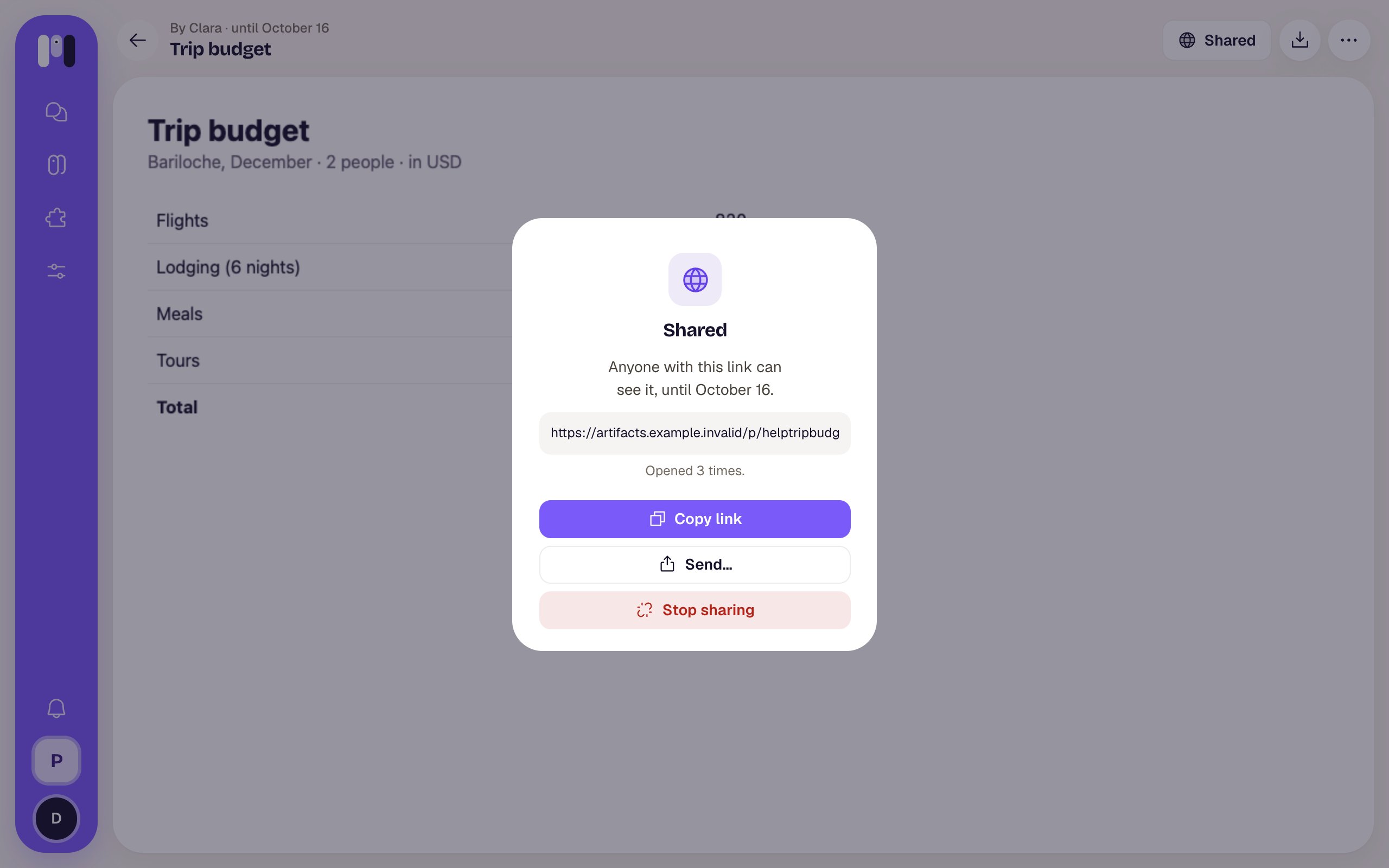 Once shared, the sheet says **Shared** — “Anyone with this link can see it, until October 16.” — and shows:
| Item | What it does |
| - | - |
| The link | Tap it to select it. |
| The views | “Nobody has opened it yet.”, “Opened once.” or “Opened 3 times.”. It refreshes each time you open the sheet. |
| **Copy link** | Copies it; says “Copied” for a moment. |
| **Send…** | Only where the browser allows it (almost always on a phone): opens the device's share menu with the link. |
| **Stop sharing** | The public link stops working **at once**. If you share it again, a different link is created. |
If something fails: “That didn't work. Try again.”.
The public link always shows the latest version. If the agent updated it after you shared it, above the page you see “The public link already shows this version (version 2).”.
### What people see on the public link
Once shared, the sheet says **Shared** — “Anyone with this link can see it, until October 16.” — and shows:
| Item | What it does |
| - | - |
| The link | Tap it to select it. |
| The views | “Nobody has opened it yet.”, “Opened once.” or “Opened 3 times.”. It refreshes each time you open the sheet. |
| **Copy link** | Copies it; says “Copied” for a moment. |
| **Send…** | Only where the browser allows it (almost always on a phone): opens the device's share menu with the link. |
| **Stop sharing** | The public link stops working **at once**. If you share it again, a different link is created. |
If something fails: “That didn't work. Try again.”.
The public link always shows the latest version. If the agent updated it after you shared it, above the page you see “The public link already shows this version (version 2).”.
### What people see on the public link
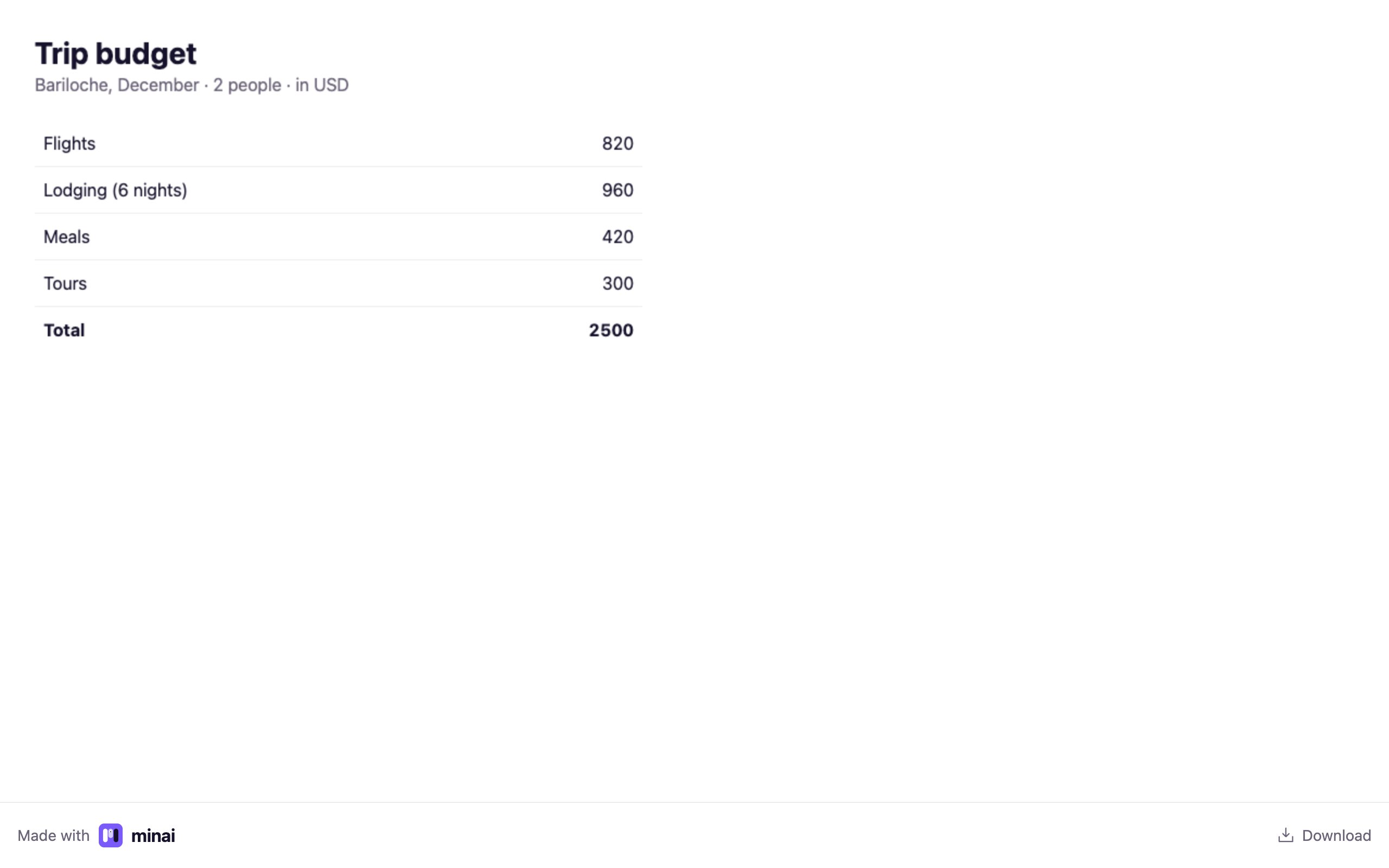 * The agent's page, full screen, with nothing of your account or the app.
* At the bottom, a bar with **Made with minai** (goes to minai's website) and **Download**, which downloads the page as a file. On a phone, **Download** opens the phone's share menu with the file.
* That bar is in your account's language.
* If you stopped sharing it, deleted it or it expired: “This link is no longer available” — “Whoever shared it stopped sharing it, or it expired.”.
Each time someone opens the public link, it adds a view.
## Download it
The **Download** button (next to **Share**) gives you the page as an `.html` file named after the artifact's title. It opens in any browser, with no internet or account.
* **On a computer:** it's saved like any download; the page stays open.
* **On a phone:** the phone's share menu opens with the file: **Save to Files**, WhatsApp, email or whatever you have.
**Share** sends a link that expires; **Download** gives you a copy that's yours.
## More options
Tap ⋯ (**More options**). The sheet shows the title and:
| Detail | What it is |
| - | - |
| **Version** | How many times an agent updated it (it starts at 1). |
| **Until** | The day it lasts until. |
| **Size** | How big it is, in KB. |
| **Public views** | Only if it's shared: how many times the public link was opened. |
* The agent's page, full screen, with nothing of your account or the app.
* At the bottom, a bar with **Made with minai** (goes to minai's website) and **Download**, which downloads the page as a file. On a phone, **Download** opens the phone's share menu with the file.
* That bar is in your account's language.
* If you stopped sharing it, deleted it or it expired: “This link is no longer available” — “Whoever shared it stopped sharing it, or it expired.”.
Each time someone opens the public link, it adds a view.
## Download it
The **Download** button (next to **Share**) gives you the page as an `.html` file named after the artifact's title. It opens in any browser, with no internet or account.
* **On a computer:** it's saved like any download; the page stays open.
* **On a phone:** the phone's share menu opens with the file: **Save to Files**, WhatsApp, email or whatever you have.
**Share** sends a link that expires; **Download** gives you a copy that's yours.
## More options
Tap ⋯ (**More options**). The sheet shows the title and:
| Detail | What it is |
| - | - |
| **Version** | How many times an agent updated it (it starts at 1). |
| **Until** | The day it lasts until. |
| **Size** | How big it is, in KB. |
| **Public views** | Only if it's shared: how many times the public link was opened. |
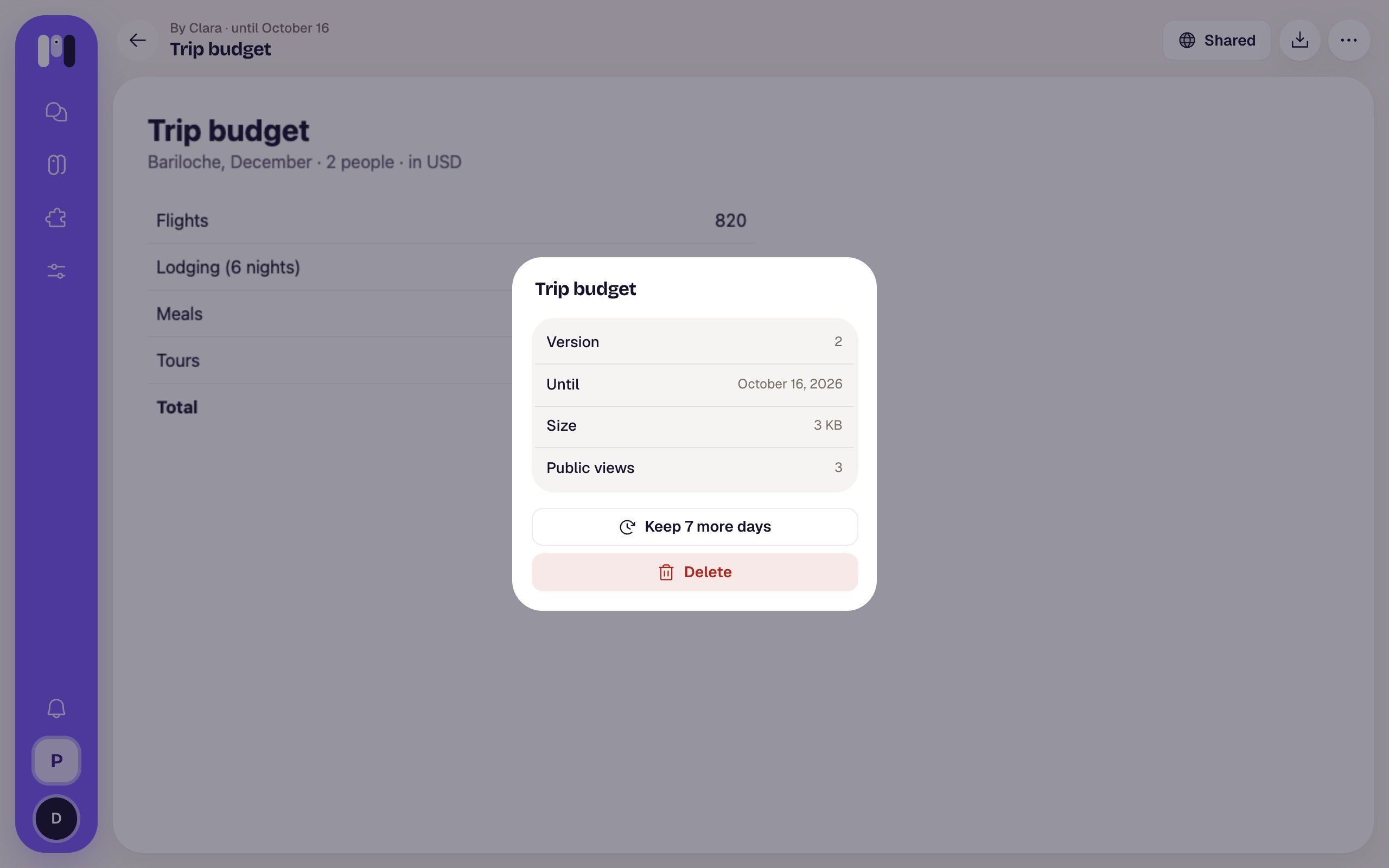 * **Keep 7 more days:** adds a week to what it had left. You can tap it again, up to **one month from today** at most. The public link, if it has one, lasts the same.
* **Delete** (red): asks “Delete “Trip budget”?” — “Its links stop working at once, the public one too.”. Once you confirm, you go back to where you were. **It can't be undone.**
## How long it lasts
| | |
| - | - |
| A new artifact | 48 hours. |
| A new version (the agent updates it) | Same link, and it gets at least 48 hours again. |
| **Keep 7 more days** | One more week each time, up to one month from today. |
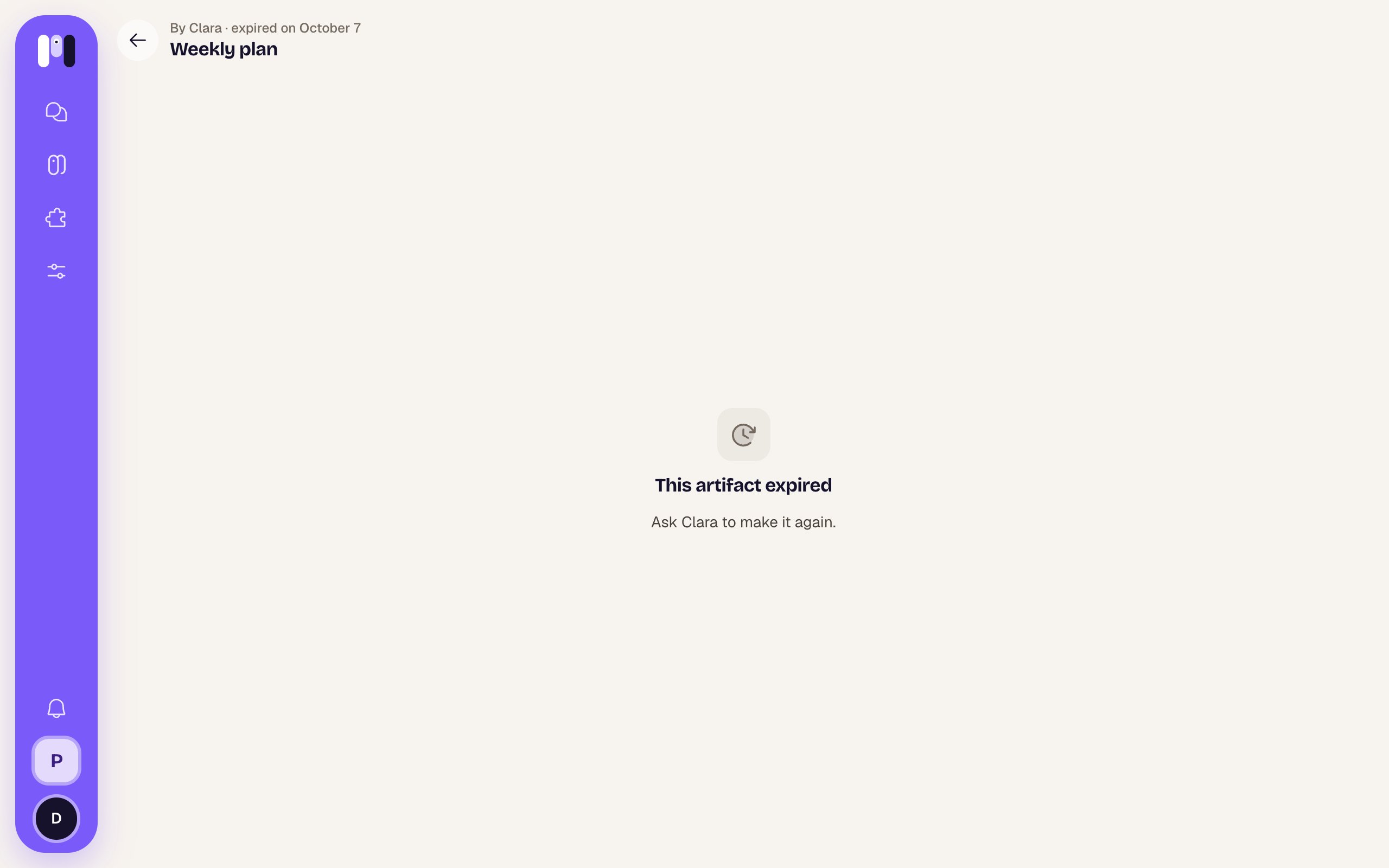
| When it expires | The page and its public link stop opening. It stays in the Artifacts list, dimmed and marked “Expired”, for one more month; then it's gone. |
An expired artifact can't be recovered. Opening it shows “This artifact expired” — “Ask Clara to make it again.”, and “expired on …” at the top, with no buttons.
* **Keep 7 more days:** adds a week to what it had left. You can tap it again, up to **one month from today** at most. The public link, if it has one, lasts the same.
* **Delete** (red): asks “Delete “Trip budget”?” — “Its links stop working at once, the public one too.”. Once you confirm, you go back to where you were. **It can't be undone.**
## How long it lasts
| | |
| - | - |
| A new artifact | 48 hours. |
| A new version (the agent updates it) | Same link, and it gets at least 48 hours again. |
| **Keep 7 more days** | One more week each time, up to one month from today. |
| When it expires | The page and its public link stop opening. It stays in the Artifacts list, dimmed and marked “Expired”, for one more month; then it's gone. |
An expired artifact can't be recovered. Opening it shows “This artifact expired” — “Ask Clara to make it again.”, and “expired on …” at the top, with no buttons.
 If the link is to a deleted artifact, or to a space you're not in: “We couldn't find this artifact” — “It was deleted, or it belongs to an account you're not in.”.
## The artifacts list
**Settings** → **Artifacts** (“The pages your agents made”), in the **Your agents** group. It shows the artifacts of the space you're in, from all its agents, with the most recently changed on top. To see another space's, switch to that space.
If the link is to a deleted artifact, or to a space you're not in: “We couldn't find this artifact” — “It was deleted, or it belongs to an account you're not in.”.
## The artifacts list
**Settings** → **Artifacts** (“The pages your agents made”), in the **Your agents** group. It shows the artifacts of the space you're in, from all its agents, with the most recently changed on top. To see another space's, switch to that space.
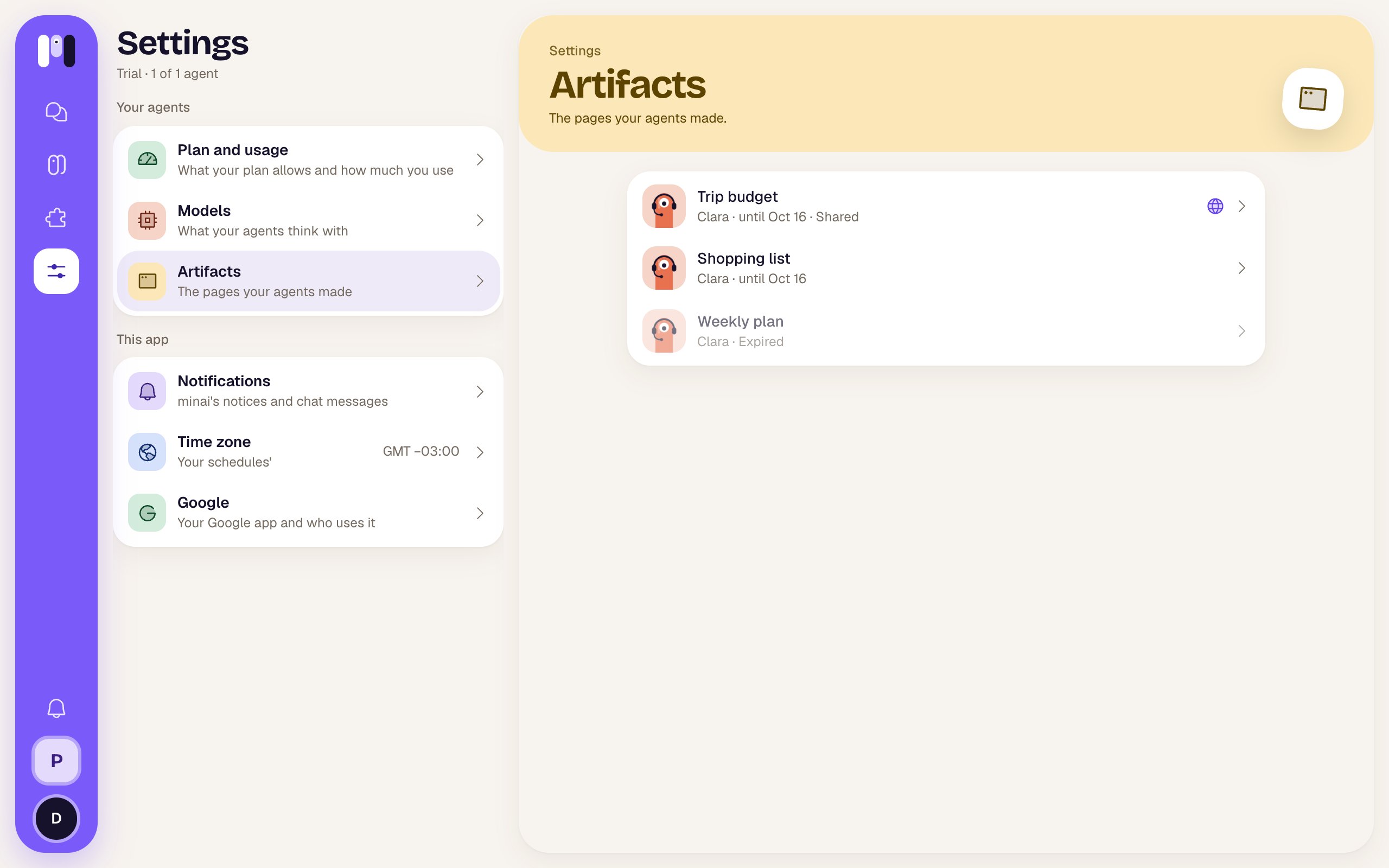 In each row:
* The face of the agent that made it, the title and, below, “Clara · until Oct 16” (or whichever date).
* **Shared** and a globe if it has a public link.
* Dimmed and marked **Expired** if it already expired.
Tap one to open it; its arrow brings you back to the list. If there are none yet: “No artifacts yet” — “When an agent makes a page for you, it shows up here.”.
## Who can open an agent's artifacts
On the agent's page, **Overview** → **Artifacts**, you choose for that agent:
| Option | What happens |
| - | - |
| **Private** | “Only you and this space's people open them, with their minai account. To show one, share it from the artifact.” |
| **Public** | “Anyone with the link it sends can open it, without a minai account. That's what works in a group, where nobody has one. You can stop sharing it from the artifact.” |
In each row:
* The face of the agent that made it, the title and, below, “Clara · until Oct 16” (or whichever date).
* **Shared** and a globe if it has a public link.
* Dimmed and marked **Expired** if it already expired.
Tap one to open it; its arrow brings you back to the list. If there are none yet: “No artifacts yet” — “When an agent makes a page for you, it shows up here.”.
## Who can open an agent's artifacts
On the agent's page, **Overview** → **Artifacts**, you choose for that agent:
| Option | What happens |
| - | - |
| **Private** | “Only you and this space's people open them, with their minai account. To show one, share it from the artifact.” |
| **Public** | “Anyone with the link it sends can open it, without a minai account. That's what works in a group, where nobody has one. You can stop sharing it from the artifact.” |
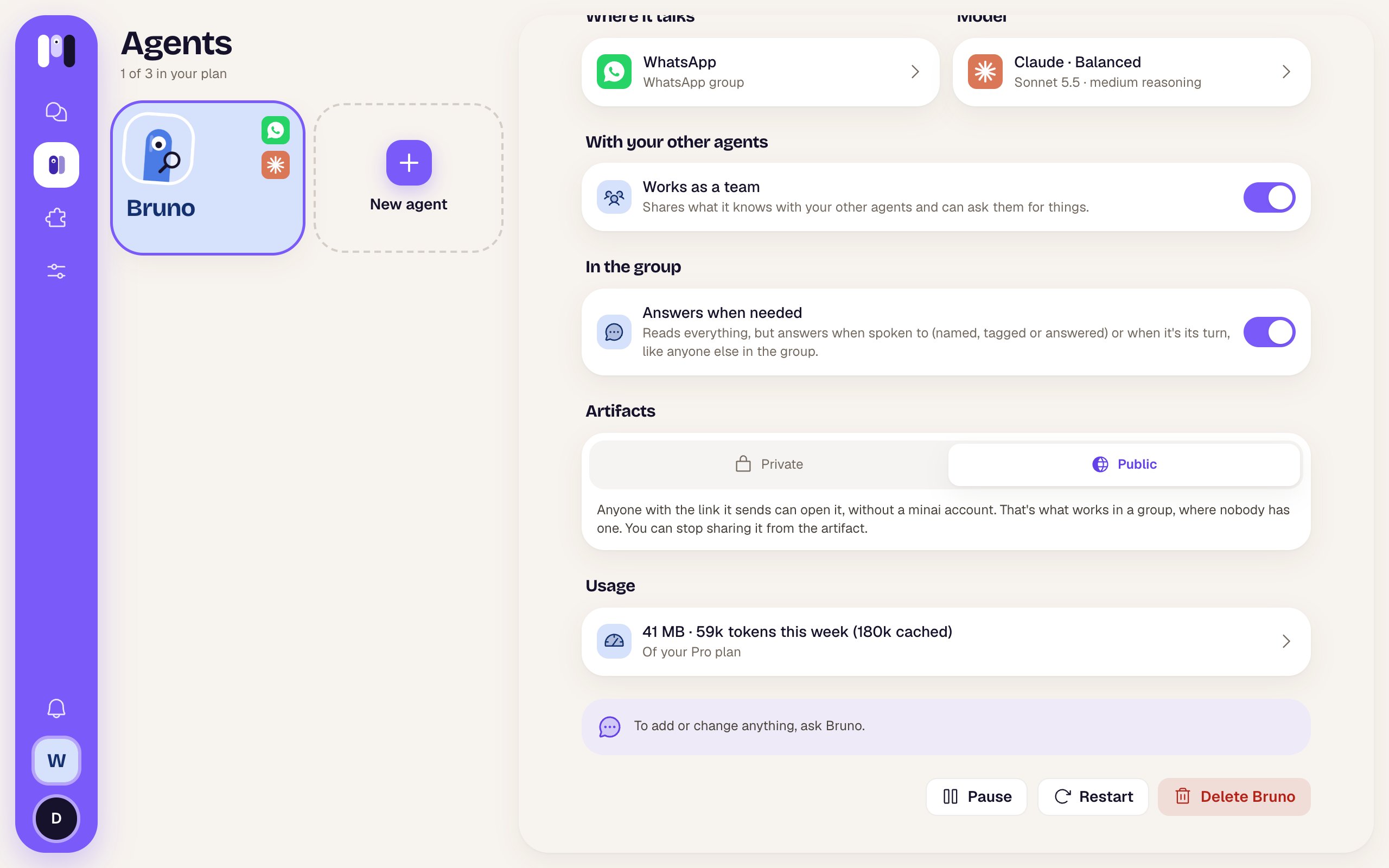 * A personal agent, like Clara, starts on **Private**.
* A **For a group** agent, like Bruno, starts on **Public**: the group's people have no minai account, so the agent sends the public link right away.
* The change applies to what the agent publishes from then on, new versions included. Switching to **Private** doesn't stop sharing the ones that already have a public link: do that from each artifact, with **Stop sharing**.
If it can't be changed: “Couldn't change it. Try again.”.
Where the links reach you.
Private or public, for each agent.
This documentation is built and hosted on [Mintlify](https://mintlify.com), a developer documentation platform.
* A personal agent, like Clara, starts on **Private**.
* A **For a group** agent, like Bruno, starts on **Public**: the group's people have no minai account, so the agent sends the public link right away.
* The change applies to what the agent publishes from then on, new versions included. Switching to **Private** doesn't stop sharing the ones that already have a public link: do that from each artifact, with **Stop sharing**.
If it can't be changed: “Couldn't change it. Try again.”.
Where the links reach you.
Private or public, for each agent.
This documentation is built and hosted on [Mintlify](https://mintlify.com), a developer documentation platform.