> ## Documentation Index
> Fetch the complete documentation index at: https://docs.min-ai.ar/llms.txt
> Use this file to discover all available pages before exploring further.
# Your space’s Google email
> Share files or a calendar with your agents without setting up a Google app.
For **Google Drive**, **Google Docs**, **Google Sheets** and **Google Calendar**, you can share just what you want the agent to see. You don’t need to create a Google app.
## Choose how to connect
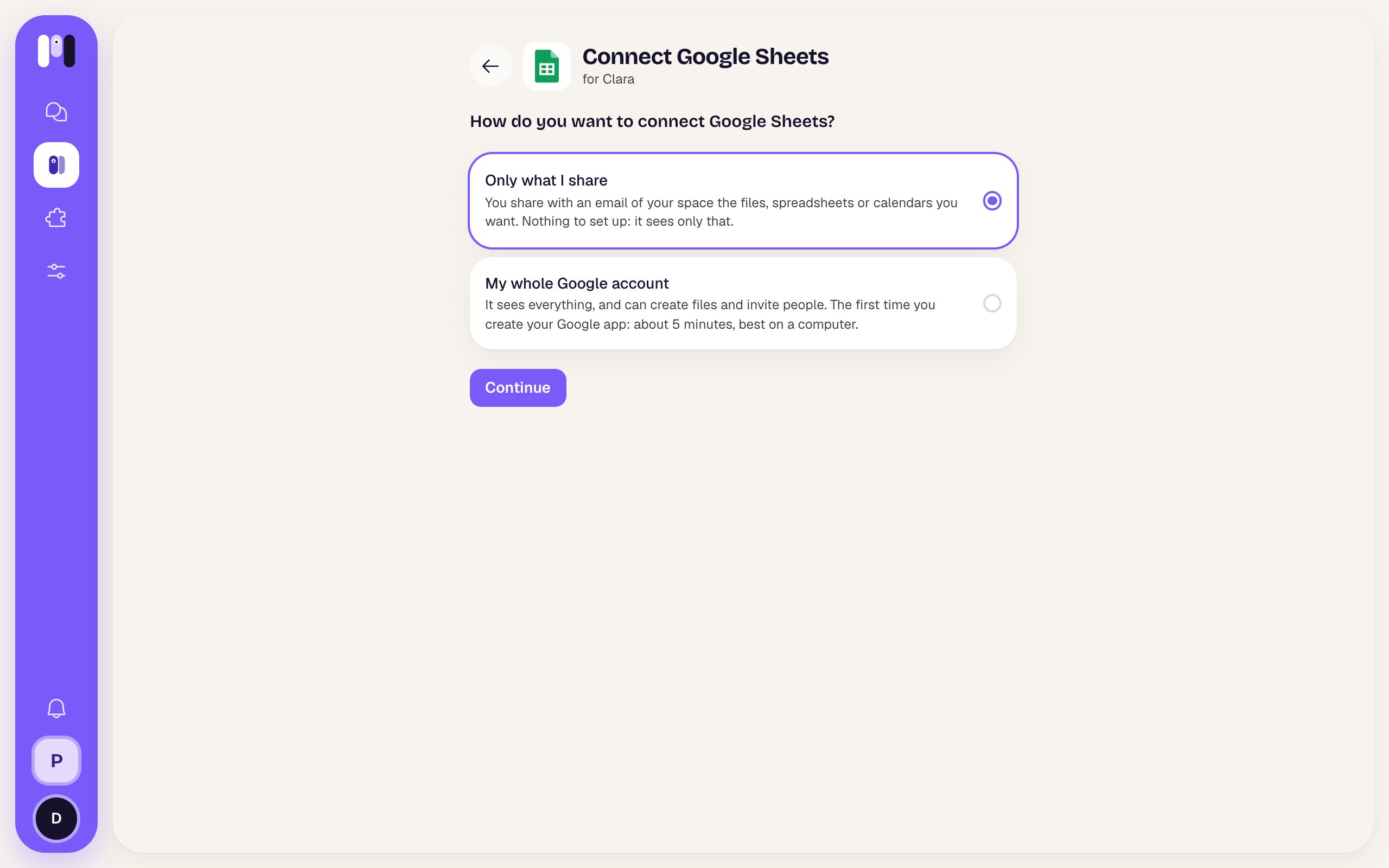
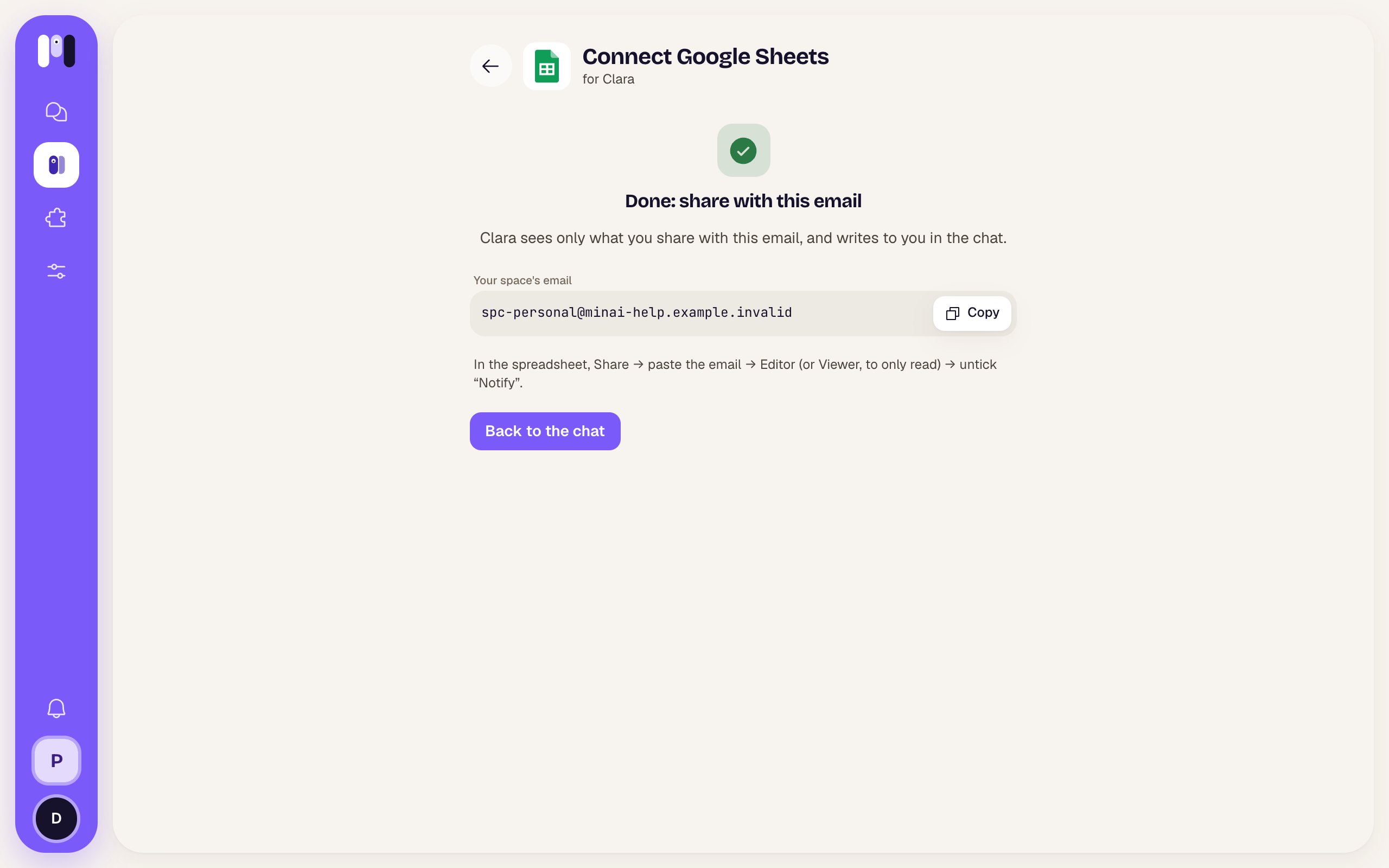
Add the plugin and open its installer. Under **How do you want to connect…?**, choose **Only what I share** and **Continue**. You’ll see **Done: share with this email**: use **Copy**, share from Google and tap **Back to chat**. Ask the agent to check using the file or calendar link.
 ## How to share
* **Drive, Docs, Sheets:** open the file, folder, document or spreadsheet → **Share** → paste the email → **Editor** (or **Viewer**, to only read) → untick **Notify**. Sharing a folder shares everything in it.
* **Calendar:** in the calendar’s settings (⋮ → **Settings and sharing**) → **Share with specific people** → add the email → **Make changes to events** (or **See all event details**, to only read).
## What it can see and do
It sees only what you share with that email. It can’t find the rest of your Google, create new files or invite people to events. With editing permission it can change shared content with your OK. The email belongs to the space: its agents use it when connecting these plugins; another space has another email.
Find it in **Settings → Google → Your space’s email**. It’s made the first time an agent needs it. To cut off access to a file, stop sharing it with that email in Google.
To let it search your whole account, choose **My whole Google account**: that option uses [your own Google app](/en/tools/your-google-app).
This documentation is built and hosted on [Mintlify](https://mintlify.com), a developer documentation platform.
## How to share
* **Drive, Docs, Sheets:** open the file, folder, document or spreadsheet → **Share** → paste the email → **Editor** (or **Viewer**, to only read) → untick **Notify**. Sharing a folder shares everything in it.
* **Calendar:** in the calendar’s settings (⋮ → **Settings and sharing**) → **Share with specific people** → add the email → **Make changes to events** (or **See all event details**, to only read).
## What it can see and do
It sees only what you share with that email. It can’t find the rest of your Google, create new files or invite people to events. With editing permission it can change shared content with your OK. The email belongs to the space: its agents use it when connecting these plugins; another space has another email.
Find it in **Settings → Google → Your space’s email**. It’s made the first time an agent needs it. To cut off access to a file, stop sharing it with that email in Google.
To let it search your whole account, choose **My whole Google account**: that option uses [your own Google app](/en/tools/your-google-app).
This documentation is built and hosted on [Mintlify](https://mintlify.com), a developer documentation platform.