

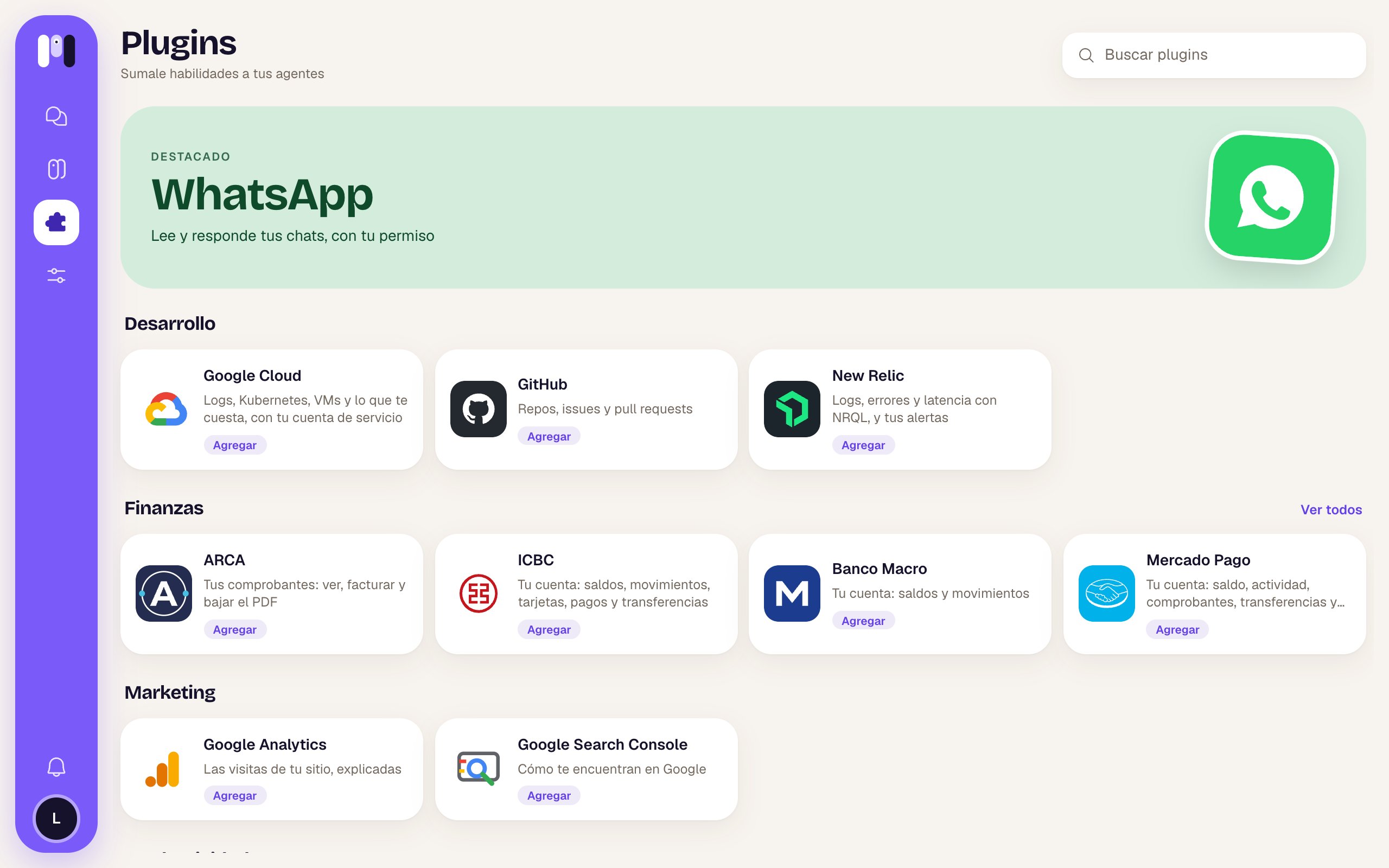
The plugin library
Productivity

Reads and answers your chats, with your permission.

Gmail
Read and answer your email, with your permission.

Google Calendar
Your calendar, and events with your permission.

Google Drive
Your Drive files, at hand.

Google Docs
Read and write your documents.

Your mailbox, any of them: read and answer with your OK.

Atlassian
Jira and Confluence: search, read and summarize; changes with your OK.
Finance

ARCA
Your invoices: view, issue and download the PDF.

ICBC
Your account: balances, transactions, cards, payments and transfers.

Banco Macro
Your account: balances and transactions.

Mercado Pago
Your account: balance, activity, receipts, transfers and Dólar MEP.

Stripe
Your customers, subscriptions and payments, and notices of what matters.
Marketing

Google Analytics
Your site’s visits, explained.

Google Search Console
How people find you on Google.
Development

GitHub
Repos, issues and pull requests.

Google Cloud
Logs, Kubernetes, VMs and what it costs, with your service account.

New Relic
Logs, errors and latency with NRQL, and your alerts.
Group agents
Most plugins act as you (your WhatsApp, your clave fiscal, your bank, your email), so they can only be added to a personal agent. To a group agent, like your team’s, you can add GitHub, Google Cloud, New Relic and Stripe. When you pick the agent, group agents show up grayed out with “It’s a group’s” when the plugin isn’t for them.Summary
The switches always start off, and only you change them. Even when they’re on, every action still waits for your OK.
Add a plugin
How to add a plugin to an agent, from the web or by chatting.
Permissions
Each plugin’s switches and what they unlock.