

A conversation that keeps going
- When it has nothing to do, your agent rests. When you write to it, it carries on with the conversation right where it was.
- If you write while it’s working, your message joins what it’s doing: you can add something or correct it halfway through.
- Very long conversations aren’t lost: when nothing more fits, your agent leaves itself a note and continues with a summary of the latest. You won’t notice.
- If you move it to another channel, the conversation goes with it.
Its memory
Your agent notes down on its own what’s worth remembering. The memory has two parts:- About you: who you are, your preferences and your goals. It’s split into Who you are, Preferences and Goals.
- What Clara learned: what your setup is like, the habits and rules you agreed on, what it learned and what it has on its plate. It’s split into Environment, Lessons and In progress.
Where to see it
In the agent, the Memory tab. You can see it there, but not edit it: to change something, tell your agent. If it hasn’t noted anything yet, it says “It doesn’t remember anything yet”.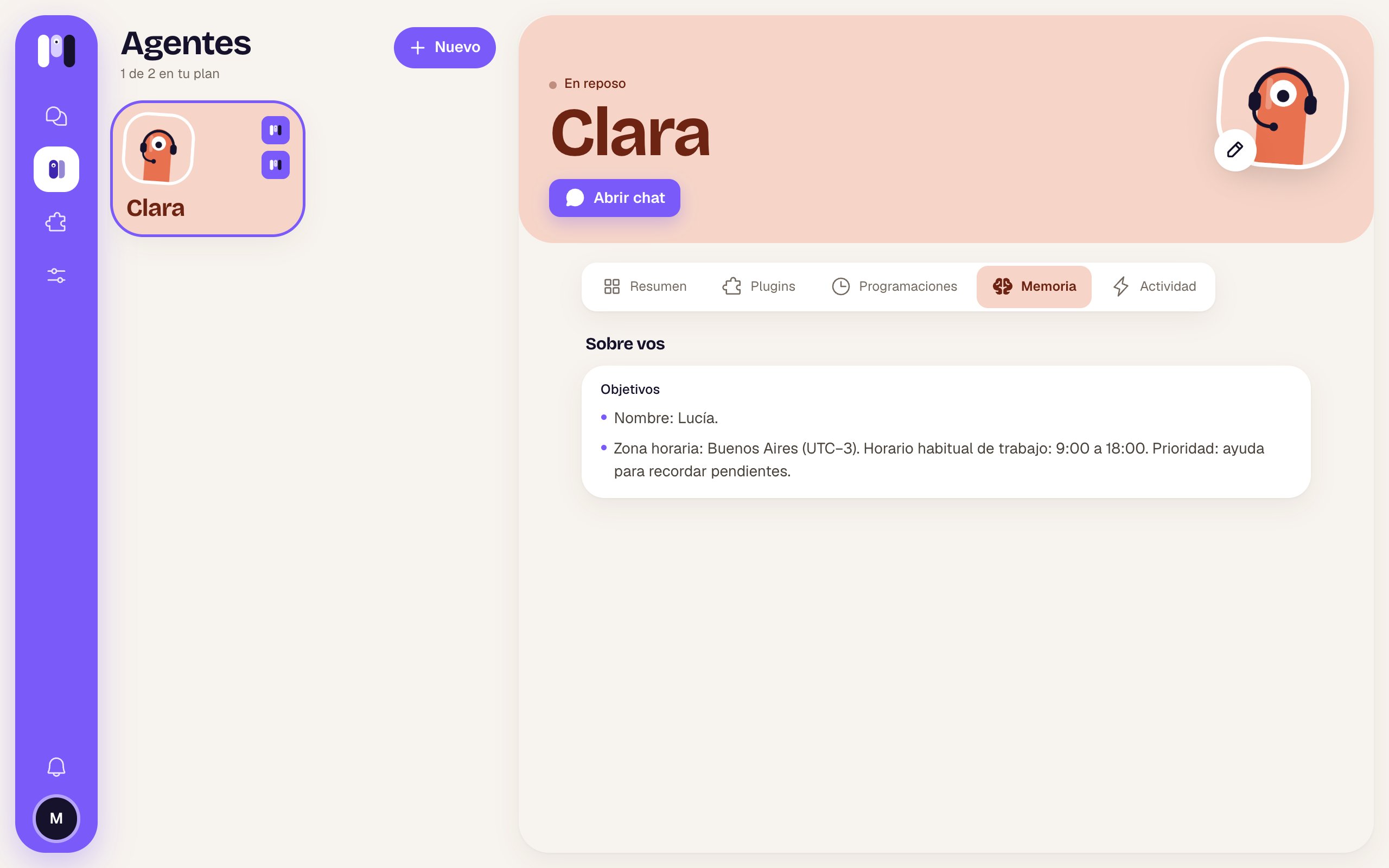
Clara's Memory tab
Asking it to remember or forget
- “Remember that I work from home on Fridays.”
- “Note that I prefer short, straight-to-the-point answers.”
- “Forget my old address, I live in Palermo now.”
- “I’m not on the website project anymore, take it off what you have in progress.”
- “What do you have noted about me?”
What happens to the memory
- If you change its AI (for example, from Claude to ChatGPT), a new conversation starts, but it keeps its memory.
- If you move it to another channel, it takes its memory along.
- If you delete it, the memory is deleted with it.
- In a group agent, the memory belongs to the group: it also notes who each participant is.
Schedules
Reminders and tasks it does on its own.
Stop, restart and pause
Cut it short, get it unstuck or pause it.