

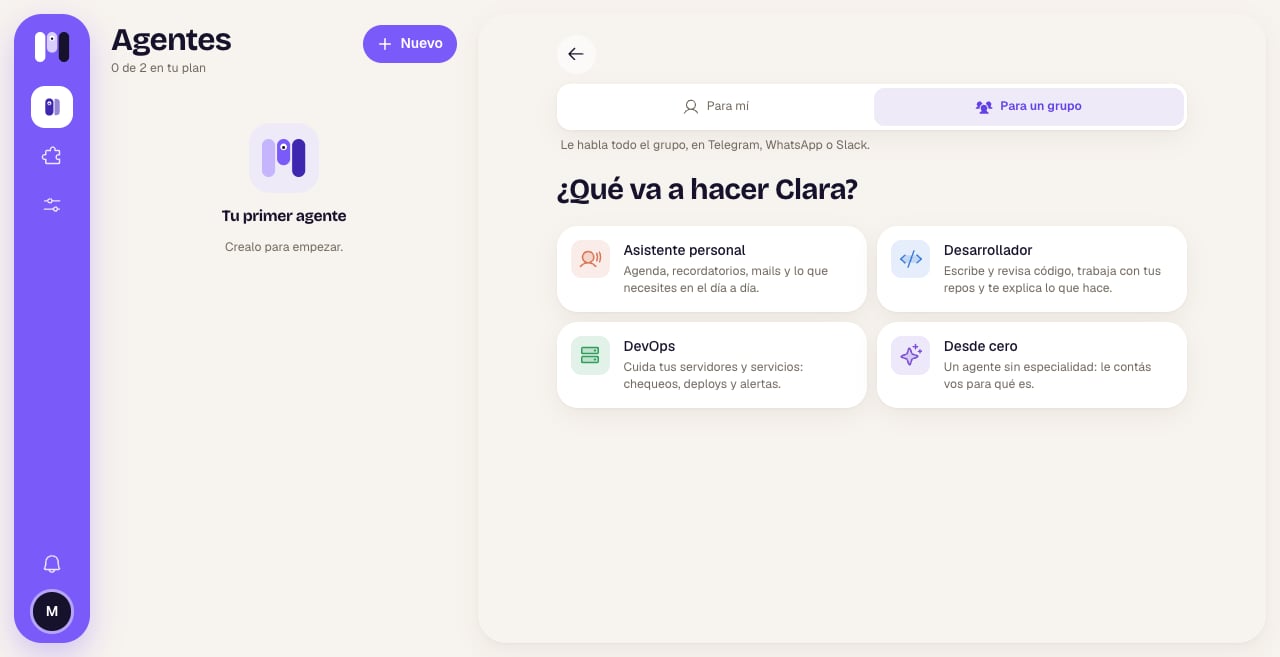
When you create the agent, you choose For a group
What to know first
- You choose it when you create it, and it can’t be changed. In the Who it’s for step you tap For a group (“The whole group talks to it, on Telegram, WhatsApp or Slack.”). A personal agent can’t become a group one, or the other way around.
- It doesn’t use the minai chat. Only Telegram, WhatsApp or Slack.
- It stays in its group. It can’t change channels: “A group agent stays in its group. For another group, make another agent.”
- Some plugins aren’t available. The personal-only ones (like WhatsApp, Gmail or the banks) can’t be added to it.
How to set it up on each platform
- Telegram
- WhatsApp
- Slack
1
Create its bot
Same as a Telegram agent: Open Telegram → Start → Create Clara → open the new bot and tap Start.
2
Create the group
In the bot’s chat, tap the button below, Create Clara’s group. Telegram asks you for a name: put anything, it then gets renamed “Clara Group”, with the agent’s picture.
3
Done
The bot joins as an admin and tells you “Done ✅ I now talk in the group “…”. Add whoever you want.”. In minai you see “Clara is in its group”.
How it behaves
- It listens to everyone equally. For it, “its person” is the whole group. For now it answers every message: you don’t need to mention it.
- It learns who’s who. Since minai doesn’t give it the member list, it keeps a participants section in its memory as people write: each person’s name, what they like to be called, what they do.
- It says who it’s answering. It doesn’t assume that whoever’s writing now is the one who asked for something before.
- What’s said there belongs to the group. Schedules requested in the group are announced in the group.
- Accounts have an owner. If it connects an account (GitHub, Google…), it says whose it is and doesn’t use it for other people’s things without the group knowing.
- If two people ask for things that clash, it says so and asks the group.
- It speaks the group’s language: it answers in the language people write to it in.
Examples
- Ana: “Remind us on Friday at 6 pm to buy the gift.” → on Friday at 6 pm it posts a reminder in the group.
- Juan: “What did Ana ask for yesterday?” → it answers addressing Juan and tells him what Ana asked.
- Ana: “Connect the calendar.” → “I connected Google Calendar with Ana’s account.”
- Ana: “Set the meeting for Tuesday.” Juan: “No, Wednesday.” → it points out they don’t match and asks which day it is.
- “Make the grocery list for the weekend and split it among the four of us.”
Limits
- It doesn’t use the minai chat and can’t change channels.
- For another group, another agent.
- No personal-only plugins.
- If you rename it, the group or channel keeps its own name (on Telegram, the bot does change its name). The picture does update.
- The whole group shares what the agent remembers and does: don’t keep things there you don’t want everyone to see.
Create an agent
Step by step, with For me and For a group.
Compare channels
What changes from one channel to another.