

The plans
Prices and limits may change. You can always see the current ones in the app, under Settings → Plan and usage.
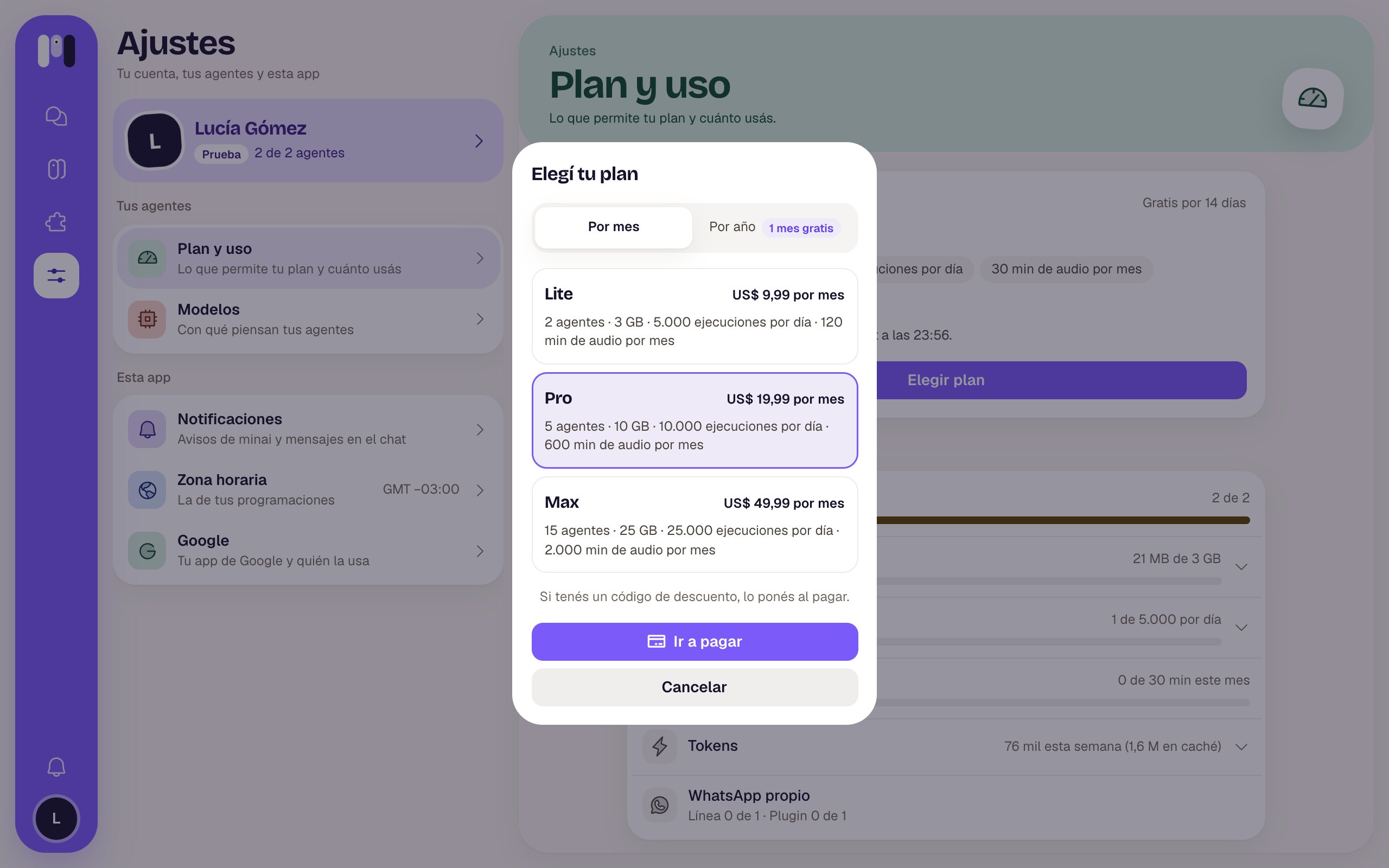
Choosing a plan
What each thing means
- Agents: how many you can have at once. Paused ones count too; to make room, you have to delete one.
- Space: what your agents save (files, memory) plus the programs they install, which they all share.
- Runs per day: how many times a day the schedules of all your agents can run. Each one counts the times it runs on its busiest day. If a new one doesn’t fit, your agent tells you and you work it out together.
- Audio minutes per month: how much of your voice notes gets turned into text. It renews every month.
- Memory / CPU: the power of the computer your agents work on.
- Own WhatsApp: a separate line of yours (Another line of mine) to talk to your agents, and one connection of the WhatsApp plugin. The minai line doesn’t count.
What has no limit
- Plugins.
- Channels and groups.
- People in your groups.
- Slack workspaces.
The free trial
- It lasts 14 days and doesn’t ask for a card.
- It can be used only once per person: if you create another instance, that one goes straight to a paid plan.
- We remind you 3 days and 1 day before it ends. When it ends, choose a plan so your agents keep going.
Where to see your plan and your usage
In Settings → Plan and usage you see your plan, when it renews and how much of each thing you’re using: Agents, Space, Schedules, Transcribed audio, Tokens (for your information only) and Own WhatsApp. Right there you also have Choose plan or Change plan and Payments and invoices.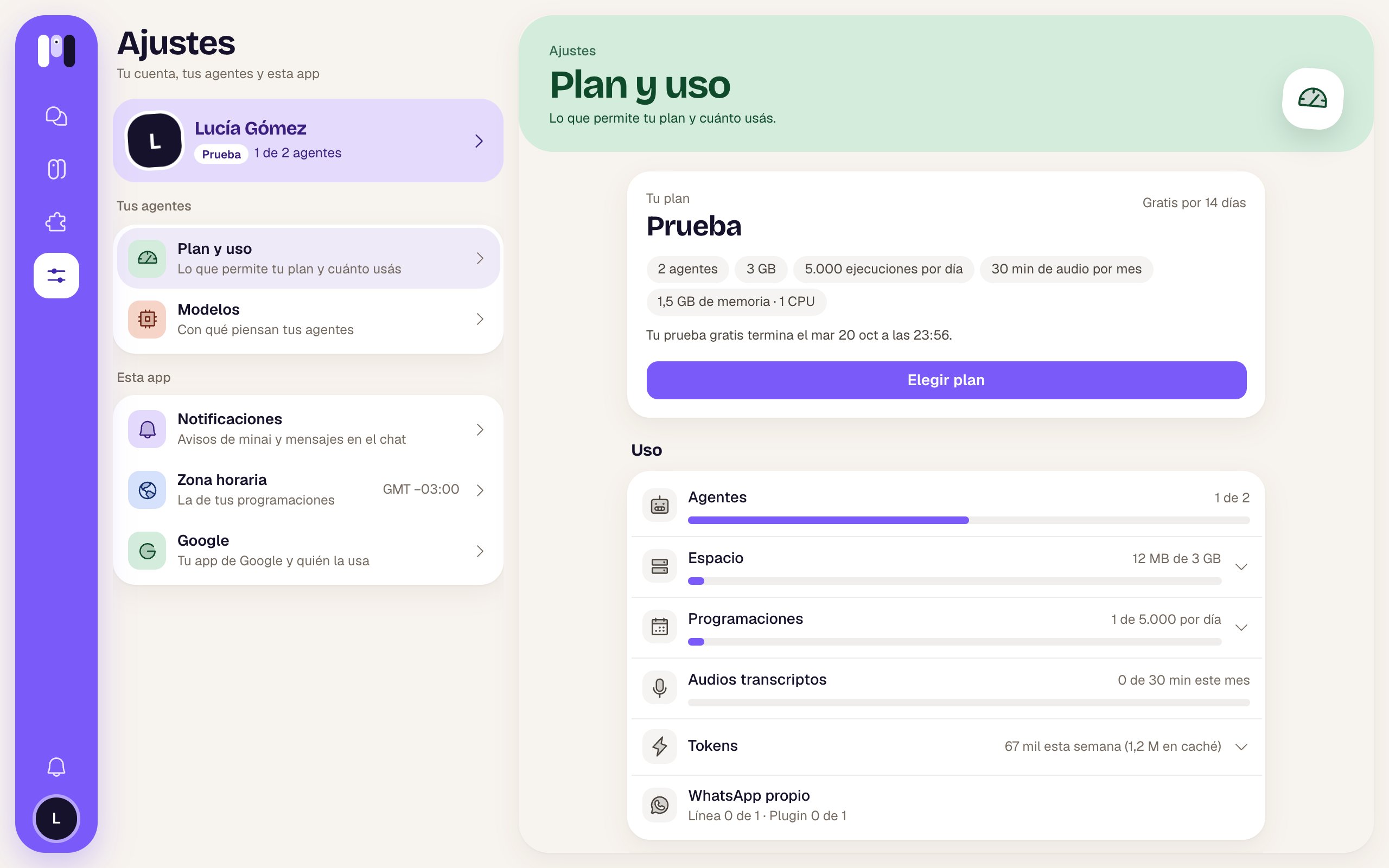
Plan and usage
If you go over a limit
- Agents, space, schedules or WhatsApp: your agents stop (“Your agents are stopped”) until you’re back within your plan; then they carry on by themselves. For space, we warn you at 80%.
- Audio minutes: nothing stops. Your agent asks you to type to it until the next month starts.
Plan and billing
Choose, change or cancel your plan.
Plans and instances
How plans and instances work.