

What you need
Just your minai account. If you’ll use it from your phone, it’s a good idea to install the app so you get notifications.How to connect it
1
Choose the channel
When you create the agent, under Where will you talk with Clara?, tap Here, in minai (“A chat in this app”).
2
The chat opens
The app shows “Opening Clara’s chat…” and “It’ll write to you in a moment.”, and takes you to Chats, to its conversation.
3
Your agent writes first
It introduces itself in two or three lines and asks its first questions, one per message. You answer, and that’s it.
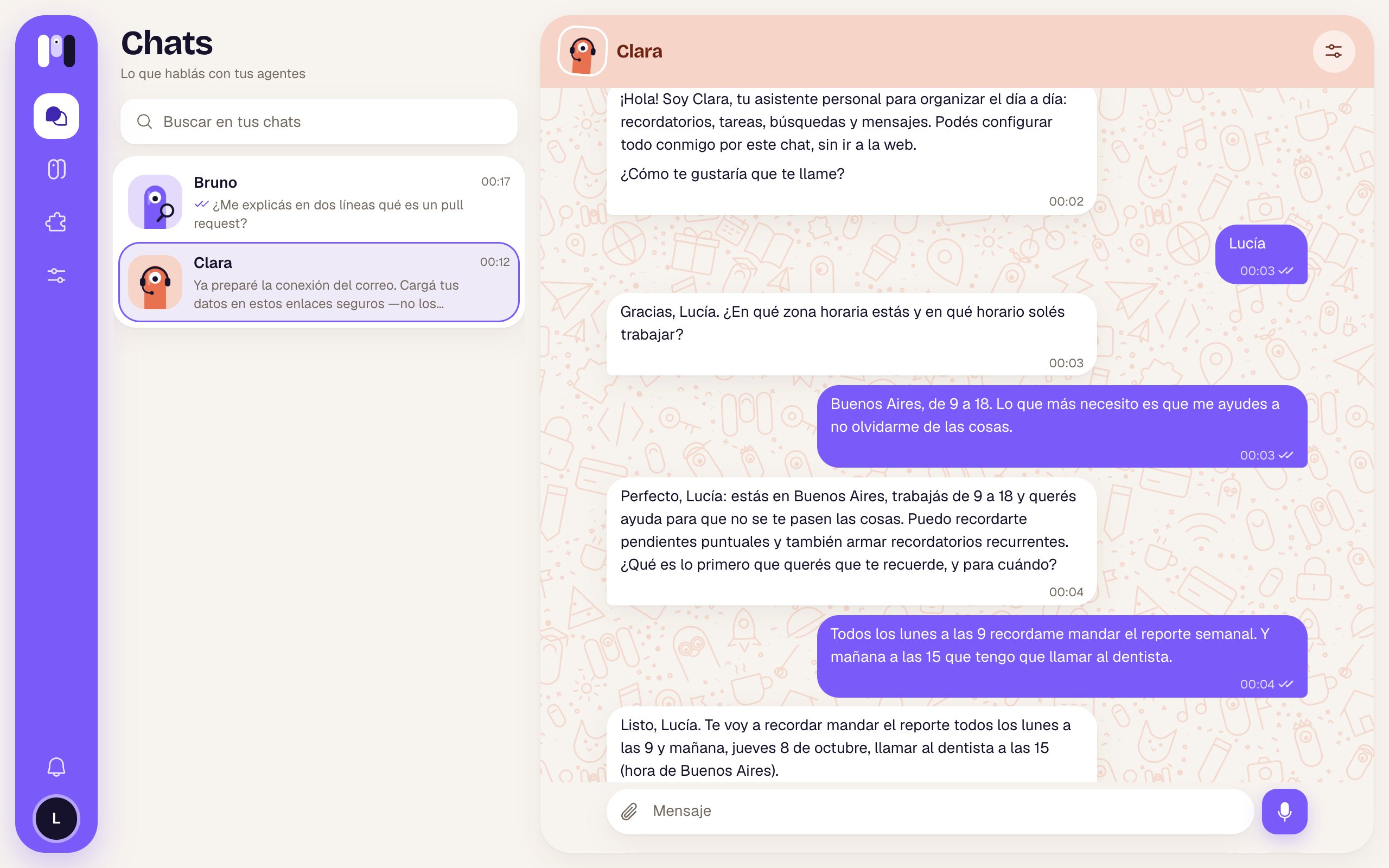
Clara's first message in the minai chat
How it behaves
- Full formatting: headings, bold, lists, tables, code blocks and links.
- Buttons: when it offers you specific options, they show up as buttons under its message. Tap one and that’s your answer. See Buttons and options.
- While it works: you see a bubble with its animated minis and, next to it, a line with what it says it’s doing (“I’m going to look up…”). It’s the only channel that shows this.
- To write to it: the Message field, Attach (any file, or paste an image), Camera on your phone, and Record audio to send it a voice note.
- Images, audio and files: photos show in the chat and open full size when you tap them (with arrows between them and Open the original). Audio has its own player with x1, x1.5 and x2 speed. Other files download when you tap them.
- Checkmarks: ✓ sent, ✓✓ when your agent picked it up. If a message didn’t go through, tap Retry or Discard.
- Reactions: hover over one of its messages (or press and hold on your phone) and tap React. It can react to yours too.
- One-time links: when it needs a key or to connect an account, you get a button like Enter key, Connect WhatsApp or Connect Google, which opens inside the app. See Keys and values.
- History: the conversation and its files stay saved.
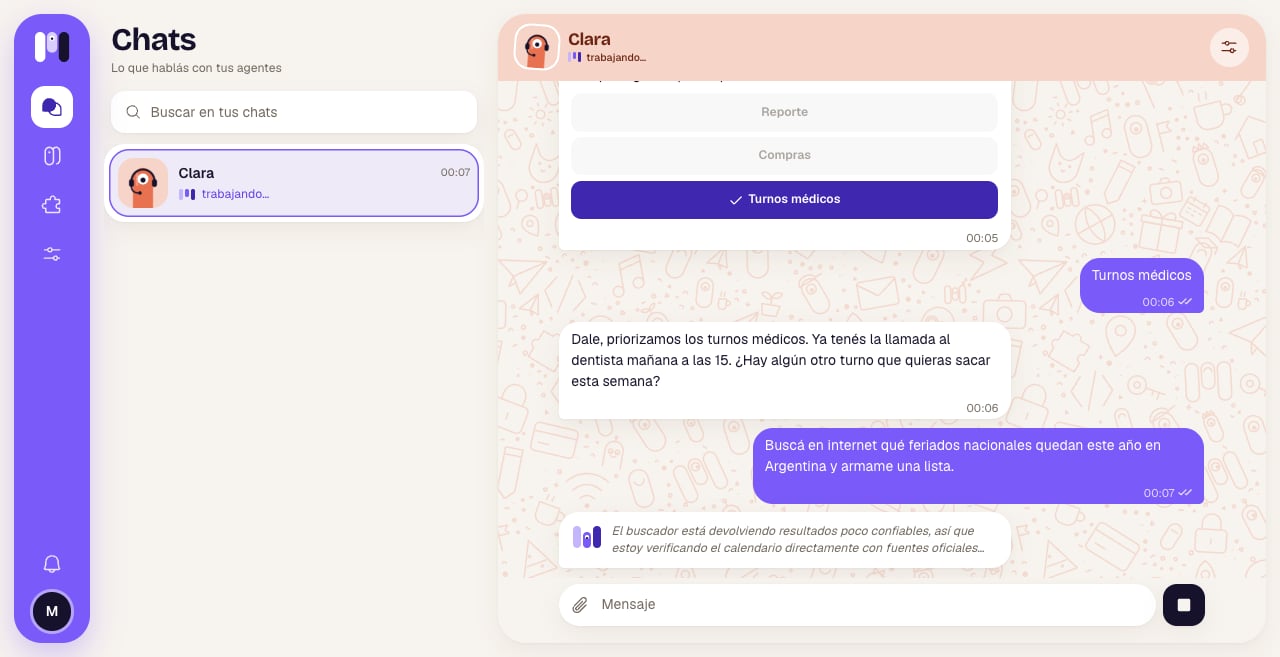
While it works, you see what it's doing
Notifications on your phone
To know when your agent writes to you, install minai on your phone and turn on notifications (Know when they write to you. → Turn on). As the app says: “Without installing it, you won’t get notified when Clara writes to you.”. On iPhone, notifications only work with the app installed. See Install the app.Reconnect if something fails
There’s nothing to reconnect: the chat is part of the app. If it doesn’t load (“We couldn’t load the chat”), wait a while and come back. If your agent doesn’t answer, see Stop, restart and pause.Change channels
You can move your agent to Telegram, WhatsApp or Slack whenever you want, and the conversation, memory, plugins and schedules go with it. See Change an agent.Limits
- Personal agents only: a For a group agent can’t use the minai chat.
- Only you talk to it there.
- Up to 15 MB per file and 10 files per message.
Compare channels
What changes between the minai chat, Telegram, WhatsApp and Slack.
Buttons and options
How it lets you choose.