

#clara). Its messages carry its name and picture, and you write to it there like in any channel.
What you need
A Slack workspace where you can add the minai app. If your workspace requires an admin’s approval to add apps, you may need to ask for it.How to connect it
1
Choose Slack
When you create the agent, under Where will you talk with Clara?, tap Slack (“A channel in your workspace”).
2
Add minai to your Slack (first time only)
Tap Add to Slack. Slack opens: choose your workspace and tap Allow. When it’s done, that tab says “Slack is connected. You can close this tab.”.
3
minai creates the channel
minai creates the agent’s private channel with you in it (“Creating Clara’s channel…”). If you’d already added minai to that workspace, it skips the previous step and goes straight to this one.
4
Done
You see “Clara writes to you in #clara”. Tap Open Slack or Done. Your agent writes first.
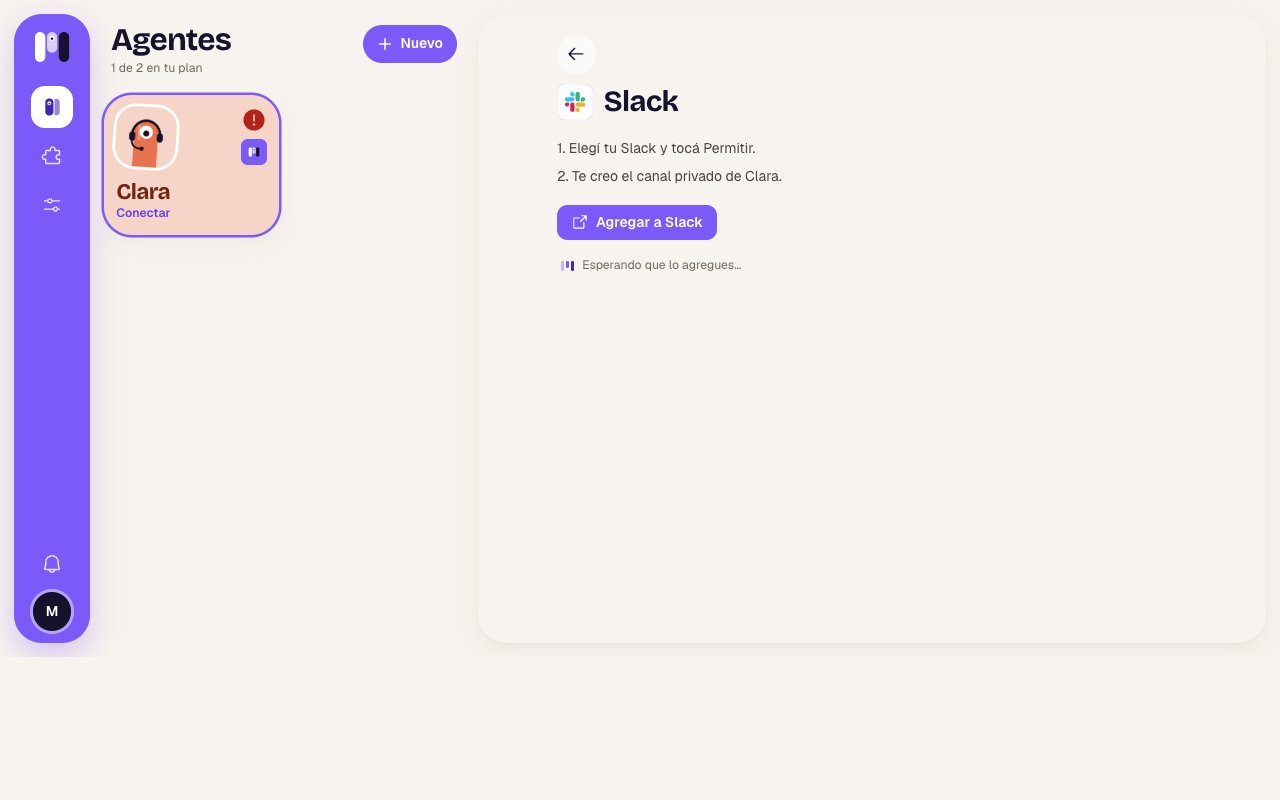
Connecting Slack
How it behaves
- Formatting: bold, italics, code, lists and links. No tables or headings. Very long messages arrive split into several.
- Buttons: options show up as buttons. Tap one and the message adds the chosen one with ✓. You can only choose once. See Buttons and options.
- While it works: Slack doesn’t let bots show “typing…”, so it puts 👀 on your message and removes it when it’s done.
- Files, photos and audio: they go both ways. Audio is turned into text automatically.
- Reactions: they work both ways.
- Only you: in a personal agent’s channel, only the person who installed it can talk to it.
- To stop it: send
/stopon its own, with nothing else.
Reconnect if something fails
Slack has no separate reconnection: as long as the minai app stays in your workspace, the channel works. If your agent stops answering there, check Overview → Where it talks. The most common cause is that someone removed the minai app from the workspace. In that case you have to start over: connect your agent again from Where it talks and, when you choose Slack, tap Add to Slack like the first time.Change channels
A personal agent can move from Slack to another channel and take everything with it. In the old channel it leaves one last message (“This channel isn’t used anymore: you can archive it.”) and the bot leaves the channel. See Change an agent.Limits
- If the minai app is removed from the workspace, it’s removed for every account that uses it there.
- If you rename a personal agent, its channel gets renamed. A group agent’s channel keeps its own name.
- Up to 15 MB per file.
- Notifications that it wrote to you come from Slack, not minai.
Agents for a group
An agent in a Slack channel, for the whole team.
Compare channels
What changes from one channel to another.