Your agents need an AI to think. You connect it the first time you sign in (“Step 1 of 2 — Connect your AI”) and afterwards you manage it from Settings → Models. If you’re not sure which one to choose, see Your AI and the models.
Claude
ChatGPT
Your own API
minai's AI
You need a Claude Pro or Max subscription.Open Claude
Tap Claude and then Open Claude. Sign in with your account and authorize minai.
Copy the code
Claude shows you a code. Copy it.
Paste it in minai
Paste it in Paste the code and tap Connect. You’ll see “Claude connected”.
You need a ChatGPT Plus or Pro subscription.Copy minai's code
Tap ChatGPT. minai shows you a code: tap it to copy it.
Open ChatGPT
Tap Open ChatGPT, sign in with your account and paste the code where it asks for it.
Done
Once you confirm it in ChatGPT, it connects by itself.
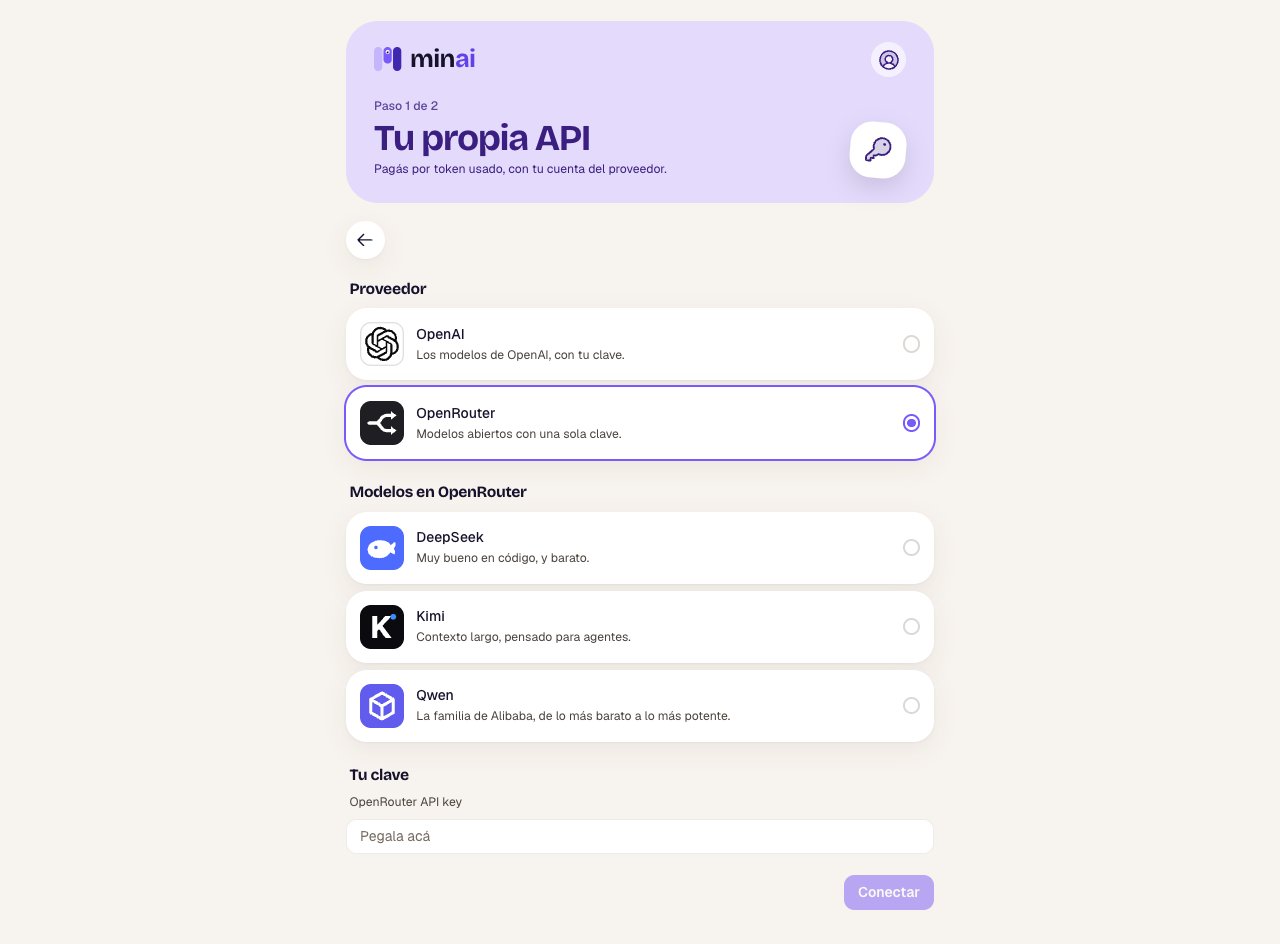
You pay for what you use, directly to the provider.Choose the provider
Tap Use your own API and choose OpenAI or OpenRouter. With OpenRouter, also choose the model family: DeepSeek, Kimi or Qwen.
Paste your key
Create an API key in your account at the provider and paste it in Your key.
Connect
Tap Connect. minai tests the key with the provider (“Testing the key with…”) and, if it works, stores it encrypted.
Only during the free trial. You don’t need anything.Tap minai’s AI and then Use minai’s AI. Your agents will be able to think with it while your trial lasts.With minai’s AI there’s a usage cap per day and per trial, and you can’t move to a paid plan while it’s connected: first connect your subscription or your API and disconnect it. What you talk about with your agents goes through minai’s account at the AI provider.
Then: each agent chooses
With more than one AI connected, each agent chooses its own: when you create it, or later on its Model screen. See Change an agent.
Disconnecting
In Settings → Models, tap Disconnect on the one you want to remove.
The agents that think with that AI stop answering until you connect one again or choose another one for them. If you disconnect your own API, the stored key is deleted.
Your own API and minai’s AI can’t be connected at the same time. If you connect one while you have the other, minai asks whether you want to replace it, and the agents that used the old one start thinking with the new one.