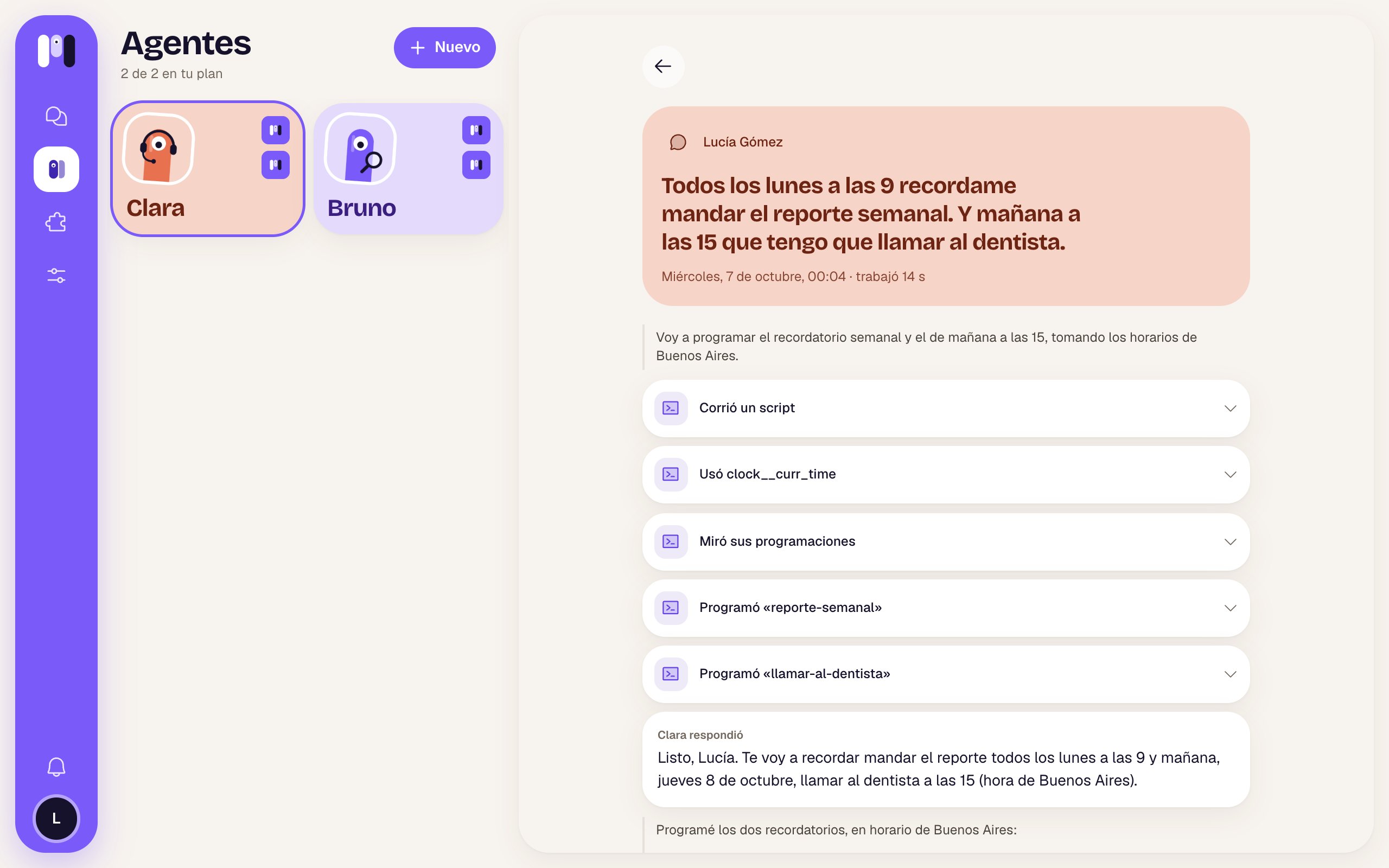
A conversation that never ends
Each agent has a single, continuous conversation. You can pick up where you left off yesterday or a month ago. When the conversation gets very long, the agent writes itself a summary and carries on; you don’t have to do anything.Memory
Besides the conversation, the agent keeps a memory: short notes with what matters, which it always uses.- About you: who you are, your preferences, your goals.
- What it learned: your setup, how you like it to do things, what it learned along the way, what’s in progress.
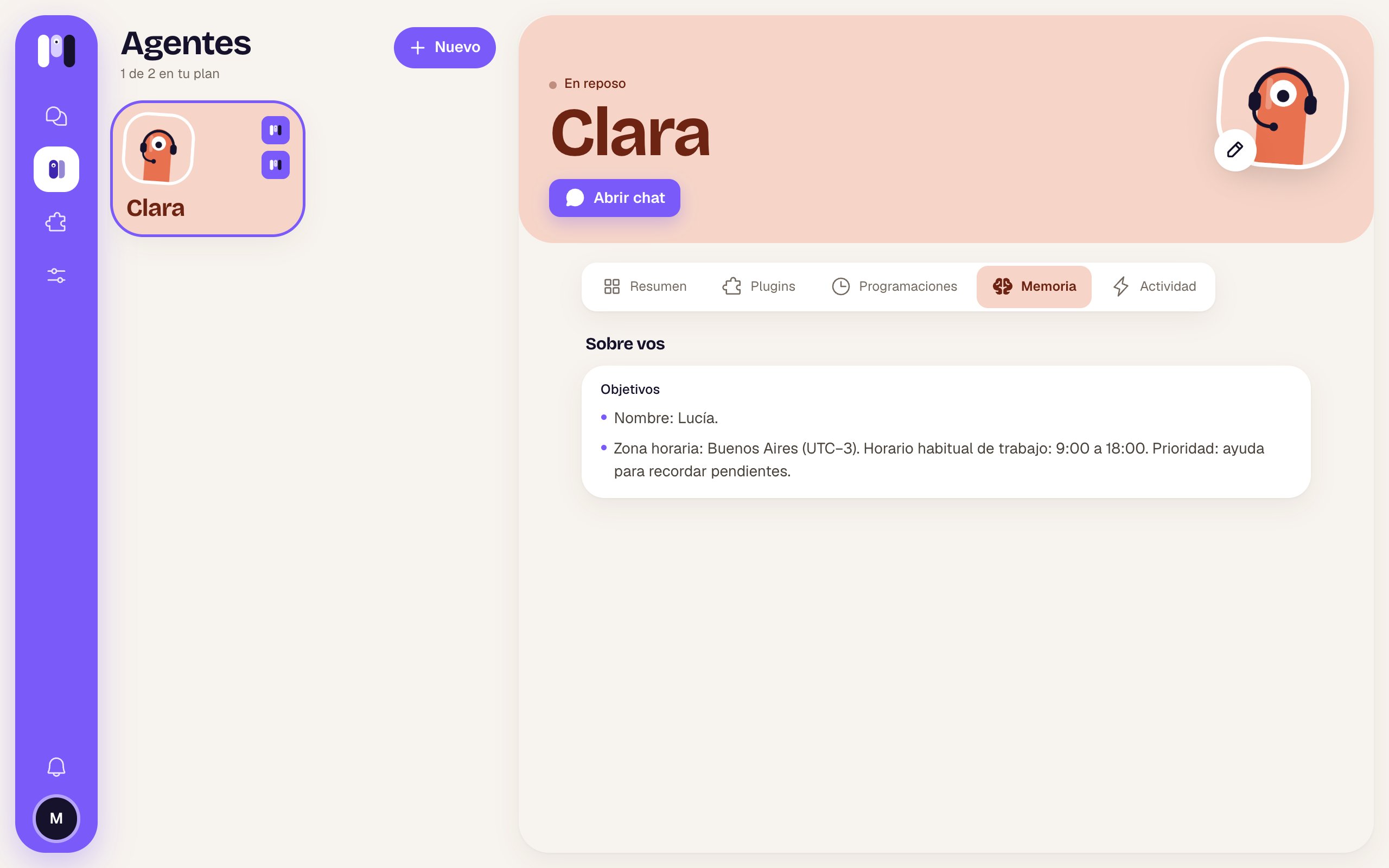
- “Remember that I work from home on Fridays.”
- “Forget my old address, I live in Palermo now.”
- “What do you have written down about me?”
Schedules
A schedule is something the agent does on its own, at a set time: once (“tomorrow at 3 p.m.”) or always (“every Monday at 9”). When the time comes, it wakes up, does the job and writes to you in its chat. You create them by chatting:- “Remind me tomorrow at 9 to call the accountant.”
- “Every Monday at 8, send me a summary of my unread emails.”
- “Every 2 hours, from 9 to 5, check that the website is up and only tell me if it goes down.”
- “Move the gym reminder to 7 p.m.” · “Cancel the Monday one.” · “What do you have scheduled?”
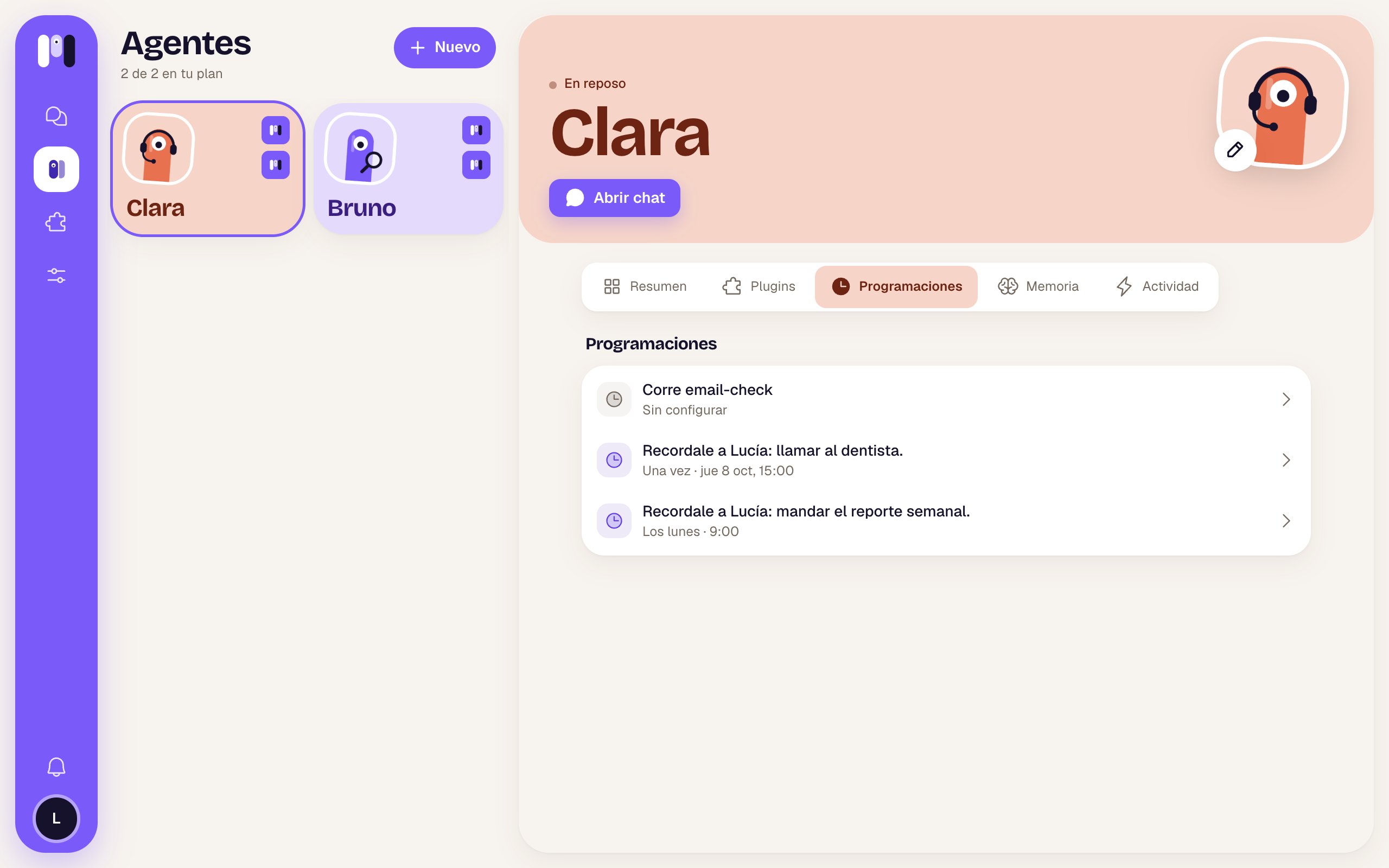
A paused agent doesn’t run its schedules. And schedules count toward your plan as “runs a day”: if you go over, the agent tells you and you work it out together.
What it did, in Activity
Every time an agent works (because you wrote to it, because of a schedule or because of an alert), it shows up in its Activity tab: what woke it up, how long it took, how it ended and its steps, in words. It’s kept for a month.