

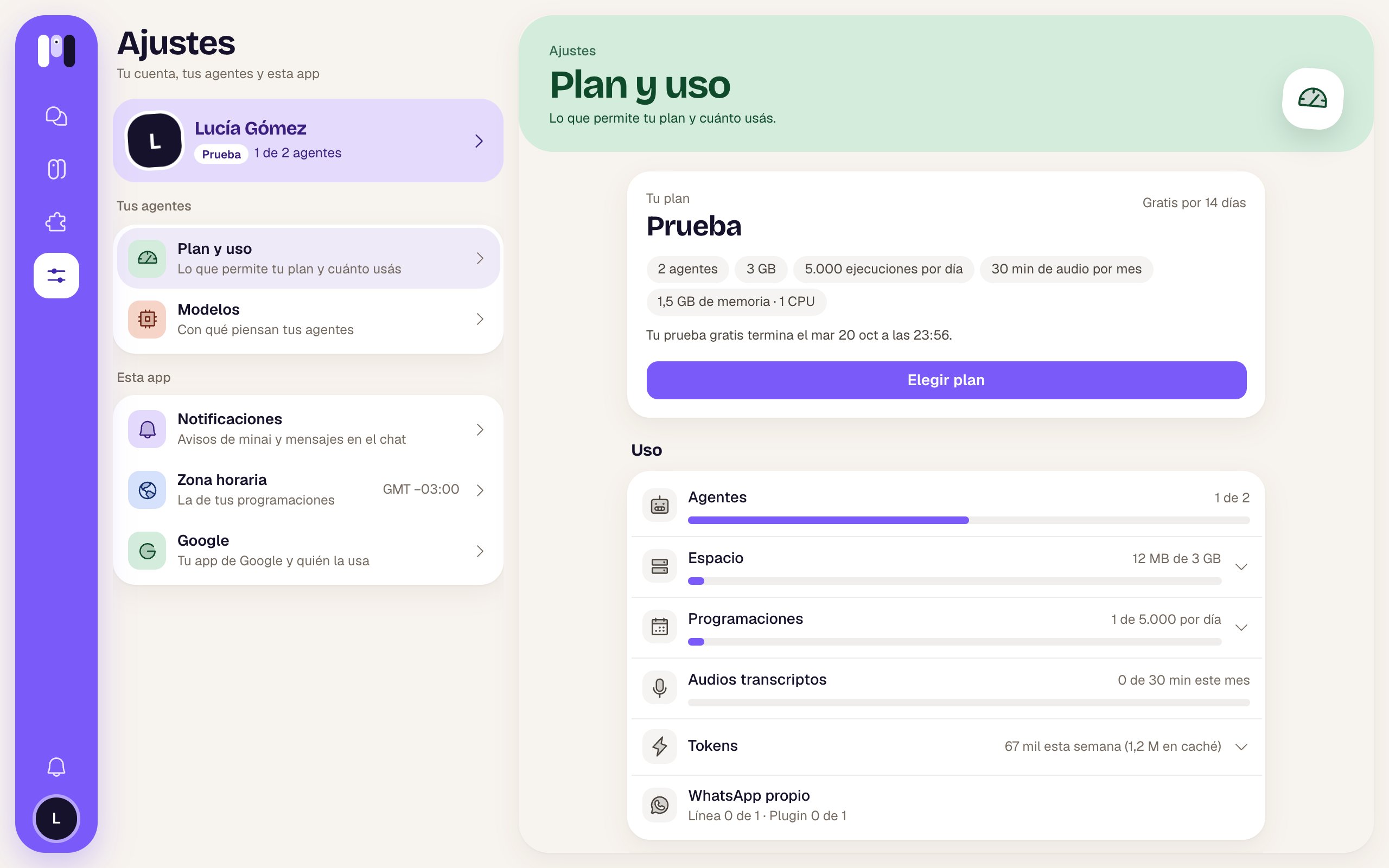
Choosing a plan
1
Tap Choose plan
In Plan and usage. During the trial, you’ll also find it in the notices saying it’s about to end.
2
Choose how often you pay and the plan
Monthly or Yearly (the yearly one comes with a free month). Then Lite, Pro or Max.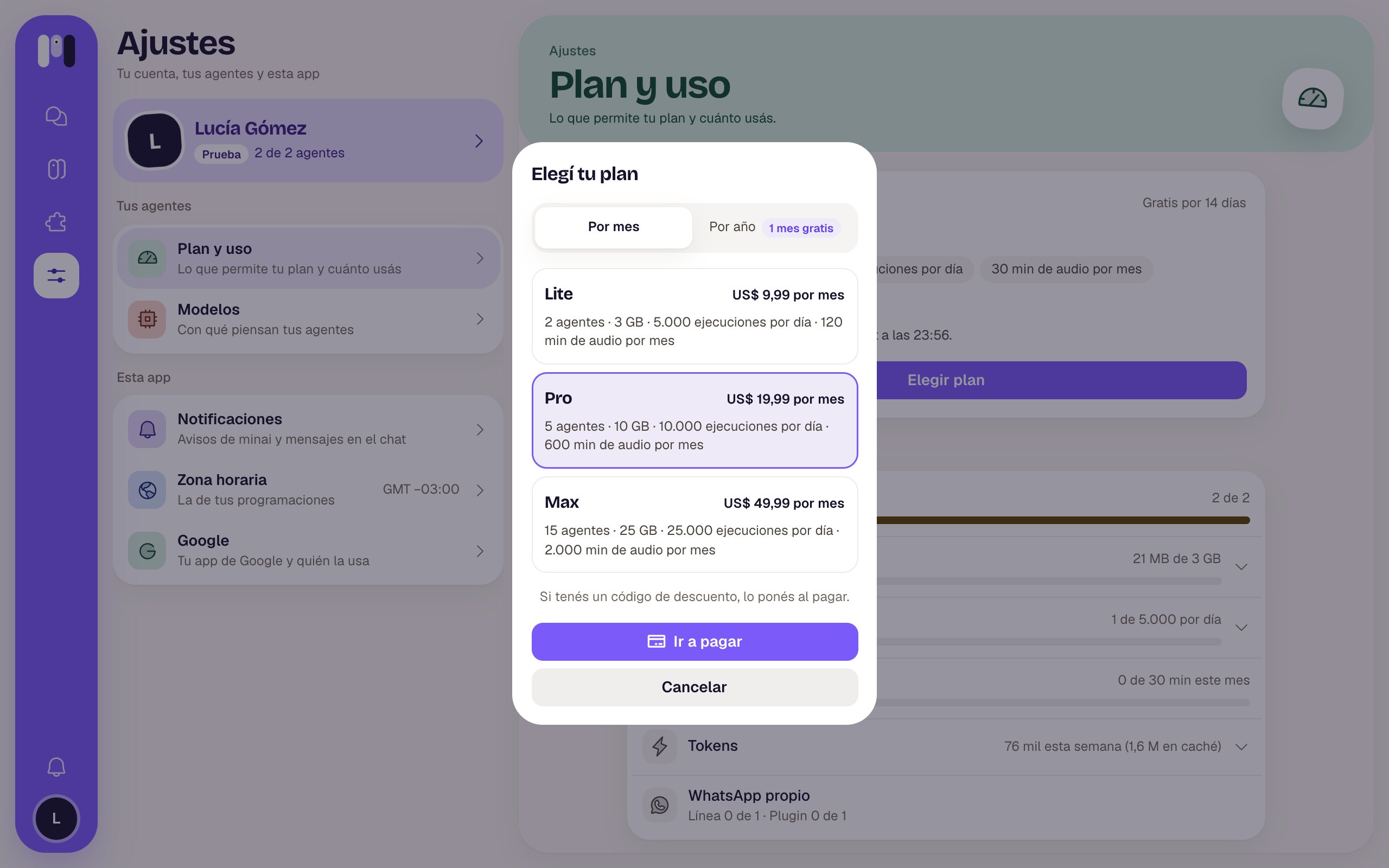
3
Pay
Tap Go to payment: Stripe’s checkout opens. If you have a discount code, you enter it there. When you come back, minai confirms the payment and you’re done.
Changing plans
With a paid plan, tap Change plan, choose the new one and tap Next. minai shows you what’s going to happen before you confirm:- To a bigger one: it applies right away. Today you’re charged the difference until the end of your period, and the limits go up instantly.
- To a smaller one: it applies at the end of the period you already paid for. Until then you keep your current plan. By that date you need to be within the new plan’s limits (for example, have fewer agents); if not, your agents are stopped until you sort it out. In the meantime you can tap Undo.
Invoices, card and cancelling
Tap Payments and invoices: Stripe’s portal opens, where you change your card, download your invoices and cancel. If you cancel, your plan goes on until the end of the paid period (“You cancelled it: it ends on…”).If a payment fails
If your card declines the renewal, minai lets you know and Stripe tries again in a few days; in the meantime, everything keeps working. Check your card in Payments and invoices. If in the end it can’t be charged, your agents are stopped.When your agents are stopped
This happens if the trial ended without you choosing a plan, if a payment couldn’t be charged, if your plan ended or if you went over the limits. You see it in Agents and in Plan and usage, with the reason.- Because of the limits: get back within them (delete an agent, free up space, cut down schedules) and they carry on by themselves.
- Because of the payment or the trial: choose a plan and everything goes back to how it was.
If your plan comes from a reseller or was given to you by minai, you’ll see that in Plan and usage, and payments don’t go through you.