

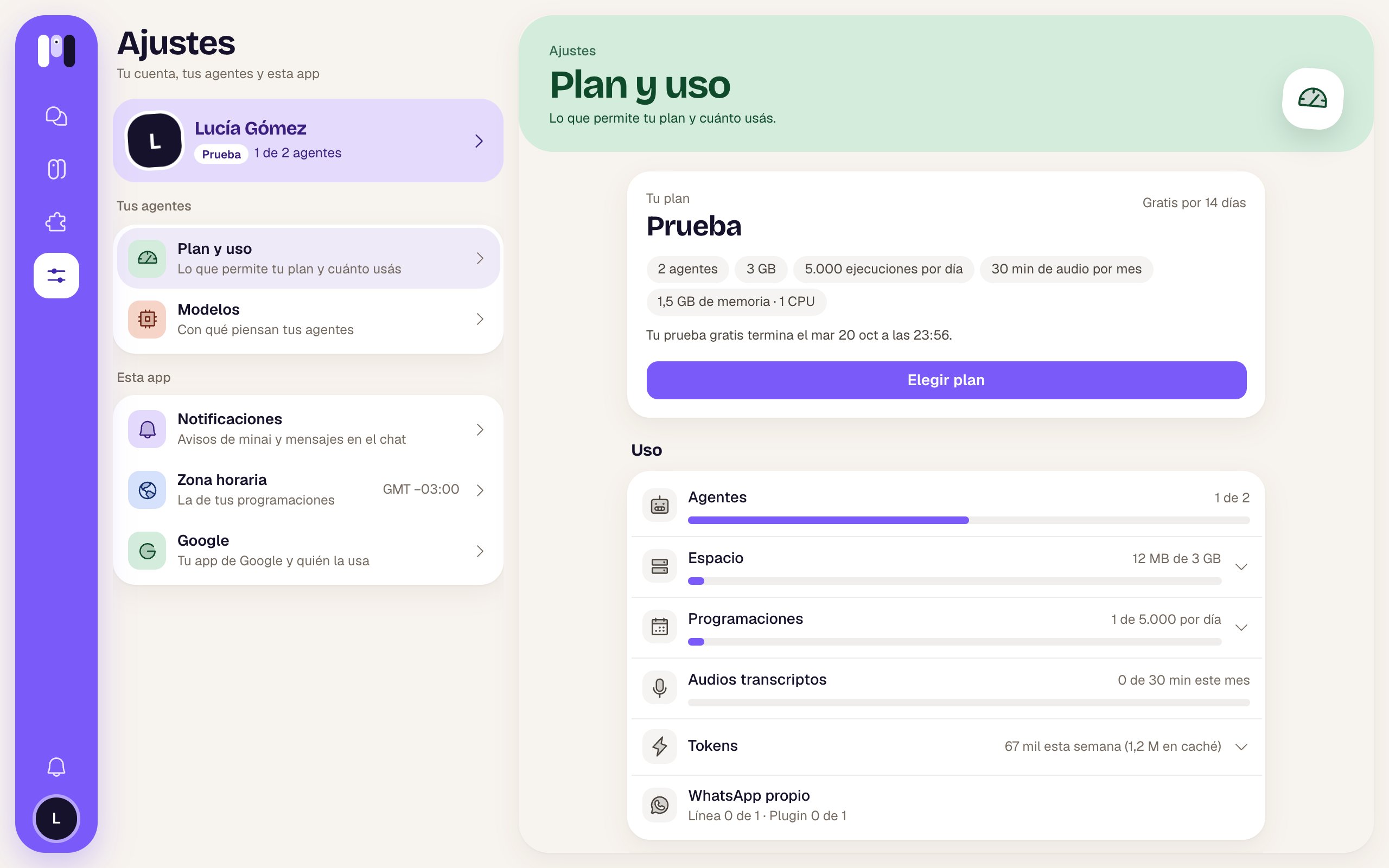
Plan and usage during the free trial
Your plan
A card with:
It can also show:
- “We couldn’t charge your plan. We’ll try again in a few days; check your card.”
- A move to a smaller plan that’s already scheduled: “You move to … on …” and “By then you have to be within its limits.”, with Undo.
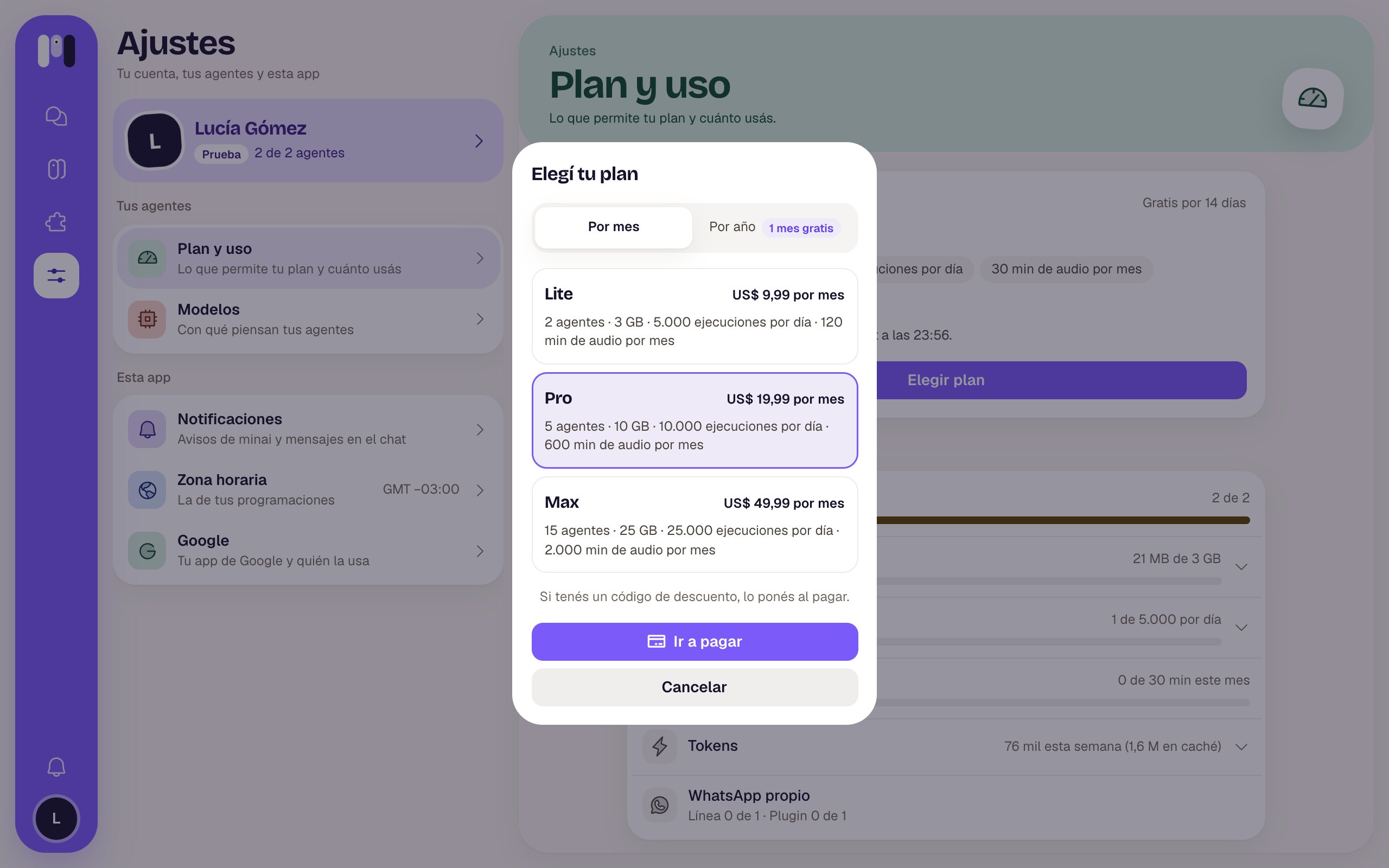
Choosing or changing plans
The window has Monthly / Yearly (with “1 month free” on the yearly one) and a card for each plan, with what it includes and its price; yours says “Your plan”.- To choose: “If you have a discount code, you enter it when paying.” and Go to payment, which takes you to pay. When you come back: “Confirming your payment…”.
- To change: Next shows you what happens before you confirm. To a bigger one, you move now and pay the difference; to a smaller one, you move at the end of your period, and by that date you have to be within its limits. Confirm applies it.
Usage
One meter per thing. The minai symbol looks surprised when you pass 80% and gets angry if you went over; the number turns red.Your subscription
If your agents think with your Claude or ChatGPT account, this section shows up with its two quotas:
If one hits the cap, it says No usage left and “Your Claude agents can’t work until it renews…”. Wait until the time it says, or move an agent to another AI from its Model. We let you know at 80% and at 95%.
When your agents are stopped
At the top, a red “Your agents are stopped” card shows up with the reason. Meanwhile, the agents don’t answer or run their schedules.Plans
Each plan’s prices and limits.
Plan and billing
Choose, change or cancel.